 EN
EN
 Dansk
Dansk  Deutsch
  Español
  Français
  Hrvatski
  Indonesia
  Italiano
  Magyar
  Nederlands
  Norsk
Norsk  Polski
  Português
  Română
  Suomi
Suomi  Svenska
  Tiếng Việt
  Türkçe
  Čeština
  Ελληνικά
  Русский
  Українська
  български
  ไทย
ไทย  日本語
日本語  简体中文
简体中文  한국어
한국어  עברית
עברית  العربية
 Does IPVanish Work With Netflix in 2026? Yes. An Easy Guide

Netflix has incredibly strong VPN-blocking abilities — even the best VPNs have trouble working with the service. It’s never fun to waste time scrolling through dozens of local servers to find one that will let you stream your content securely and in HD.
In addition, some VPNs only reliably work with Netflix in some countries. So you might not be able to find a local server to use your Netflix account as normal while protecting your privacy online with the VPN.
After testing 100+ VPNs, my team and I found that IPVanish is a strong choice for watching Netflix in HD. That’s because it offers a large and reliable server network, fast speeds, and unlimited device connections. You can even test IPVanish for free since it comes with a 30-day money-back guarantee. If you’re not impressed, you can request a full reimbursement within that period.
Can’t Stream Netflix With IPVanish? Start Here
IPVanish works very well with Netflix compared to many VPNs, but it’s not immune to errors or other problems. Fortunately, depending on the issue, there are many easy fixes you can try:
- Restart the connection. Simply switching it off and back on can often resolve the issue.
- Clear your cache and cookies. To fix this problem, go to your browser’s security settings, clear your cache and cookies, and reload Netflix.
- Open a private browsing window. Incognito windows don't store cookies or cache, which can aid in loading Netflix correctly.
- Adjust the protocol settings. IPVanish uses OpenVPN by default, so if it doesn’t work with Netflix, open the app’s settings and try another available option.
- Pick another server location. If the current one isn’t working, connecting to a different location may help.
- Install the latest app version. It’s possible IPVanish doesn’t work because you missed a recent update. Update your app and try again.
- Contact customer service. IPVanish offers customer support 24/7 through live chat, email, and even by phone. If these fixes don’t work, you can always contact them for a server recommendation or troubleshooting tips specific to your issue.
Which IPVanish Servers Work With Netflix?
My international team and I conducted tests on over 30 IPVanish servers to make sure it works in a variety of countries. The average speed on all servers was 30Mbps, which is considerably faster than what HD video demands. To optimize your speed, I suggest employing the IKEv2 protocol, as it outperforms OpenVPN in terms of speed.
The following table will help you pick the best servers for watching your favorite Netflix shows in your country:
| Netflix Library | Best server(s) for Netflix |
|---|---|
| US | atl-b33, nyc-c05, nyc-c30, lax-a43, chi-a36 |
| UK | lon-a47, man-c13, bhx-c09 |
| France | par-a12, mrs-c07 |
| Australia | syd-a20, bne-c04 |
| Canada | tor-a08, yvr-c05 |
| Germany | fra-a26 |
| Japan | nrt-a05 |
| Singapore | sin-a29 |
| India | bom-c02 |
| Brazil | gru-c07 |
After identifying your preferred Netflix server, it would be beneficial to add it to your 'favorites' list. Just select the star adjacent to the server's name and it will be readily available for future access in the server list provided by IPVanish.
The Benefits of Pairing IPVanish With Netflix

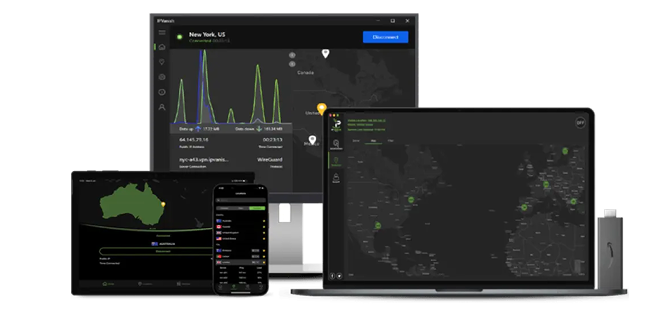 Try Risk-Free for 30 Days
Tested March 2026
- Unlimited data and superfast speeds for smooth, lag-free Netflix viewing
- 3,200 servers in 109 countries
- No device limits, so Netflix can run on multiple screens at the same time
- 30-day money-back guarantee
- Works with: Netflix, Disney+, HBO Max, Vudu, and more
- Compatible with: Windows, Mac, iOS, Android, Linux, routers, and more
IPVanish has superfast speeds that let you watch your favorite Netflix shows buffer-free. During our tests, we had an average speed of 32.5 Mbps. Given that HD playback runs smoothly at around 5 Mbps, those speeds are more than sufficient for high-quality viewing. Additionally, you get unlimited data with no speed throttling, so you can stream movies and series for as long as you like.
It has an impressive and ever-growing network of 3,200 servers in 109 countries. We tested 5 of its US servers and had no problems making it work with Netflix US and other streaming platforms such as Disney+ and Max (previously HBO Max).
Our international team was able to make the VPN work in their own countries (including the US, UK, France, and Australia) without issues. The one time we got the Netflix proxy error, it took us less than a minute to find another local server that worked. This means that you shouldn’t have any issues finding a reliable local server to watch your favorite Netflix shows in HD.
The VPN is compatible with Windows, Mac, Android, iOS, Linux, and even routers. It’s also possible to connect all your different devices simultaneously since it offers unlimited device connections. I tested this by installing the app on my iPhone, MacBook, and Windows laptop, and the connection remained stable. This makes it a solid option for households that want to use multiple devices at once without interruptions.
Plus, IPVanish has excellent privacy and security features. It comes with an automatic kill switch, AES-256 bit encryption, and a strict no-logs policy. It also offers multiple protocols such as OpenVPN and IKEv2. We tested both protocols, and I’d recommend IKEv2 for streaming Netflix since it gave us faster speeds than OpenVPN. Its top-notch security features will keep you well protected while bingeing your favorite shows.
If you’re not ready to commit yet, you can even try IPVanish out for free with its 30-day money-back guarantee. It was really easy to get my money back. I didn’t have to contact customer service or provide a reason. I just logged into my account and clicked a couple of buttons. I had my money back a few days after I canceled.
How IPVanish’s Unlimited Device Connections Help Households Stream Netflix
Many VPNs limit how many devices you can connect at once. Some allow 5, others 7 or 10. If you reach the limit, you have to log one device out before using another.
IPVanish doesn’t set a device limit. Everyone in your home can stream at the same time under one account. One person can watch Netflix on the TV, another on a tablet, and someone else on a laptop.
This is helpful for families or shared homes. You don’t need to manage connections or upgrade to extra plans.
Does IPVanish Work on Fire Stick for Netflix? Setup Overview
IPVanish offers a dedicated app for Amazon Fire TV and Fire Stick. You can download it directly from the Amazon Appstore.
Setup is simple. Search for IPVanish, install the app, log in, and connect to a server. Then open Netflix and start watching.
Since the app runs on the Fire Stick itself, you don’t need to configure your router. You also don’t need to connect through another device. This makes it a good option if you mostly stream on your TV and want an easy setup.
FAQs
How do I change my Netflix region with IPVanish?
Theoretically, by connecting to your location of choice. That said, using a VPN to change your Netflix region can violate Netflix's terms of service and can even constitute copyright infringement. It’s best to use a VPN for safer, high-quality Netflix streaming in HD instead.
Will a free VPN let me watch Netflix?
Probably not. Free VPNs don’t have the funds to update their servers constantly. That means once Netflix flags and blocks one, it will probably never work again since it won’t be updated. Not only that, free VPNs usually only offer a few servers to begin with, which limits you even more. Small networks also mean they're often overcrowded, which leads to very slow speeds, which will cause your show to constantly buffer.
In addition, free VPNs can be dangerous. They often have weak security features and can leak your data. This means that your online privacy could be at risk when using a free VPN. It is even possible for free VPNs to infect your device with viruses and harmful malware.
A smart alternative is to pick a premium VPN such as IPVanish. You can even test the service for free with its 30-day money-back guarantee. That way, you don’t have to feel chained to the service if it isn’t for you.
What’s the top VPN choice for Netflix streaming?
IPVanish is one of our top recommendations for Netflix. However, there are other VPNs that are a bit more reliable and have Netflix-specific features. Some VPNs are easier to use for streaming and have servers optimized for Netflix. Other VPNs have larger and more reliable server networks. If you’re still not convinced IPVanish is your best option, you can check out our list of the best Netflix VPNs.
To Wrap Up
It's not easy to find the perfect VPN to watch Netflix in the best quality. A good option for streaming Netflix in HD is IPVanish. It has an extensive server network that works with Netflix. Besides, its lightning-fast speeds allow you to watch your favorite shows without any annoying lag or interruptions.
It even comes with a 30-day money-back guarantee. This way, you can try IPVanish for free for 30 days. If you’re not impressed, you can simply ask for a refund.
About the Author
Kristel is a former tech researcher and writer with a keen interest in online privacy and cybersecurity. She advocates for digital freedom.


Please, comment on how to improve this article. Your feedback matters!