 EN
EN
 Dansk
Dansk  Deutsch
  Español
  Français
  Hrvatski
  Indonesia
  Italiano
  Magyar
  Nederlands
  Norsk
Norsk  Polski
  Português
  Română
  Suomi
Suomi  Svenska
  Tiếng Việt
  Türkçe
  Čeština
  Ελληνικά
  Русский
  Українська
  български
  ไทย
ไทย  日本語
日本語  简体中文
简体中文  한국어
한국어  עברית
עברית  العربية
Does PIA Work With Netflix in 2026? Yes. An Easy Guide

Private Internet Access didn’t work with Netflix for a long time. Now it’s actually a good option if you want a VPN to get around ISP throttling and watch Netflix content in HD from anywhere. However, there are still times when they don’t work well together.
When PIA has trouble with Netflix, the issue can often be fixed with a couple of basic tweaks. Usually, that just means adjusting your VPN settings, sometimes even using a different browser.
If you’ve already tried these quick fixes and the problems persist, switching providers may be your best option. ExpressVPN is a strong alternative because its servers consistently work with Netflix. On top of that, its superfast speeds let you load shows in a couple of seconds and watch without lag. Plus, it comes with a 30-day money-back guarantee*, so you can try ExpressVPN completely risk-free. If you’re not satisfied, you can easily get your money back.
Steps to Resolve PIA Netflix Issues
If you connect to a PIA server that doesn’t work with Netflix, there are several simple ways to solve the problem. These solutions don’t require any technical knowledge, and they can also help you if you’re struggling with another streaming platform. If none of these solutions work for you, then your best bet is to try a VPN that's been proven to work reliably with Netflix, like ExpressVPN.
- Check your IP address. You may have been assigned an IP that Netflix has blocked. If that’s the case, reconnect to a new server location.
- Use a different protocol. If the one you’re connected to isn’t compatible with Netflix, trying another option may resolve the issue. OpenVPN and WireGuard are generally the most dependable options and are available in your settings.
- Review your firewall and antivirus settings. Security software may interfere with Netflix connections while using PIA. Temporarily turn them off and see if the issue improves.
- Flush your DNS. The DNS server you’re using could be preventing PIA from working with Netflix. This happens when Netflix detects your default DNS, so you’ll need to flush your DNS. The instructions for doing this are different for both Windows and macOS users.
For Windows:
Open the command prompt and select “run.” Then, type “Click Command Prompt” before typing “ipconfig/flushdns.”
For macOS:
Open Terminal and type “sudo dscacheutil -flushcache; sudo killall -HUP mDNSResponder” in the command line. Then, enter your Mac password to make changes.
Reasons to Choose PIA for Streaming Netflix
PIA performs well for Netflix in the following areas:
- Large server network. 29,650 servers across 90 countries, including 53 US locations, to reduce overcrowding. In our tests, 3 US servers streamed Netflix in HD without buffering.
- Unlimited simultaneous connections. Watch Netflix on unlimited devices under one account. Native apps are available for Windows, Android, macOS, iOS, and Linux, and installation takes under a minute. You can also install PIA on your home router to connect smart TVs and gaming consoles.
- Fast speeds for HD streaming. Our download speeds averaged 42.8 Mbps on US servers, well above the minimum needed to stream in HD.
- Automatic kill switch with 3 modes. Off, automatic, and always. “Automatic” blocks traffic if you’re disconnected from the VPN, while “Always” only allows browsing while connected. This is useful on public networks because it disconnects you instantly if the VPN drops.
- Affordable pricing with a 30-day money-back guarantee. You can try PIA risk-free. Payment is required upfront, but you’ll qualify for a full refund if you cancel within 30 days. When we tested the policy, our refund was processed within 5 business days.
The main limitation we found is that PIA worked with 6 Netflix libraries in our tests: the US, the UK, Germany, France, Italy, and Japan. However, every server we tried worked the first time, so securely watching Netflix was never a problem.
Tweaking PIA’s Encryption Settings for Better Netflix Speeds
PIA gives you control over how your connection works, and that can affect streaming performance. If Netflix feels slow or keeps buffering, your protocol may be the issue.
WireGuard is usually the faster option. It’s lightweight and loads videos quickly. OpenVPN can work better on some networks, but it may reduce speed slightly.
If you’re using OpenVPN, check the encryption setting as well. A lower level can improve streaming speed. After making changes, disconnect and reconnect so the new settings apply properly.
How PIA’s Large Server Network Impacts Netflix Access
Netflix blocks VPN IP addresses often. When one server stops working, another may still work without any issue.
PIA runs thousands of servers across many countries. This gives you more flexibility if Netflix shows an error. Instead of retrying the same location, switch to another server in the same country first.
A bigger server pool increases your chances of finding a working connection quickly. It also helps during busy hours when some locations get crowded.
Other VPN Options to Consider Instead of PIA
1. ExpressVPN — Reliable Connections for HD Netflix Viewing

 Try Risk-Free for 30 Days
Tested April 2026
- Lightning-fast speeds that ensure a smooth streaming experience on Netflix
- 3,000 servers in 105 countries, including 62 servers
- MediaStreamer lets you watch Netflix on any Wi-Fi-enabled device
- 14 simultaneous device connections
- 30-day money-back guarantee
- Works with: Netflix, Disney+, HBO Max, Hulu, BBC iPlayer, Vudu, and more
- Compatible with: Windows, Mac, iOS, Android, Linux, Chrome, Firefox, and more
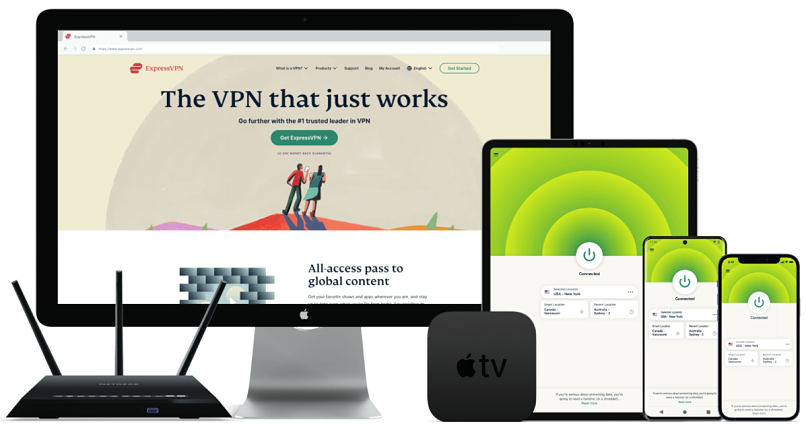
ExpressVPN’s high-speed network makes it an excellent choice for watching Netflix. During our speed tests, our download speeds averaged 45.7 Mbps when watching Netflix US. This was a lot more than the 5 Mbps needed for HD streaming, so we didn’t experience any lag. ExpressVPN also works with 15+ other Netflix libraries, including the UK, Australia, and Japan. So, you’ll be able to stream securely and in HD from anywhere.
You can stream Netflix on devices that are not typically VPN-compatible. We utilized ExpressVPN's MediaStreamer feature to install the service on a PlayStation. The configuration took just a few minutes, and we found the step-by-step instructions on the ExpressVPN website very straightforward. This meant we could stream Netflix US on the big screen with no issues.
You can also try ExpressVPN for yourself risk-free since it’s backed by a money-back guarantee. Just request a refund within 30 days if you’re not satisfied. I wanted to test this policy, so I used its 24/7 live chat feature to cancel my purchase. The representative asked me a couple of questions before going ahead with my request. After 3 business days, I was fully refunded.
2. IPVanish — Watch Netflix on All of Your Devices

- Superfast speeds that provide lag-free streaming
- 3,200+ servers in 109+ countries
- Unlimited simultaneous device connections
- 30-day money-back guarantee
- Works with: Netflix, Disney+, HBO Max, Hulu, BBC iPlayer, Vudu, and more
- Compatible with: Windows, Mac, iOS, Android, Linux, Chrome, Firefox, and more
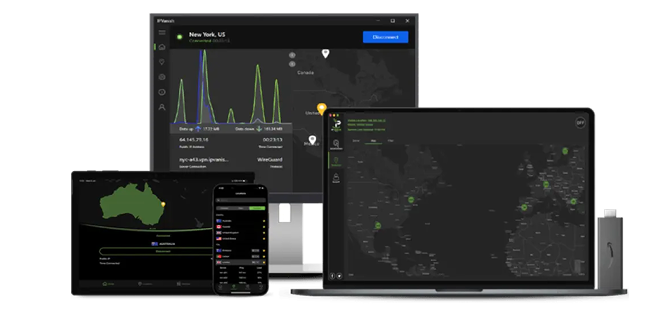
IPVanish allows you to connect an unlimited number of devices with just one account, making it perfect for big families. We quickly connected a MacBook Pro, smartphone, old Windows laptop, and Android tablet all at once to watch Netflix. Impressively, there was no noticeable drop in device performance or connection speed, so you and your family will be able to stream Netflix in HD from anywhere.
It also has 3,200 servers in 109 countries, making it easy to find one nearby for fast streaming speeds. While testing IPVanish, we connected to 4 of its US servers and watched Netflix shows in HD without buffering on all of them. The process took us under a minute every time, and there were no errors at all.
Every IPVanish offer comes with a 30-day money-back guarantee, so you can test its features without any risk. It was really easy to cancel my account. I didn’t have to contact customer service at all. I just logged in to my account and clicked a couple of buttons. I didn’t even need to give a reason for canceling. After 4 business days, I had my money back in full.
3. CyberGhost — Easy-to-Use VPN With Netflix-Optimized Servers

- Impressive speeds that ensure a smooth streaming experience
- 11,690 servers worldwide, including optimized Netflix servers
- 7 simultaneous device connections
- 45-day money-back guarantee
- Works with: Netflix, Disney+, HBO Max, Hulu, BBC iPlayer, Amazon Prime Video, and more
- Compatible with: Windows, Mac, iOS, Android, Linux, Chrome, Firefox, and more
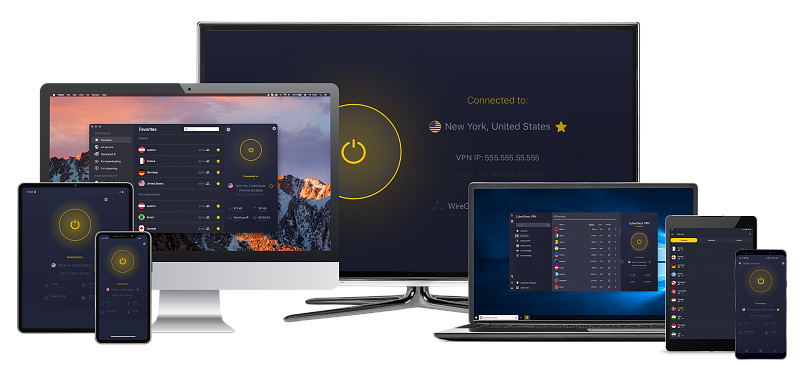
CyberGhost has a global network of 11,690 servers, which includes optimized servers for Netflix. These servers are designed for streaming Netflix in HD from anywhere. When we tested its optimized Netflix servers in the US, UK, and France, and they all worked flawlessly. They’re really easy to find in the For streaming tab of your dashboard, too. You never have to guess which is the best available connection for Netflix.
The rapid speeds of CyberGhost VPN make it an excellent choice for streaming shows on Netflix. In our speed tests, the average download speed across the Netflix US servers was 43.5 Mbps, compared to 42.5 Mbps on its regular US servers. Regardless of server type, you can enjoy uninterrupted HD Netflix streaming on all of them.
You can even try CyberGhost for free using its 45-day money-back guarantee, which is one of the longest available. I tried canceling my account on day 45 by asking a live chat representative. They kindly approved my request after I provided my reasoning, and I got my money back after 5 business days.
FAQs
Does PIA work with Netflix?
Yes, PIA works with Netflix. We recommend connecting to a nearby server, as this will give you the best possible speeds for streaming. Once connected to the VPN, open Netflix and start streaming your favorite shows.
Is it possible for a free VPN to access Netflix?
Streaming Netflix with a free VPN is pretty much impossible. A low-cost premium VPN is a much better option. Netflix uses advanced VPN detection and blocking tools, which even the largest VPNs can struggle with. Smaller or less powerful VPNs, like free services, are often blocked because they don’t have obfuscation tools and other technology that can disguise their traffic.
Free services lack the financial resources required to sustain and upgrade their limited server networks. This results in many people resorting to using the same servers with Netflix, which can cause login issues. Plus, the heavy traffic on these servers leads to significant slowdowns and extensive buffering during streaming.
Also, many free VPNs are known to collect user data and sell it to third parties, such as advertisers and governments. This is a serious breach of online privacy as your data and online behavior can be collected and used against you.
Which Netflix libraries does PIA work with?
The Netflix libraries that PIA worked with in our tests are the US, the UK, Germany, Italy, France, and Japan. However, this may change over time, as the VPN is constantly upgrading its systems, while Netflix is also continuously developing its VPN detection and blocking tools.
Will Private Internet Access slow my internet connection?
Like all VPNs, PIA will slow down your internet connection a bit. This is because your data has to travel to the VPN server. Also, it takes time to encrypt data, so this causes a bit of slowdown as well.
When we conducted our speed tests, we recorded an average download speed of 42.8 Mbps on PIA’s US servers, a 27% reduction from our original speeds. This might seem like a lot, but it was still more than fast enough to watch Netflix in HD, which only requires a download speed of 5 Mbps.
Can I watch Netflix Japan with PIA?
Yes, PIA worked with Netflix Japan during our tests. If you’re experiencing difficulties, try working through our troubleshooting checklist.
Are there legal risks to using PIA for Netflix?
Yes, it’s legal to use PIA to watch Netflix securely if VPNs are legal in your country. VPNs are legal in most parts of the world since they protect people’s online privacy and security on public networks. Only a few countries, like China and Russia, have either banned or heavily restricted VPNs, so check the laws and regulations in your country if you aren’t sure.
Key Takeaway
PIA now joins the ranks as one of the leading VPNs that work with Netflix. This includes Netflix US, UK, Japan, Germany, Italy, and France. But like other VPN providers, issues can arise, which means you’ll need to have some solutions ready.
If you consistently have problems making PIA work with Netflix, I’d recommend using another VPN instead. Many other reliable VPNs work well with Netflix. I recommend that you test out ExpressVPN risk-free. Since it’s backed by a money-back guarantee, you have 30 days to claim a full refund if you don’t like it.
Your online activity may be visible to the sites you visit
Your IP Address:
216.73.216.30
Your Location:
US, Ohio, Columbus
Your Internet Provider:
Some sites might use these details for advertising, analytics, or tracking your online preferences.
To protect your data from the websites you visit, one of the most effective steps is to hide your IP address, which can reveal your location, identity, and browsing habits. Using a virtual private network (VPN) masks your real IP by routing your internet traffic through a secure server, making it appear as though you're browsing from a different location. A VPN also encrypts your connection, keeping your data safe from surveillance and unauthorized access.
About the Author
Ren Sayer is a former writer for vpnMentor. Ren conducted research and performed VPN tests, specializing in creating in-depth guides to help readers make the most of their VPN’s features and capabilities.


Please, comment on how to improve this article. Your feedback matters!