 EN
EN
 Dansk
Dansk  Deutsch
  Español
  Français
  Hrvatski
  Indonesia
  Italiano
  Magyar
  Nederlands
  Norsk
Norsk  Polski
  Português
  Română
  Suomi
Suomi  Svenska
  Tiếng Việt
  Türkçe
  Čeština
  Ελληνικά
  Русский
  Українська
  български
  ไทย
ไทย  日本語
日本語  简体中文
简体中文  한국어
한국어  עברית
עברית  العربية
3 Best YouTube VPNs: Safe Access From Anywhere in 2026

After testing multiple VPNs, only a few could load YouTube on restricted networks while keeping speeds fast enough for HD. Many services lose access quickly because their servers get blocked, their traffic gets detected, or connections slow down until videos buffer.
We cover how YouTube blocks work on school, work, and public networks, plus steps to take if your VPN gets flagged. We also compare the top options side by side so you can choose the one that fits your situation.
If you want the quick answer, these performed best in our tests:
- ExpressVPN — best for reliable YouTube access on restricted networks (worked without extra setup, strong HD speeds, automatic traffic masking)
- CyberGhost VPN — best for simple setup (easy apps, quick connection, steady YouTube playback)
- NordVPN — best for stricter controls (handled tighter network restrictions well during testing, solid speeds for streaming)
Why YouTube Gets Blocked on School, Work, and Public Networks
Schools, offices, and public Wi-Fi often restrict YouTube on purpose. These networks are usually set up to limit video streaming to save bandwidth or reduce distractions. Some also block entire content categories, and video platforms are often on that list.
Filters on these networks don’t work the same way as country blocks. Instead of checking where you are, they look at traffic patterns and site behavior. If a connection looks like streaming video, it may get slowed down or stopped, even if YouTube works fine on your home network.
Public Wi-Fi adds another layer of limits. Cafés, airports, and libraries often use shared connections with strict rules. When many people connect at once, video sites are usually the first to be restricted to keep the network usable for everyone.
Because these blocks happen at the network level, switching browsers or devices rarely helps. Access depends on how the network is configured, not on your YouTube account or settings.
The Best VPNs for Watching YouTube on Restricted Networks
1. ExpressVPN — Fast & Stable Speeds for 4K YouTube Streaming From Anywhere

 Try Risk-Free for 30 Days
Tested March 2026
| Best Feature | Lightway protocol makes it possible to stream YouTube without buffering |
|---|---|
| Server Network | 3,000 obfuscated servers in 105 countries that automatically hide VPN use |
| Ad Blocker | Stops display ads from loading on YouTube, but can't prevent in-video ads |
| Works With | YouTube, Facebook, Instagram, LinkedIn, X, TikTok, Telegram, Discord, Netflix, and more |
ExpressVPN is the fastest provider we tested for YouTube, thanks to its proprietary Lightway protocol. On Windows, you can get Lightway Turbo, an even faster version that creates multiple tunnels to its servers so your data can travel more efficiently. The VPN consistently maintains good speeds, around 175Mbps on average in our tests. You only need 20 to 50Mbps to watch YouTube videos in 4K UHD (2160p).
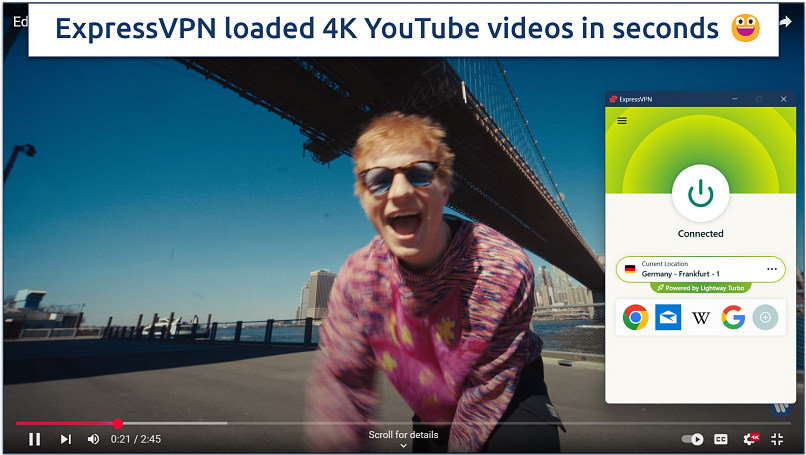 The VPN automatically connects you to the fastest server
Obfuscation technology enables secure access to YouTube in Russia and other places where VPNs are typically blocked. Since this feature works automatically on all servers, there’s no need to waste time finding specific servers or adjusting settings. I also appreciate that the obfuscation doesn’t cause additional slowdowns like with other VPNs.
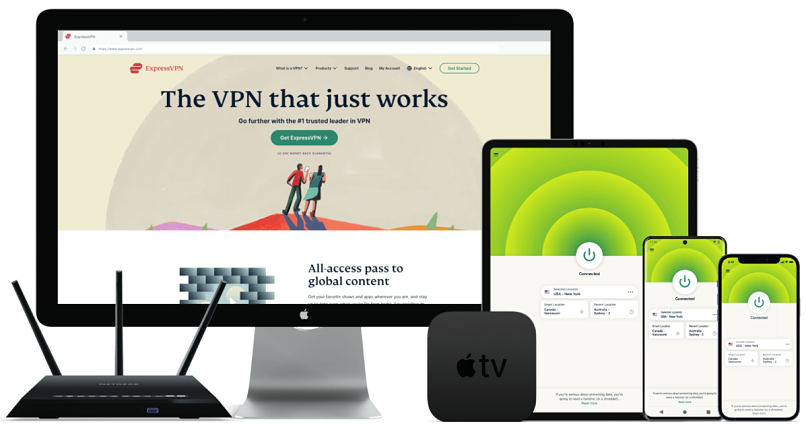
You can install ExpressVPN with a few clicks on almost any device. It also offers MediaStreamer for accessing US, UK, and some Australian content on any device, even those that don’t support VPNs directly, such as older smart TVs and gaming consoles. I set it up on my LG TV in less than 5 minutes. The VPN also sells its own routers (AirCove) that come with the VPN preinstalled, allowing you to protect all your devices with one purchase.
On the downside, the VPN is a bit more expensive. However, it regularly offers discounts. ExpressVPN accepts various payment options, including Google and Apple Pay, and cryptocurrency for extra privacy. You can test ExpressVPN risk-free with your first purchase since it has a 30-day money-back guarantee.
Useful Features
- Verified no-logs policy. The VPN doesn’t track or store your online activity and uses RAM-only servers that wipe all data when rebooted.
- Strong security features. ExpressVPN uses military-grade encryption to protect your data. I ran several DNS leak tests, and ExpressVPN never exposed my real location or IP address.
- Split tunneling. Route only YouTube through the VPN while other apps use your regular connection for better overall performance.
- In-app shortcuts. Create one-click shortcuts to YouTube and other streaming apps directly from ExpressVPN's dashboard.
- One of the fastest VPNs
- Works with top streaming sites
- A proven no-logs policy
- Limited customization
- Smart Location isn't always the fastest
2. Astrill VPN — Stealth VPN Masks VPN Traffic To Avoid YouTube Restrictions

| Best Feature | Makes your VPN connection look like regular internet traffic to avoid blocks |
|---|---|
| Server Network | 300 servers in 58 countries to safely access YouTube in Russia, China, and more |
| Ad Blocker | Designed to stop banners, pop-ups, and video ads, but not consistently effective on YouTube |
| Works With | YouTube, Facebook, Instagram, LinkedIn, X, TikTok, Telegram, Discord, and more |
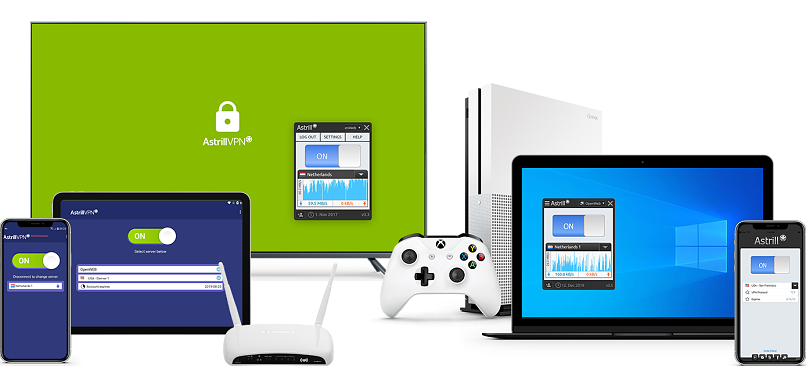
Astrill VPN effectively masks VPN traffic through its proprietary StealthVPN protocol. This helps maintain stable YouTube access on any network, often in decent quality. My international team and I used Astrill on various networks that block VPN connections, including at work and in public libraries, and we watched YouTube without issues during tests.
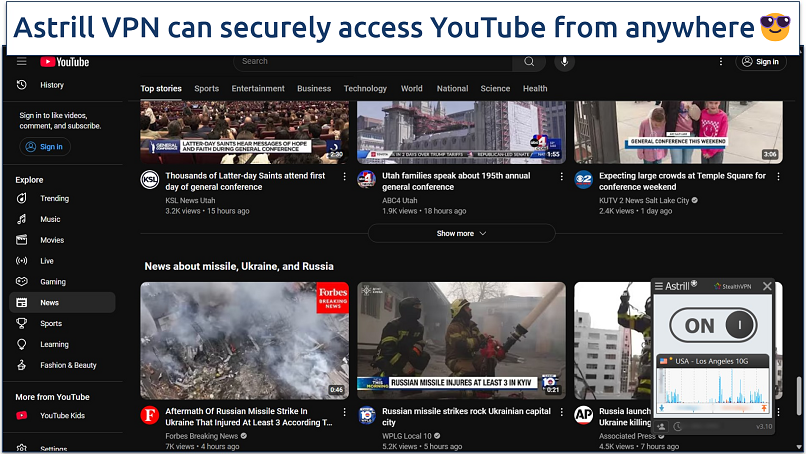 You can pick the StealthVPN protocol from the app's homescreen
While StealthVPN is noticeably slower than ExpressVPN’s automatic obfuscation, we got speeds fast enough for streaming YouTube in high quality. You can use its Supercharged servers, which are optimized for speed and performance, to create an even faster connection. Plus, it offers app-level split tunneling, so you can speed up YouTube by routing your other apps through your regular network, thus avoiding encrypting all your traffic.
OpenWeb is Astrill’s proprietary VPN protocol designed for regions with heavy restrictions. It uses lightweight HTTP and HTTPS tunneling, which makes it highly effective at evading deep packet inspection (DPI) used by ISPs and governments to block YouTube, VPNs, and other services. It connects in milliseconds, making it easy to switch between servers.
Unfortunately, Astrill VPN doesn’t offer a money-back guarantee and is more expensive than most VPNs. However, it’s one of the most reliable VPNs for use in Russia, China, and other countries where YouTube is blocked or restricted.
Useful Features
- App Guard. Prevents specified apps (e.g., YouTube) from accessing the internet without an active VPN connection, adding an extra layer of privacy.
- Smart Mode. This feature automatically routes international traffic through the VPN while keeping local traffic direct, improving speed and safe access to local services without raising suspicion.
- Port forwarding. Helps bypass network restrictions that might block YouTube access.
- WebRTC protection. Prevents your real IP from leaking through browser-based WebRTC connections while watching YouTube. We found no leaks during tests.
- Works in China
- Privacy-friendly
- High price
- Slow speeds
3. Proton VPN — Ad and Tracker Blocker To Watch YouTube Videos Without Interruptions
| Best Feature | NetShield blocks annoying ads and trackers on YouTube |
|---|---|
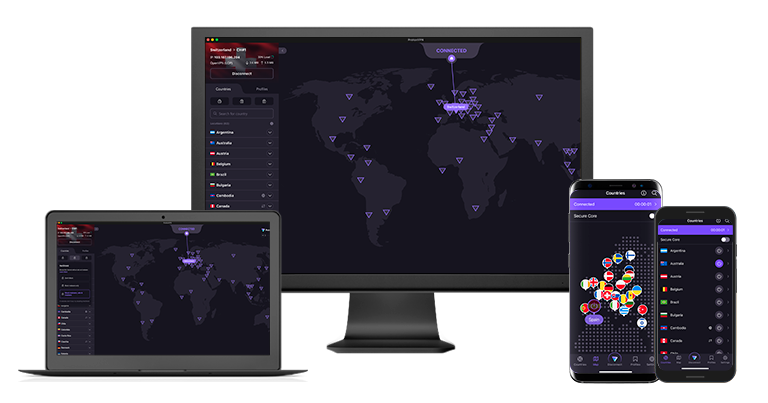
| Server Network | 18,158 servers in 129 countries, including SecureCore for added privacy |
| Ad Blocker | Stops many ads in YouTube videos |
| Works With | YouTube, Facebook, Instagram, LinkedIn, X, TikTok, Telegram, Discord, and more |
Proton VPN's NetShield technology blocks ads and malicious domains while you browse YouTube. The built-in tracker blocker also prevented YouTube from collecting my viewing data and targeting me with personalized ads across other websites. This helped protect my privacy while also speeding up page load times. Although not as effective as a regular ad blocker, NetShield blocked the majority of YouTube ads in our tests.
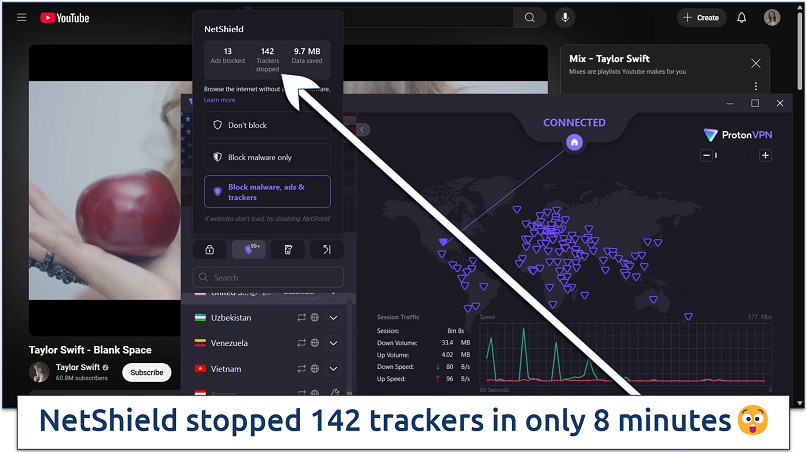 I still saw several ads, but fewer than without NetShield
We measured good speeds during testing, recording over 140.85Mbps. This allowed us to stream YouTube videos in 4K without buffering issues. The automatic protocol selection mostly chose WireGuard, which provided the best balance of speed and security.
One minor drawback is that Proton VPN has fewer servers than some competitors. However, there are specialized options to make up for this limitation. For example, its Secure Core servers route traffic through privacy-friendly countries like Switzerland before connecting to your chosen location. This makes it much harder for anyone to track your online activity.
You can try Proton VPN risk-free with its 30-day money-back guarantee. I tested the refund process through live chat and received my money back within 5 business days. While it doesn’t support cryptocurrency payments, you can use its free version if you can’t pay via PayPal or credit card.
Useful Features
- Alternative routing technology. Automatically finds the fastest path to YouTube servers by circumventing network congestion and avoiding slower routes.
- Smart Protocol Selection. Automatically chooses the best protocol based on your network conditions to maintain stable YouTube streaming.
- Stealth protocol. It masks VPN traffic as regular HTTPS traffic to help safely access YouTube in countries like Russia. The obfuscation worked well during our tests, making our VPN connection look like regular web browsing traffic.
- Advanced security features
- Good value
- Not all apps are equal
- No split tunneling for Mac
Side-by-Side Look at the Best YouTube VPNs
Here's a detailed comparison of the key features you need in a VPN for YouTube. I focused on aspects like speeds for HD streaming, server coverage, and features that help avoid YouTube's VPN detection.
How VPN Location Shapes YouTube Recommendations
YouTube doesn’t show the same content everywhere. It adjusts suggestions based on where it thinks you are. That affects what appears on your home page, which videos trend, and even the ads you see.
When you connect through a VPN, YouTube reads the location of that connection instead of your usual one. As a result, recommendations may shift to match local interests in that region. You might see different creators, languages, or trending topics than before.
This change doesn’t affect your account itself. Your subscriptions stay the same. Your watch history still matters. But location adds another signal, so the mix of suggested videos can feel different.
If recommendations suddenly look unfamiliar, that’s normal. Switching to a server closer to your usual region often brings things back in line while keeping your connection private.
Fixes That Help When YouTube Flags a VPN
If YouTube detects your VPN connection, try these fixes that worked in our testing:
- Try a nearby server. When one IP gets flagged, switching to a similar location is often enough to get videos loading again.
- Remove stored site data. YouTube can rely on saved session details to spot a mismatch. Clearing its stored data resets that signal and often restores access. You do not need to wipe everything. Most browsers let you remove data for one site only.
- Switch protocols. WireGuard or IKEv2 often works better than OpenVPN on restricted networks.
- Turn on stealth or obfuscation. If your VPN offers it, enable it so the connection looks more like normal browsing.
- Look for connection leaks. If data escapes the VPN tunnel, YouTube can still recognize the traffic. Enable leak protection in the app and test again.
- Update the VPN app. Outdated VPN apps may use deprecated methods that YouTube can easily detect. Always update your VPN software to the latest version.
- Use split tunneling. Send only YouTube through the VPN while other apps use your normal connection.
If the issue is specific to YouTube TV, the fixes can be slightly different.
How We Tested VPNs With YouTube
Each VPN on this list worked with YouTube during testing. After confirming access, we checked speeds across multiple servers to see if they could handle HD and 4K video without extra buffering. We also tested traffic masking features to see how well each VPN held up against YouTube’s detection.
If you want more details on how we test VPNs, you can review our full testing process. It explains how our team checks performance, privacy, and reliability across different networks.
FAQs
Summary
For YouTube, reliability matters more than features. If speeds drop or traffic gets flagged, videos may buffer, fail to load, or stop playing altogether.
ExpressVPN handled YouTube more consistently than the other options we tried. Videos loaded quickly, stayed stable, and kept working even on networks where access is often restricted. That reliability made it the strongest choice overall for YouTube.
Your online activity may be visible to the sites you visit
Your IP Address:
216.73.216.136
Your Location:
US, Ohio, Columbus
Your Internet Provider:
Some sites might use these details for advertising, analytics, or tracking your online preferences.
To protect your data from the websites you visit, one of the most effective steps is to hide your IP address, which can reveal your location, identity, and browsing habits. Using a virtual private network (VPN) masks your real IP by routing your internet traffic through a secure server, making it appear as though you're browsing from a different location. A VPN also encrypts your connection, keeping your data safe from surveillance and unauthorized access.
About the Author
Andjela is a former technology and cybersecurity writer for vpnMentor. She was dedicated to helping readers protect their privacy online with detailed VPN reviews, testing all features, and providing the facts.


Please, comment on how to improve this article. Your feedback matters!