 EN
EN
 Dansk
Dansk  Deutsch
  Español
  Français
  Hrvatski
  Indonesia
  Italiano
  Magyar
  Nederlands
  Norsk
Norsk  Polski
  Português
  Română
  Suomi
Suomi  Svenska
  Tiếng Việt
  Türkçe
  Čeština
  Ελληνικά
  Русский
  Українська
  български
  ไทย
ไทย  日本語
日本語  简体中文
简体中文  한국어
한국어  עברית
עברית  العربية
Best VPNs in 2026: Tested & Reviewed by Experts

Choosing a VPN can be challenging because many providers overpromise on speed and security but underdeliver in real-world use. Some work well for streaming but lack essential privacy features, while others slow your connection or fail in restricted regions. A reliable VPN should provide stable speeds, a strict no-logs policy, strong encryption, and a large server network.
To identify the best VPNs, we tested 300+ services across multiple devices, including the latest iOS and Android smartphones and Windows/Mac PCs. Our evaluation covered streaming performance on various platforms, gaming responsiveness with popular titles like Warzone, torrenting speeds, and usability on restrictive networks. This hands-on testing revealed which VPNs consistently deliver and which fall short.
Overall, ExpressVPN and NordVPN proved to be the most reliable all-around choices, offering fast connections and strong security without major trade-offs. Both services perform well across a wide range of use cases, making them solid options whether you prioritize streaming, privacy, or everyday browsing.
Want to quickly compare our top recommendations or understand which features matter most? Jump to our feature comparison table.
Short Review of the Best VPN Services in 2026
- Editor's Choice
-
 NordVPN
Built-in Threat Protection feature blocks ads, trackers, and malicious websites. -
 CyberGhost
Servers optimized for smooth streaming, fast torrenting, and lag-free gaming. -
 Private Internet Access
Tons of settings that you can customize to balance your speed and security. -
 Surfshark
Rotating IPs, CleanWeb, a built-in antivirus, and more to protect your connection.
Tips on Choosing the Best VPN for You: What to Look for in 2026
Choosing the right VPN involves more than just data and tests; it's about finding what fits your needs. While some are unquestionably better than others, the best VPN for you depends on your intended use and personal preferences. Here’s a quick, 3-step guide to finding the top VPN for you.
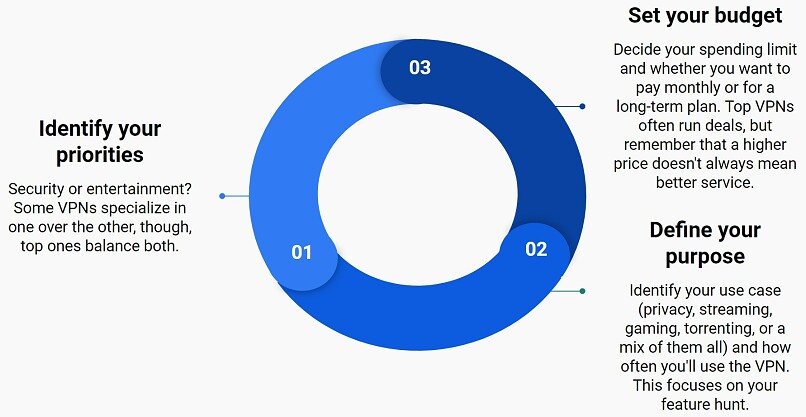
However, beyond the usual features, recent shifts in the digital and cybersecurity landscape have pushed VPN providers to evolve. Quantum computing — once a distant concept — is rapidly approaching practical viability. Encryption that would have taken thousands of years to break could soon be cracked in seconds, forcing VPNs to adopt new, future-proof protocols.
With that in mind, here’s what to look for in a VPN in 2026:
| Purpose | Requirements |
|---|---|
| 🔐 Privacy and Security | Choose a VPN with a strict no-logs policy, independently audited, strong AES-256 or ChaCha20 encryption, IP/DNS leak protection, and support for OpenVPN or WireGuard protocols. |
| 📺 Streaming | Look for VPNs with large global server networks and fast speeds for HD streaming. Ensure they work with Netflix, Hulu, BBC iPlayer, or DAZN. |
| 🧑🤝🧑 Torrenting | Choose a VPN for torrenting that masks your IP, encrypts traffic, and offers P2P profiles. You’ll also need fast speeds, and you might want optional features like SOCKS5 proxies. |
| 💻 Device Compatibility | Ensure the VPN has native apps that are easy to install on various platforms, such as Windows, macOS, Android, iOS, Linux, Fire Stick, and browsers. It should also offer smart DNS solutions for unsupported devices, like older smart TVs or gaming consoles, like the PS5. |
| 🌍 Suitable for Your Location | Check if the VPN works well in your country, especially in regions with privacy concerns or restrictive networks. Look for features like obfuscation to disguise VPN traffic. If you need a VPN for China, India, the UAE, the UK, or the US, make sure that it works reliably there for your online activities. |
| 🛡️ Post-Quantum Encryption | Top VPNs are starting to test or implement post-quantum encryption algorithms (e.g., Kyber). While not yet widespread, VPNs like ExpressVPN and NordVPN are early adopters. |
| 🐧 Full Linux GUI Support | As Linux adoption rises, more VPNs are now offering graphical apps for Linux, not just CLI tools. This greatly improves usability for Linux users, with NordVPN, ExpressVPN, and PIA leading this shift. |
Best VPNs — Extended Reviews (Updated 2026)
1. ExpressVPN — Best VPN Overall for Security, Streaming, and Cross-Platform Support

 Try Risk-Free for 30 Days
Tested October 2026
| Best Feature | Frequent IP updates and fast speeds make it the most reliable VPN for streaming |
|---|---|
| Server Network | 3,000 servers in 105 countries give you fast worldwide connections |
| Simultaneous Device Connections | Up to 14, so you can protect your compatible devices |
| Works With | Netflix, Disney+, Amazon Prime Video, BBC iPlayer, (HBO) Max, Hulu, Vudu, DAZN, and more |
ExpressVPN’s reliable server network lets you stream your favorite content in HD from anywhere. During our tests, it worked seamlessly with 20+ Netflix libraries, plus services like Disney+, Hulu, Max, and BBC iPlayer. I also like that it offers MediaStreamer (smart DNS), which lets you stream on devices that don't typically support VPNs (like game consoles and older smart TVs). This feature is optimized for streaming US, UK, and Australian content, but doesn’t encrypt your data like a regular VPN connection.
 For quick access, you can add website URL shortcuts to the app homescreen
Perfect for Streaming and P2P With Excellent Speeds & Device Compatibility
During our extensive testing, ExpressVPN consistently delivered fast speeds across its entire network. Using its Lightway protocol, we experienced average speeds of 186.90Mbps across its near and distant servers. So, you’ll barely notice a difference while browsing or downloading, even while using servers thousands of miles away. We streamed the latest season of Stranger Things in 4K on an Android TV with no delays.
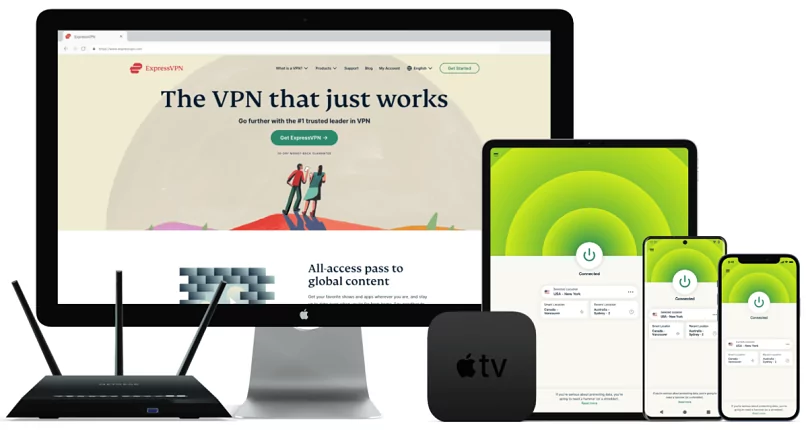
It has native apps for the most popular devices and operating systems. It even has apps for Fire devices (including Fire TV Stick) and Apple TV, making it super easy to set up. For instance, it took me less than 2 minutes to install ExpressVPN on my Android mobile and iPhone 17 Pro. Plus, ExpressVPN offers custom firmware for routers, simplifying setup without requiring complex manual installation.
 I like how its app interfaces are almost identical between devices
It also supports P2P sharing across its entire network, making it easy to find a fast server. ExpressVPN only supports port forwarding through router setup (without encrypting the forwarded traffic), but split tunneling can help maximize your speeds while torrenting. We used it to encrypt only our BitTorrent traffic while everything else remained on the local network.
Strong Privacy Features With Proven Track Record
ExpressVPN's commitment to privacy has been proven in both real-world situations and through independent audits (23 in total). When Turkish authorities seized one of its servers in 2017, they found no user data or logs, proving its privacy promises. It’s been further verified by leading firms like KPMG, PwC, and Cure53. Plus, its British Virgin Islands headquarters location (outside the 14 Eyes Alliance) ensures it can't be forced to collect user data.
Its privacy features include:
- True no-logs policy. Unlike some VPNs, ExpressVPN doesn’t store any of the data that can be traced back to you.
- TrustedServer technology. All servers run on RAM only, which wipes all data with every reboot, so nothing is ever written on hard drives.
- Private payment options. ExpressVPN accepts crypto payments for added privacy.
- IP/DNS leak protection. I ran extensive leak tests on ExpressVPN's servers using tools like ipleak.net and dnsleaktest.com. None of the servers exposed my real IP address or DNS requests, confirming that your online activity remains private.
Advanced Security Features
ExpressVPN offers industry-leading protection that performs as expected according to third-party audits and our testing. Every connection benefits from military-grade AES 256-bit encryption with SHA512 hashing and a 4096-bit RSA key, making your data virtually impossible to decrypt. Plus, it uses perfect forward secrecy that regularly changes encryption keys to ensure past sessions remain private even if future ones are compromised.
Other security features include:
- Network Lock. This advanced kill switch automatically cuts your internet if the VPN connection drops, ensuring your real IP address is never exposed.
- Threat Manager. ExpressVPN's built-in protection blocks malicious domains, trackers, and suspicious sites before they can load on your device.
- Multiple protocols. Choose from Lightway for the fastest speeds, OpenVPN for maximum stability, or IKEv2 on macOS for quick reconnections.
- ExpressVPN Keys. The password manager lets you securely store unlimited passwords and generate strong new ones across all your devices.
- Post-quantum encryption. One of the few VPNs to adopt this. It will help prevent any of your encrypted data that is stolen today from future decryption using quantum computers.
- Browser extensions. While not standalone, they let you control the VPN app from within the browser for device-wide encryption. Most other VPN browser extensions just offer proxy functionality, which isn’t as safe.
You can test ExpressVPN risk-free since it’s backed by a 30-day money-back guarantee*. Getting a refund is easy — I used its 24/7 live chat to check its legitimacy. The agent asked a few questions about my experience and then instantly approved the refund. My money was back in my account a few days later.
ExpressVPN Is Best for…
- Overall versatility — ExpressVPN’s fast speeds, strong security, and reliability make it a one-stop shop for a broad range of online activities, including streaming, torrenting, gaming, and safe browsing.
ExpressVPN May Not Be Best for…
- Users on a budget — ExpressVPN is not the cheapest on my list, but it often offers discounts that make it more affordable.
- One of the fastest VPNs
- Works with top streaming sites
- A proven no-logs policy
- Limited customization
- Smart Location isn't always the fastest
2. NordVPN — Best VPN for Fast Speeds to Stream, Game, or Torrent From Anywhere

| Best Feature | Proprietary NordLynx protocol outperformed others for speed and latency |
|---|---|
| Server Network | 9,532 servers in 149 countries make finding a nearby, fast server easy |
| Simultaneous Device Connections | Protect up to 10 devices at the same time |
| Works With | Netflix, Disney+, Amazon Prime Video, BBC iPlayer, (HBO) Max, Hulu, Vudu, and more |
Like ExpressVPN’s Lightway, NordLynx proves that security doesn't mean sacrificing speed. It’s an optimized version of WireGuard, one of the fastest modern VPN protocols. In our tests, NordVPN scored the highest speed of 187.759Mbps across several locations, so even long-distance servers maintained impressive speeds. On some nearby servers, we even gained 4% speed, while the biggest drop we saw was only 31% (connected to Singapore).
The fast speeds kept up during our streaming and gaming sessions, with minimal latency despite the added security features.
Good for Streaming, Gaming, and P2P
It securely accessed Netflix libraries in 15+ countries, plus BBC iPlayer, Max, Prime Video, and Hulu in our tests.
 We tested 3 different servers with Max, and they all loaded episodes in under 3 seconds
The specialized P2P servers automatically optimize torrenting traffic. Using NordVPN, we could download a 4GB copyright-free file in under 5 minutes on uTorrent.
If you’re a gamer, you’ll appreciate its innovative Meshnet feature, which creates secure connections between devices. This is perfect for accessing your home computer remotely or setting up private gaming servers. Optional dedicated IPs from 15 locations are also available if you need them.
Advanced Security and Privacy Protection
NordVPN's Panama headquarters location provides an ideal foundation for privacy, keeping it free from mandatory data retention laws. Its no-logs policy has also been verified on multiple occasions by firms like Deloitte.
Unlike other VPN ad blockers, Threat Protection Pro also blocks trackers, malicious URLs, and scans downloaded files for malware. It shows you a real-time log of threats blocked and allows per-category toggles for advanced customization. On mobile, only the Lite version is available, which still blocks ads while being more lightweight. In our tests, NordVPN completely removed ads and auto-playing videos on sites like Forbes and Daily Mail.
-

- Not only do ads occupy your screen, they also slow down page loading times and consume bandwidth

-
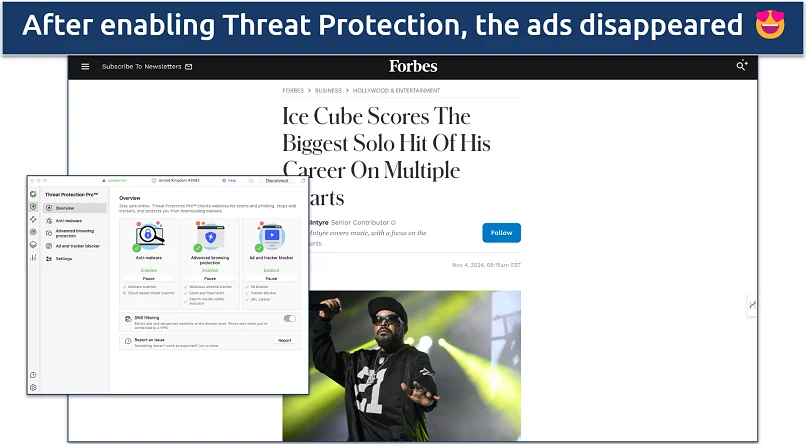
- With NordVPN, I could easily scroll through the latest sports news without getting stopped by ads

If you require maximum security, NordVPN offers specialized features:
- Double VPN. Routes your traffic through two servers for double encryption, making it virtually impossible to trace your connection.
- Obfuscated servers. Masks VPN traffic as regular internet traffic to bypass strict network restrictions and VPN blocks.
- Onion Over VPN. Combines VPN security with Tor network privacy without requiring the Tor browser, adding multiple layers of anonymity.
- Dark Web Monitor. Continuously scans dark-web databases and immediately alerts you if your VPN credentials are compromised.
- Custom DNS servers. Runs its own DNS servers to prevent DNS-based tracking while protecting against DNS leaks.
- Kill switch options. Choose between app-level or system-wide kill switch protection to prevent any data exposure.
You can try NordVPN risk-free with its 30-day money-back guarantee.
NordVPN Is Best For…
- Speed-focused users — It has the fastest raw download and upload speeds as well as P2P-optimized servers, making it especially useful for torrenting large files and high-quality streams.
NordVPN May Not Be Best For…
- Customer support — While 24/7 chat is available, requiring account login and navigating through a chatbot first can be frustrating.
- Strong security and privacy
- Fast local and faraway servers
- Great for streaming
- Some long connection times
- High renewal prices
3. CyberGhost — Best Beginner VPN With Easy-to-Use Apps and Server Selection

| Best Feature | Streaming-optimized servers for specific international platforms |
|---|---|
| Server Network | 11,690 servers in 100 countries, so you have lots of different IP options |
| Simultaneous Device Connections | Connect up to 7 devices at the same time and protect your connections |
| Works With | Netflix, Disney+, Amazon Prime Video, BBC iPlayer, (HBO) Max, Hulu, Vudu, and more |
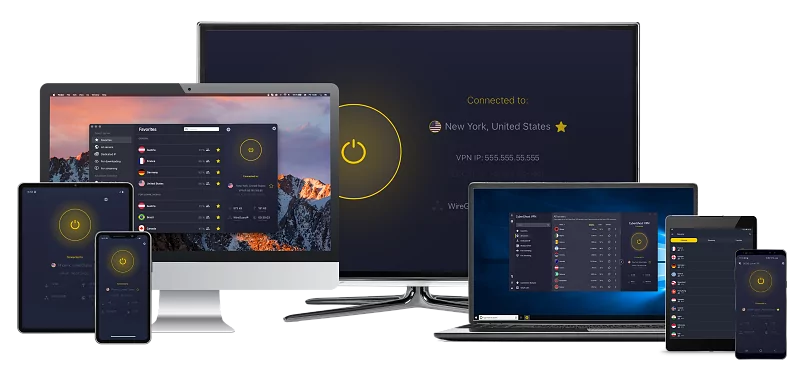
What makes CyberGhost our favorite for streaming is its reliable network of streaming-optimized servers, each designed and labeled for specific platforms. In our testing, CyberGhost’s dedicated servers made streaming effortless — we could securely access Netflix, Disney+, Hulu, Max, and BBC iPlayer in HD without any buffering or connection drops. And like ExpressVPN, it even worked well with trickier platforms like DAZN and Sky Go.
 Search for the streaming platform by name or country
The specialized approach doesn't stop at streaming — its gaming-optimized servers also deliver smooth online play. When playing Warzone on a London gaming server, we recorded a low ping of 42ms, and there was no lag. It also worked well with cloud gaming platforms, like GeForce Now. For torrenting, the dedicated P2P servers provided 6% faster download speeds than standard servers while keeping our connection secure.
Fast Speeds and Easy-to-Use Apps
While not in the same league as ExpressVPN or NordVPN, CyberGhost offers solid speeds — our tests revealed an average of 134.74 Mbps. Most long-distance servers performed well, but some faraway locations had noticeable slowdowns. For example, connecting to French servers from the US resulted in a 36% speed drop. So, while it's decent for HD or UHD streaming, it might not be suitable for 4K quality, especially on slower networks.
I also like that CyberGhost’s apps are sleek and easy to navigate — you can enable most features with just 1 click. It also has free browser extensions, but these are just proxies and aren’t available in every country. While it’s compatible with many popular operating systems (such as Windows, macOS, and Linux), Chromebook is not one of them.
 CyberGhost's streaming servers are also available on the iOS app, but it doesn't have torrenting or gaming servers
Strong Privacy With Extra Secure NoSpy Servers
CyberGhost takes privacy seriously — it operates in Romania, where there are privacy-friendly data laws. What really sets it apart is its premium NoSpy servers, which are hosted in a privately owned Romanian facility and managed exclusively by the CyberGhost staff. This level of infrastructure control significantly reduces the risk of third-party interference.
Plus, its no-logs policy has been verified through a Deloitte audit. And just like ExpressVPN, multiple cryptocurrency options help maintain your privacy from the first step.
Robust Security With Smart Automation
On top of all the essentials, CyberGhost offers strong and intelligent security features that allow you to automate VPN protection according to your habits. All your data is protected in transit with ChaCha20 encryption when using WireGuard and AES 256-bit with other protocols.
Security features include:
- Smart Rules automation. Automatically enables VPN protection on unfamiliar WiFi networks and launches specific apps through the VPN.
- Block Content. This feature prevents not just ads but also trackers and suspected malware domains at the DNS level.
- Optional dedicated IPs. These IP addresses are available as an add-on, and they’re exclusively yours, so no one else can use them. These help avoid banking blocks and streaming disruptions.
Affordable Pricing and a Money-Back Guarantee
Since testing a VPN out fully takes time, we opted to get CyberGhost with its 45-day money-back guarantee. This is available with all of the long-term options (you get 14 days with its short-term plan). You can trust its refund policy — I made sure by testing it myself. Like ExpressVPN, it offers 24/7 live support, which I found to be friendly and knowledgeable.
CyberGhost Is Best for…
- Streaming and entertainment — Its optimized servers make it perfect for streaming, gaming, and torrenting, so you know exactly which servers to use for which activity.
CyberGhost May Not Be Best for…
- Restricted regions — It doesn't work in countries with strict internet censorship, like China and the UAE, and some long-distance servers can be slow.
- Secure access to streaming
- Military-level security
- Designed for ease of use
- Slower long-distance servers
- Doesn't work in China
4. Private Internet Access (PIA) — Best Customizable VPN for Advanced Users to Tweak Speed and Security

| Best Feature | Tons of adjustable features at a low cost to balance speed and security |
|---|---|
| Server Network | 29,650 servers in 50 countries, including in all US states |
| Simultaneous Device Connections | Unlimited, so you can use it on all devices simultaneously |
| Works With | Netflix, Disney+, Amazon Prime Video, BBC iPlayer, (HBO) Max, Hulu, Vudu, and more |
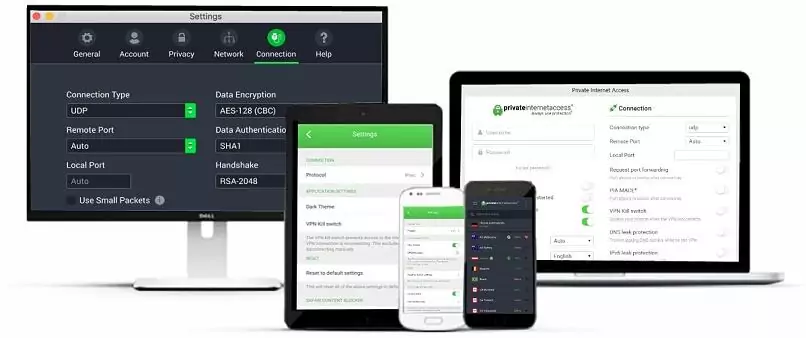
What makes PIA unique is its extensive customization options that let you fine-tune every aspect of your VPN connection. During our PIA tests, we could adjust the encryption levels with just a dropdown (between 128-bit for speed or 256-bit for maximum security) and select from a few protocols. WireGuard outperformed OpenVPN by 9% in our speed tests, but only the latter allows encryption customization.
 You’ll find plenty more customization options (including MACE) by clicking the tabs in the left panel
PIA supports both IPv4 and native IPv6, offering full protection against IPv6 leaks — something most VPNs still block entirely. Plus, you can choose to use smaller MTU packet sizes, which may improve reliability on spotty networks, like overloaded or remote WiFi.
Proven Privacy and Advanced Security Features
PIA's US jurisdiction (within the 14 Eyes Alliance) might concern some users, but its privacy practices have been validated in real-world situations. Multiple court cases have proven its no-logs policy — when authorities demanded user data, PIA had nothing to share. Beyond this proven track record, it offers comprehensive privacy and security features:
- NextGen infrastructure. Self-owned servers in North America, Europe, and Australia minimize third-party risks.
- Multi-Hop capability. Routes traffic through both a VPN and your choice of SOCKS5 or Shadowsocks proxy for extra privacy.
- MACE protection. Blocks ads, trackers, and malicious domains at the DNS level.
- Network protection. Includes an adjustable kill switch and complete IP/DNS leak protection.
- Proxy browser extension. You can get its proxy extension for free for Chrome, Firefox, and Opera. Similar to CyberGhost’s proxy, it doesn’t encrypt your traffic like a VPN but can change your virtual location.
Extensive Network of Fast Servers for Smooth Streaming
PIA has the highest number of servers of all the VPNs we've tested, including coverage in every US state. This extensive coverage translates into reliable performance — you’ll have no problem finding a speedy nearby connection. Plus, having IPs in every US state is helpful when trying to safely watch local sports.
Unfortunately, it was the slowest VPN from our speed tests. However, it still averaged 91.54Mbps — which is fast enough for virtually any high-bandwidth activity. We also didn’t see major slowdowns when using it on multiple devices simultaneously, which is a good thing, as it offers unlimited connections.
If you’re a streaming enthusiast, PIA offers streaming servers in 8 countries. We securely accessed Netflix, Disney+, and Hulu in HD through its US East Streaming server, while the UK streaming server smoothly handled BBC iPlayer without any buffering issues.
 We didn't experience any connectivity issues with the virtual Indian server
Great for Torrenting With Port Forwarding
PIA offers port forwarding, which significantly improves torrenting speeds by enabling direct connections to seeders. It also supports P2P across its entire massive server network, so you can always find a reliable option for file sharing.
Its apps are comprehensive yet intuitive, though the wealth of options might overwhelm VPN newcomers. PIA is affordable and backed by a 30-day money-back guarantee and responsive 24/7 support.
PIA Is Best for…
- Tech-savvy users — Extensive customization options let you optimize security and performance, plus advanced features like port forwarding and Multi-Hop make it perfect for users who like to tinker.
PIA May Not Be Best for…
- VPN beginners — The abundance of technical settings and advanced features can be overwhelming if you're new to VPNs or prefer a simpler interface.
- Many servers to choose from
- Customizable security settings
- Solid choice for torrenting
- Hit-or-miss customer support
- Tricky to navigate
5. Surfshark — Best VPN With Built-in Multi-Hop Security and Antivirus Tools

| Best Feature | Built-in antivirus to get rid of malware and viruses, plus optional security suite |
|---|---|
| Server Network | 4,500 servers in 100 countries for plenty of connection options |
| Simultaneous Device Connections | You can install the VPN on all your compatible devices without having to log out to make space for others |
| Works With | Netflix, Disney+, Amazon Prime Video, BBC iPlayer, (HBO) Max, Hulu, Vudu, and more |
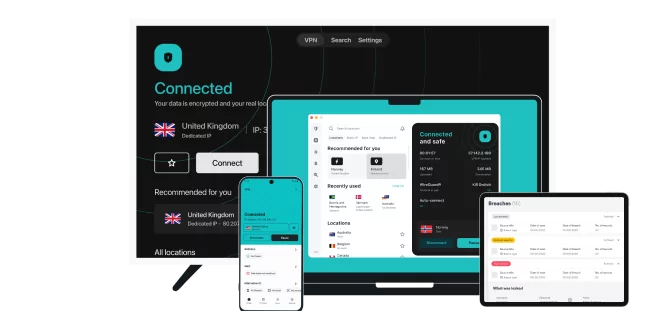
Surfshark includes antivirus protection with its Surfshark One and One+ plans. These tiers bundle the VPN with Avira-powered real-time malware scanning, customizable quick or full system scans, webcam protection, and an external storage scanner for USB/NAS devices. You’ll also get CleanWeb, Surfshark’s DNS-level blocker for ads, trackers, malware, and phishing attempts.
 You can even schedule system scans for later
Complete Security With Surfshark One
The One suite extends your protection with several advanced tools at a little extra cost. The antivirus doesn't just scan for malware — it includes a “file shredder” for secure deletion and protection against ransomware and spyware. During our tests, the real-time scanner caught threats before they could execute, and system scans had minimal impact on performance.
The suite also includes:
- Alert system. It monitors the dark web for email, ID, and credit card leaks and notifies you instantly.
- NoBorders mode. Analyzes your network restrictions and suggests optimal servers, particularly useful in countries with internet restrictions.
- Private search. Browse without targeted ads or search history tracking, delivering genuinely neutral results.
- IP rotator. Changes your IP address periodically while maintaining your VPN location for enhanced privacy.
- Military-grade security. Surfshark lets you choose between WireGuard, OpenVPN, and IKEv2. It also uses AES 256-bit encryption paired with perfect forward secrecy, a kill switch, and DNS/IP leak protection.
 Enabling NoBorders narrows your server list down to those that can overcome network firewalls or VPN blocks
Advanced Privacy Features
Surfhsark’s strict no-logs policy (verified by Deloitte) and RAM-only infrastructure ensure your data stays private. On top of this, Surfshark includes several unique tools:
- Camouflage mode. This obfuscation feature helps you overcome blocks on restrictive networks, like at work or school.
- GPS spoofing. An Android-exclusive feature that matches your GPS coordinates to your VPN location, preventing apps from detecting your real position.
Fast Speeds With Unlimited Simultaneous Connections
Next to NordVPN and ExpressVPN, Surfshark’s WireGuard implementation produced some of the fastest speeds in our tests. It maintained an impressive average of 178.40Mbps while testing both nearer and further locations. Surfshark’s Fastest Location feature consistently found optimal servers for streaming and gaming in our tests, while its latency was among the top 3 as well.
You can connect as many devices as you want simultaneously, and P2P is supported across the entire server network. The Bypasser feature (split tunneling) lets you route specific apps through the VPN while others use your regular connection.
You can test all these features with Surfshark's 30-day money-back guarantee. While its monthly price is higher than some competitors', longer purchases offer better value.
Surfshark Is Best For…
- Complete online protection — Integrates VPN security with device protection and privacy tools in one unified package.
Surfshark May Not Be Best For…
- Short-term users — Monthly plans on all tiers are expensive compared to competitors, and you'll need a longer offer for the best value.
- Easy to use
- Military-grade security
- Fast speeds
- Clunky torrenting support
- Based in a 9-Eyes country
- Might not work in China
6. IPVanish — Best VPN With Unlimited Connections for Whole-Home Protection

| Best Feature | Unlimited device connections with self-owned server infrastructure |
|---|---|
| Server Network | 3,200 servers in 112 countries with thousands of unique IP addresses |
| Simultaneous Device Connections | Unlimited, to use on all your compatible devices simultaneously |
| Works With | Netflix, Disney+, BBC iPlayer, (HBO) Max, Vudu, and more |
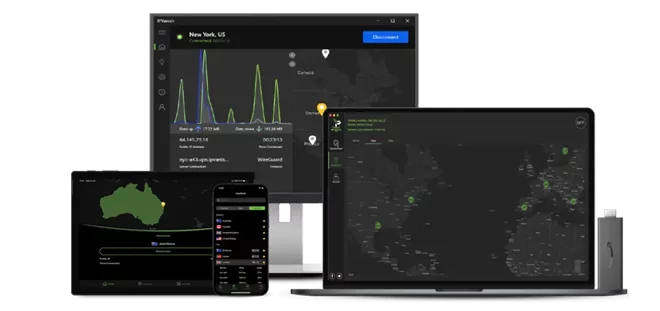
IPVanish supports unlimited devices and works on nearly every major platform — including Fire TV, routers, and ChromeOS — making it ideal for households with mixed tech. In our tests, we had multiple devices streaming, downloading, and browsing simultaneously without noticeable slowdowns.
While not among the fastest, IPVanish’s speed tests showed strong performance with speeds of 127.92Mbps across various servers. Long-distance speed drops varied significantly — from 15% on nearby US servers to 91% using some in Asia. As a bonus for gamers, it had the lowest latency of all VPNs in our tests, as low as 9ms on nearby servers.
Reliable for Most Streaming Services
IPVanish worked well with Netflix, Disney+, BBC iPlayer, and Disney+, making it a good overall choice for streaming. Though some servers struggled with Amazon Prime Video. Its dedicated Fire TV Stick app (Gen2 and newer) makes streaming particularly convenient, requiring just a quick download from the Amazon Appstore.
Easy-to-Use VPN With Advanced Features
Beyond its controlled infrastructure, IPVanish provides detailed insights to help you choose the right server. You can view real-time server load percentages and ping rates, helping you choose the most efficient connection.
 Servers with lower load deliver stable connections
Security features include:
- Scramble mode. Disguises VPN traffic to bypass network restrictions and VPN blocks.
- SOCKS5 proxy. Adds an extra privacy layer for P2P activities without sacrificing speed.
- IPv6 protection. Automatically blocks IPv6 requests to prevent leaks.
- Custom DNS settings. Option to use your preferred DNS servers for added control.
Its US headquarters is somewhat of a privacy concern, and it did reveal some user data to the FBI in the past. However, IPVanish has updated its stance and operates a strict no-logs policy (audited by Schellman Compliance and Leviathan Security). It also owns and operates its entire server network, ensuring no third parties ever handle your data, either.
What I like the most is that it offers phone support alongside 24/7 chat — particularly valuable for complex setups like router configurations. IPVanish is affordable and backed by a 30-day money-back guarantee.
IPVanish Is Best For…
- Whole-home protection — Large families who want to protect many devices using a solid VPN, especially for streaming on a wide variety of platforms (and regions).
IPVanish May Not Be Best For…
- Privacy enthusiasts — While it has made some changes, its past and US headquarters are still less than ideal.
- Excellent security features
- Works well for streaming
- Easy to use
- Average privacy standards
- Doesn’t work in China
7. PrivateVPN — Best VPN for Use on Restrictive Networks
| Best Feature | Stealth VPN to bypass tough firewalls and VPN blocks |
|---|---|
| Server Network | 200 servers in 63 countries that offer reliable connections |
| Simultaneous Device Connections | Protect up to 10 devices at the same time |
| Works With | Netflix, Disney+, Amazon Prime Video, BBC iPlayer, (HBO) Max, Hulu, Vudu, and more |
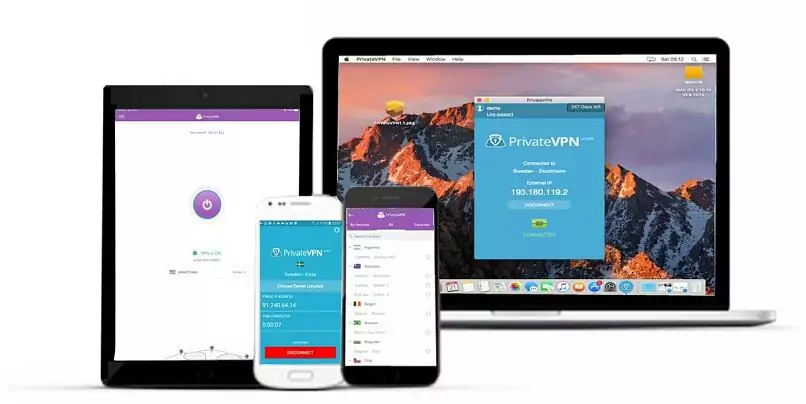
Many VPNs often fail against sophisticated network restrictions that use Deep Packet Inspection (DPI) to detect and block VPN traffic. PrivateVPN's Stealth VPN technology overcomes this by disguising your VPN connection as regular HTTPS traffic, making it effective even on restrictive networks. It’s one of the few VPNs that are known to still work in China and Russia.
Flexible Customization for Every User
PrivateVPN strikes a balance between simplicity and advanced control through its dual interface system. Simple View offers straightforward, one-click connections if you prefer convenience, while Advanced View unlocks detailed customization options. Here, you can fine-tune encryption settings, switch between protocols, adjust port selections, and enable additional security features like IPv6 leak protection and the kill switch.
Strong Streaming Capabilities Despite the Limited Network
PrivateVPN operates a smaller server network than most providers, which might be a drawback if you need specific location coverage. However, each of PrivateVPN’s servers delivered reliable performance in our tests, providing HD access to Netflix, Sling TV, BBC iPlayer, and many other platforms we tested it with.
 Its London server gave us a speedy connection for HD streaming
The speeds were decent, too — we got an average score of 172.61Mbps across servers.
User-Friendly Apps With Router Support
The apps work smoothly across most devices and operating systems, though browser extension support is currently limited to Chrome. While there's no smart DNS feature, router setup is available for protecting devices like smart TVs and gaming consoles. Both Simple and Advanced Views make it easy to find the features you need, and 24/7 live chat support is available for any setup questions.
You can test PrivateVPN's features with its 30-day money-back guarantee.
PrivateVPN is Best For…
- Restricted network users — Its Stealth VPN technology and customizable settings allow it to work on networks with heavy restrictions, all while maintaining good speeds.
PrivateVPN May Not Be Best For…
- Users needing extensive location options — The smaller server network might not cover all desired locations.
- Excellent for torrenting
- Very affordable
- Solid security
- Small server network
- Speeds aren’t great
Compare the Best VPNs for 2026
The table below provides a quick comparison of our top recommended VPNs. We've focused on key metrics that matter most when choosing a VPN: pricing, server coverage, performance, streaming capabilities, privacy verification, and ability to work in restricted regions.
This makes it easy to see how each service measures up in critical areas.
Our Methodology for Testing the Best VPNs
Our VPN testing process combines real-world usage with technical analysis to ensure we thoroughly evaluate each service. We test each VPN across multiple devices and locations, checking streaming capabilities in different regions, gaming latency across servers, and download speeds during peak hours. We also verify security claims by running leak tests, analyzing encryption implementations, and checking how each VPN handles unexpected connection drops.
To help you choose the right VPN for your needs, look for providers that clearly publish their server locations, support all the devices you use, and have third-party-audited no-logs policies. Prioritize services with WireGuard support for faster speeds, and check if they offer 24/7 live chat or clear setup guides. If you need safe HD access to Netflix or other platforms, look for VPNs with dedicated streaming servers or smart DNS features.
What Is a VPN and Why You Need One
A VPN (Virtual Private Network) creates a secure, encrypted tunnel between your device and the internet. When you connect to a VPN server, all your internet traffic routes through this encrypted tunnel, making it unreadable to anyone trying to intercept it.
Think of it as a private highway for your data — instead of traveling the public internet where others can see your activity, your data takes a secure route through the VPN's servers. This masks your real IP address and location while protecting your data with military-grade encryption.
Here's what a VPN can do for you:
- Protect your privacy online. By hiding your IP address and encrypting your data, a VPN prevents websites, advertisers, and even your ISP from tracking your online activities. This is important when using public WiFi, handling sensitive information, or simply browsing privately.
- Beat ISP throttling. Internet Service Providers (ISPs) often slow down connections when they detect streaming or torrenting. A VPN encrypts your traffic so ISPs can't see or throttle specific activities, helping maintain fast speeds.
- Stream safely. A reliable VPN lets you securely stream your favorite content in HD from anywhere.
- Save money on purchases. Different regions often see different prices for flights, hotels, and online services. A VPN lets you check prices from various locations to find better deals.
- Game securely without restrictions. By connecting to different servers, you can play games with friends, get rid of lag issues, and protect yourself from DDoS attacks.
- Download safely. A VPN encrypts your P2P traffic and hides your IP address, protecting your privacy while torrenting. Many VPNs offer specialized P2P servers for better download speeds.
- Bypass network restrictions. Schools, offices, and other institutions often block access to certain websites and services. A VPN helps you access the full internet while maintaining your privacy on these restricted networks.
What a VPN Cannot Do
VPNs provide substantial protection, but it's important to understand that they don’t guarantee full anonymity. A VPN can't:
- Make you completely anonymous online. Though VPNs hide your IP address and encrypt your data, other tracking methods like browser cookies, social media logins, and digital fingerprinting can still reveal your identity. For maximum privacy, combine a VPN with private browsing and tracker blockers.
- Protect against malware. While some VPNs include malware blockers, they're not a replacement for antivirus software. You still need proper security software to protect against viruses, ransomware, and other malicious programs.
- Stop all data collection. Websites you log into still know who you are, and services like Google or Facebook can track your activity across sites when you're signed in. A VPN only protects your connection, not your online accounts.
- Bypass all restrictions. Some network administrators and certain countries implement sophisticated VPN detection. While good VPNs regularly update the systems that allow them to work on these networks, success isn't guaranteed.
- Speed up your internet. VPNs add a step to your connection, which typically causes some slowdown. While quality VPNs minimize this impact, they can't make your base internet speed faster. They can only increase your speed if your ISP throttles your connection.
What’s the Best VPN Service, According to Reddit Reviews?
As with most topics on Reddit, reviews on the top VPNs are mixed. However, during my research, I found that ExpressVPN emerges as the best VPN among Redditors for its reliable streaming and torrenting, along with providing consistently fast speeds. Moreover, its security features, including an independently audited no-logs policy, give it a degree of trust among the community.
Other popular VPNs, like NordVPN, CyberGhost, Surfshark, and PIA, are also often recommended by Redditors, but ExpressVPN’s consistent performance makes it stand out. They often praise NordVPN’s value for money, thanks to its long-term offers and advanced security tools, like Threat Protection and Double VPN servers.
Due to its unlimited connections and unique features, like GPS spoofing and NoBorders mode, Surfshark is another favorite. While PIA and CyberGhost get fewer mentions, they are still among the services with the most fans on the VPN subreddits.
FAQs
To Sum Everything Up
All of the VPNs above are great choices depending on your needs. To find the best VPN for you, you need to first understand why you want a VPN and what you’re going to use it for. That being said, overall, our top recommendations are ExpressVPN and NordVPN.
ExpressVPN is known for its consistent performance in multiple categories and strong privacy protections, making it a reliable choice for streaming, torrenting, and general browsing. NordVPN, on the other hand, offers a large network of fast servers and advanced security features, which is ideal for users who prioritize online safety and want flexibility across various devices and regions.
However, neither option is perfect. Both ExpressVPN and NordVPN can struggle in highly restrictive regions like China, where VPN connections are often blocked or unstable. ExpressVPN also tends to be more expensive than many competitors, while NordVPN’s interface and advanced features can feel slightly more complex for beginners.
Overall, all the VPNs mentioned above are strong, well-rounded services that perform consistently across most use cases, but if you need reliable access on heavily censored networks or prefer a simpler or even a free VPN, you might want to look into other options.


About the Author
Hendrik is a former writer at vpnMentor, specializing in VPN comparisons and user guides. With 5+ years of experience as a tech and cybersecurity writer, plus a background in corporate IT, he brought a variety of perspectives to test VPN services and analyze how they address the needs of different users.