 EN
EN
 Dansk
Dansk  Deutsch
  Español
  Français
  Hrvatski
  Indonesia
  Italiano
  Magyar
  Nederlands
  Norsk
Norsk  Polski
  Português
  Română
  Suomi
Suomi  Svenska
  Tiếng Việt
  Türkçe
  Čeština
  Ελληνικά
  Русский
  Українська
  български
  ไทย
ไทย  日本語
日本語  简体中文
简体中文  한국어
한국어  עברית
עברית  العربية
5 Best VPNs for Discord (2026): Secure Access & Avoid Bans

Most VPNs won't protect you while using Discord, and some might even get detected by Discord's systems, leading to frustrating connection issues and potential account bans. Yet, finding one that works reliably is crucial for privacy and consistent access from anywhere.
My team and I tested over 40 VPNs to find the best ones that work seamlessly with Discord. We focused on VPNs with fast speeds for low-latency gaming voice chats, strong security to prevent data leaks, and the technology needed to avoid triggering Discord's anti-VPN detection. We also prioritized VPNs that can access Discord in places with regional restrictions and school/workplace blocks.
Each VPN we tested offers unique strengths, so take a moment to compare their features to decide which one suits your Discord activities and security needs best.
Best VPNs for Discord Tested & Reviewed (2026)
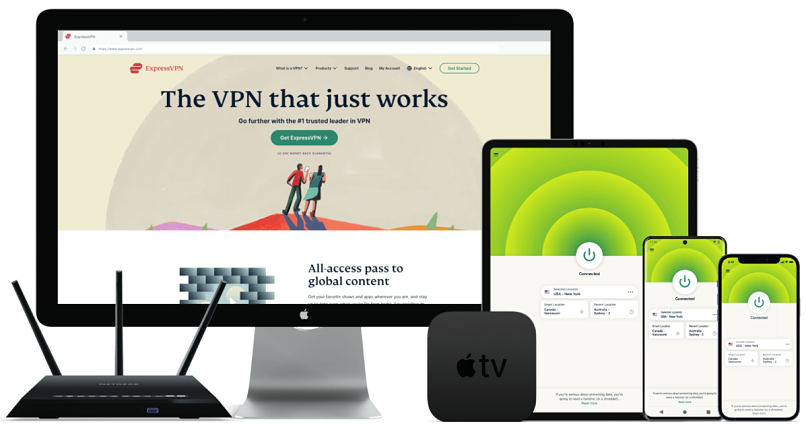
1. ExpressVPN — Fastest Discord VPN for Smooth Streaming and Video Calls

 Try Risk-Free for 30 Days
Tested March 2026
| Best feature | Proprietary Lightway protocol for quality Discord calls and chats |
|---|---|
| Server network | 3,000 servers in 105 countries to use Discord anywhere |
| Speeds | Fastest across close and distant servers from all VPNs we tested |
| Also works with | TeamSpeak, Mumble, Steam Chat, Overtone, Twitch, Valorant, and more |
ExpressVPN provides the fastest speeds for a clear experience without added lag on Discord, which is crucial if you’re a gamer or a content creator. During our tests on nearby servers, speeds only dropped to 241.04Mbps from our base 249Mbps connection while using Discord voice channels. This allowed me to communicate without robotic sounds or audio cutting out, and screen share without losing picture quality.
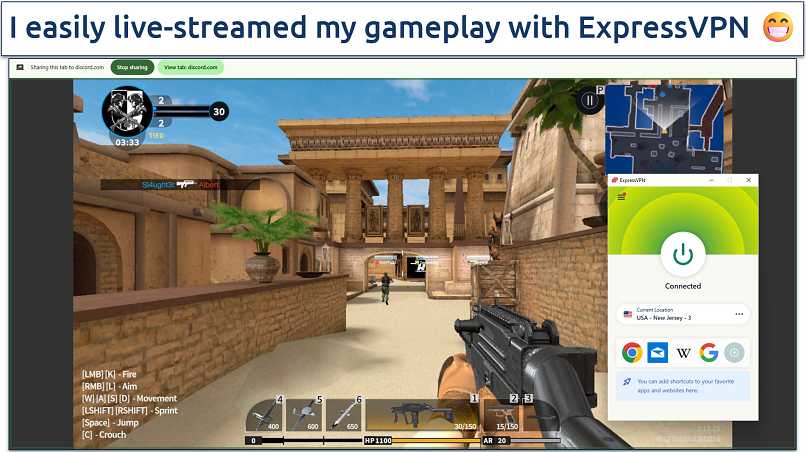 While some online games block VPNs, I never had this issue with ExpressVPN
All ExpressVPN servers have automatic obfuscation enabled, making accessing Discord on restricted networks easy. Whether at school, work, or in a country that limits VPN usage, ExpressVPN disguises your VPN traffic as regular web browsing. I successfully used Discord through ExpressVPN on my university network, where VPNs are usually blocked.
Leak protection prevents your real IP address, DNS queries, and WebRTC data from slipping through while connected. This is crucial for avoiding Discord account bans, especially if using the platform from a restricted region. Even brief IP or DNS leaks can alert Discord’s systems, but ExpressVPN’s built-in leak prevention tools block these vulnerabilities, keeping your identity and location hidden at all times.
While the VPN's cost is higher than that of competitors, the reliable Discord access and superior speeds justify the price. You can test ExpressVPN without financial risk as it has a 30-day money-back guarantee* on all purchases. I found their 24/7 live chat support quick to process refunds without hassle — I got my money back within 5 days.
Useful Features
- Lightway protocol. The VPN’s Lightway protocol is designed for speed, helping reduce latency during Discord voice chats. It connects faster than traditional protocols and smooths your connection even on unstable networks, making conversations clearer and reliable. It’s also great for mobile as it consumes less battery.
- Split tunneling. You can route only Discord traffic through ExpressVPN while letting your games use your regular internet connection. This gives you the privacy and protection you need on Discord without slowing your gameplay.
- TrustedServer Technology. ExpressVPN’s TrustedServer tech runs every server entirely on RAM, not hard drives, so no data is ever stored. So, your Discord activity is never logged or left behind, giving you complete peace of mind.
- One of the fastest VPNs
- Works with top streaming sites
- A proven no-logs policy
- Limited customization
- Smart Location isn't always the fastest
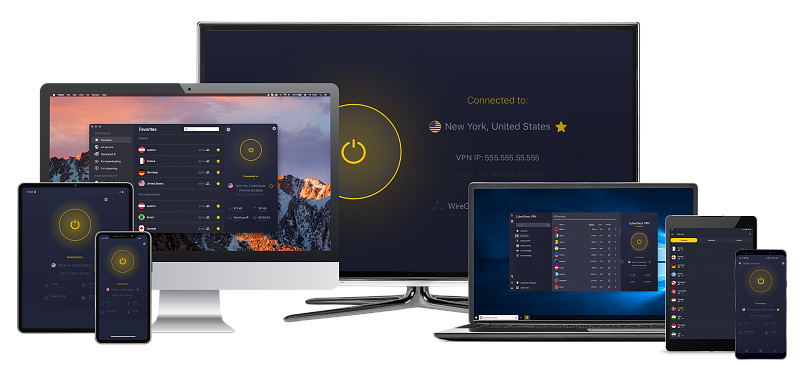
2. CyberGhost — Low-Latency Gaming Servers Allow Competitive Play and Crystal-Clear Discord Audio

| Best feature | Special servers provide stable connections for Discord and online games |
|---|---|
| Server network | 11,690 servers in 100 countries, including 4 dedicated gaming countries |
| Speeds | Minimal speed drops for uninterrupted gaming and voice calls |
| Also works with | TeamSpeak, Mumble, Steam Chat, Overtone, Twitch, Valorant, and more |
CyberGhost's dedicated gaming servers maintain optimal performance for Discord voice chats and online gaming. When you expand the app, you’ll find them under the For Gaming tab. When we tested its New York gaming server, our Discord call quality was crystal clear while playing Apex Legends, with ping staying under 30ms throughout a 3-hour gaming session.
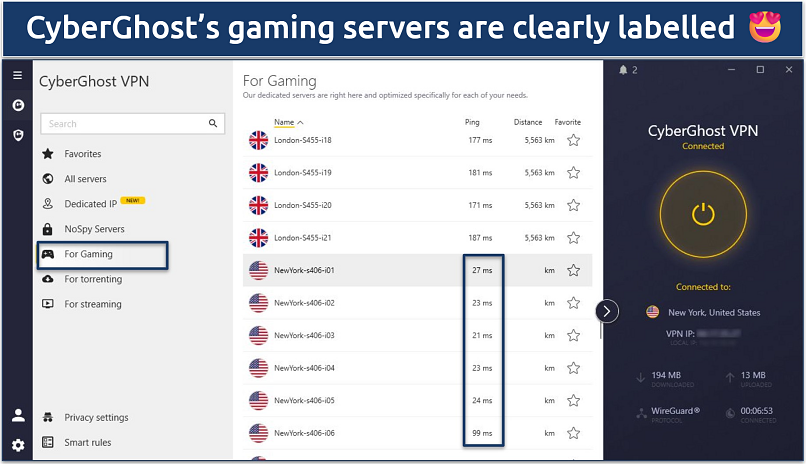 Each server shows its distance and latency to easily find the fastest one
Your privacy is taken seriously with CyberGhost's verified no-logs policy. This means none of your Discord activities or gaming data is ever recorded. Plus, the VPN has its headquarters in Romania, outside the data-sharing countries of the 5/9/14 Eyes Alliances. Therefore, you don’t have to worry about the government compelling the VPN to hand over any of your data.
With a drop of just 8%, speeds are more than enough for Discord voice chats and streaming, even though it’s not quite as fast as ExpressVPN. I like its Best Location option, which automatically connects you to the fastest available server based on your location. It’s very convenient for a quick setup and reliable Discord performance.
While the monthly offering is expensive and has a shorter refund period, long-term purchases come with an extended 45-day money-back guarantee. This gives you plenty of time to test CyberGhost with Discord and your favorite games.
Useful Features
- Dedicated IPs. For a small additional fee, you can get a unique IP address that prevents Discord from flagging your account for suspicious login patterns. It also helps avoid CAPTCHAs and temporary blocks.
- Smart Rules. This automatically connects to your preferred gaming server when you launch Discord. You can even create custom rules for different Discord servers or gaming sessions.
- Block Content. Enable this feature to prevent malicious files and links shared in Discord from reaching your device. It also blocks trackers that could compromise your privacy while using Discord.
- Secure access to streaming
- Military-level security
- Designed for ease of use
- Slower long-distance servers
- Doesn't work in China
3. NordVPN — Advanced Security Features To Safeguard Your Discord Conversations from Hackers and Snoops

| Best feature | Multiple security tools for maximum Discord security |
|---|---|
| Server network | 9,055 servers in 188 countries with specialty security servers |
| Speeds | Consistent performance with decent speeds on most servers |
| Also works with | TeamSpeak, Mumble, Steam Chat, Overtone, Twitch, Valorant, and more |
NordVPN's advanced security features make it one of the safest options for Discord users. Its Double VPN servers route your connection through two different locations, making it nearly impossible to hack. During our tests, we successfully used Discord's voice and video features through these double-encrypted servers with minimal impact on call quality.
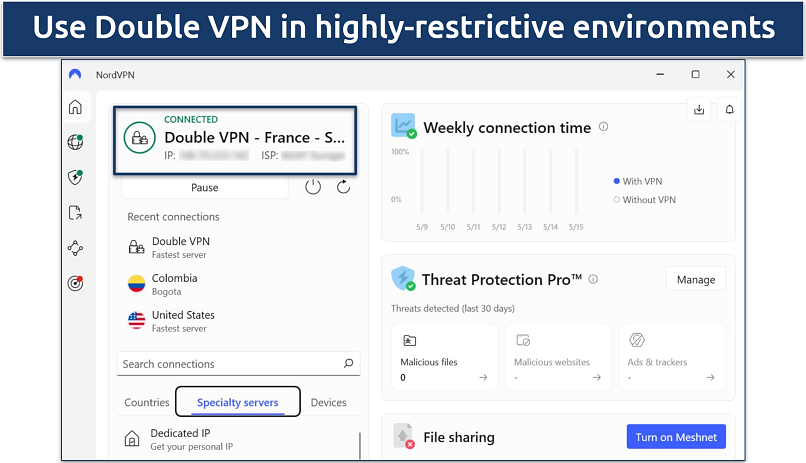 While Double VPN enhances anonymity, it’s not ideal for gaming
I found the Dark Web Monitor handy — it alerts you if your Discord-linked email address appears in data breaches across the dark web. This adds an extra layer of protection against Discord account takeovers, phishing attempts, and identity theft. I tested this by linking my email and was immediately notified of an old breach involving a forgotten account.
Threat Protection shields you from malicious links posted on Discord chats and other online threats. It blocks potentially harmful domains from communicating with your device. On the downside, server connection times can take slightly longer, sometimes up to 10 seconds to establish. However, once connected, Discord performance remains stable and secure.
All NordVPN offerings come with a 30-day money-back guarantee, giving you plenty of time to test its security features with Discord. To claim a refund, simply contact customer support via 24/7 live chat.
Useful Features
- NordLynx. A proprietary protocol developed by NordVPN, NordLynx combines WireGuard's speed with enhanced security. This protocol is enabled by default, making your Discord voice chats noticeably smoother than other protocols.
- Meshnet. Use this feature to create secure private networks between you and your Discord friends for gaming sessions. It lets you connect directly to other devices without exposing your real IP address.
- Auto-Connect. You can set NordVPN to connect when your device boots up automatically. This way, you're automatically protected the moment you launch Discord, without having to remember to turn on the VPN.
- Strong security and privacy
- Fast local and faraway servers
- Great for streaming
- Some long connection times
- High renewal prices
4. Private Internet Access (PIA) — Extensive Server Network to Reliably Access Discord Anywhere

| Best feature | 53 US server locations alone give you plenty of choices for unblocking Discord |
|---|---|
| Server network | 29,650 servers in 90 countries to connect to a server nearby for the best speed |
| Speeds | Solid speeds for online chatting on Discord without delays |
| Also works with | TeamSpeak, Mumble, Steam Chat, Overtone, Twitch, Valorant, and more |
PIA's vast network of servers makes it easy to find a working Discord server from anywhere. We connected to servers in multiple regions where Discord is popular among gamers, from the US to Japan, and enjoyed reliable connections without disconnection issues. The wide server distribution helps avoid overcrowding issues that could affect call quality.
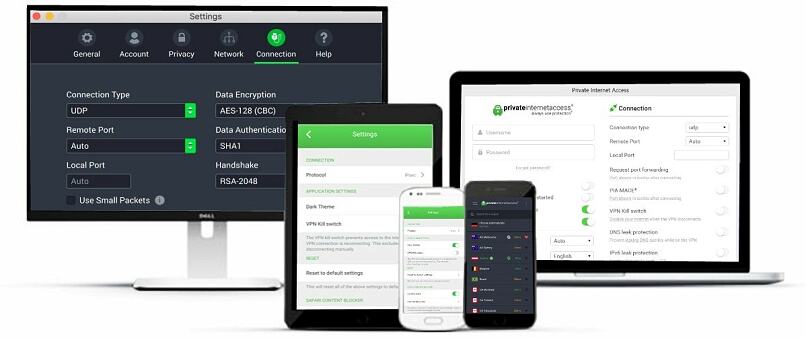
I liked that I could configure PIA exactly how I wanted for my gaming setup. You can choose between OpenVPN (max security) and WireGuard (max speed). If you go with OpenVPN, you can also select your level of encryption — 256-bit military-grade protection or the slightly faster 128-bit. While testing PIA, WireGuard consistently gave us fast gaming and streaming speeds on Discord.
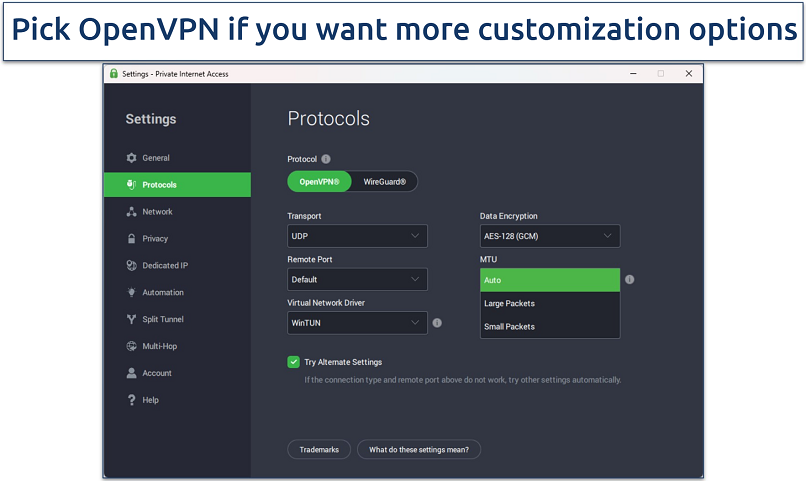 Select a small MTU size to reduce lag, voice distortion, and disconnects on Discord
Some users might find the extensive customization options intimidating, but PIA's default configuration works perfectly for Discord right out of the box. This means you don’t need to adjust anything before using the VPN, unless you want to fine-tune your experience. You can also test PIA without risk with its 30-day money-back guarantee.
Useful Features
- MACE ad-blocker. This blocks malicious links, scam sites, and trackers targeting Discord users, eliminating potential security threats. I noticed faster Discord web load times with ads removed.
- SOCKS5 proxy. This provides an additional layer of privacy for Discord connections without the overhead of full VPN encryption. It’s useful if you want to change your server location for Discord gaming sessions without affecting speed too much.
- Many servers to choose from
- Customizable security settings
- Solid choice for torrenting
- Hit-or-miss customer support
- Tricky to navigate
5. Surfshark — Intuitive Apps Make it Easy to Encrypt Your Discord Activity

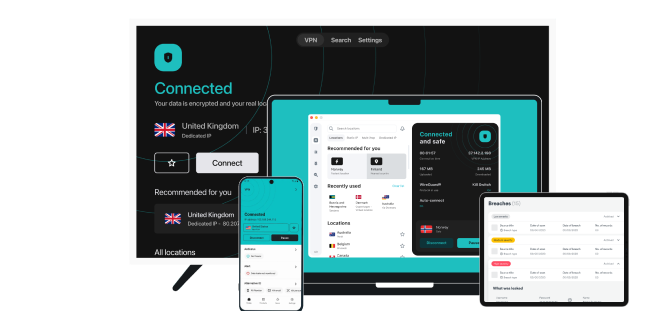
| Best feature | You can secure your Discord chats with just one click |
|---|---|
| Server network | 4,500 servers in 100 countries, with a Fastest server option |
| Speeds | Just a small speed drop on US servers |
| Also works with | TeamSpeak, Mumble, Steam Chat, Overtone, Twitch, Valorant, and others |
Surfshark's user-friendly apps simplify protecting your Discord chats and calls, regardless of your technical level. During our tests, finding optimal servers was straightforward — the Quick-connect feature automatically selected nearby options that worked perfectly for Discord voice channels.
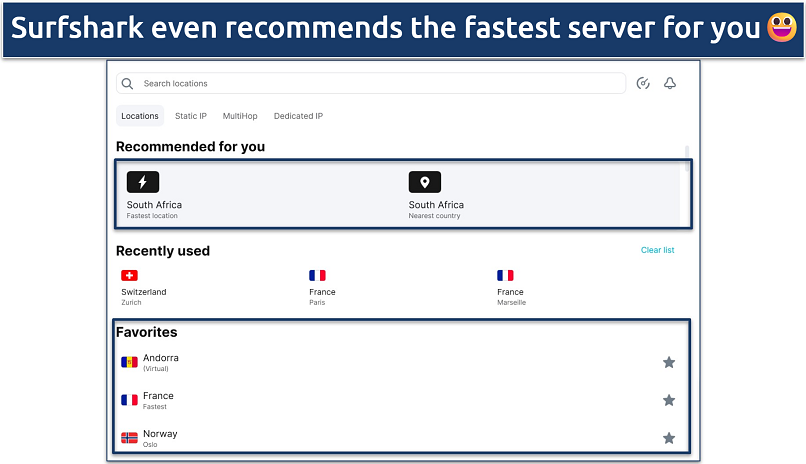 Favoriting your preferred gaming servers makes reconnecting for future sessions quicker
Like PIA, Surfshark lets you simultaneously connect as many devices as you want. This means whether you’re on your computer, phone, or tablet, you can use Discord securely without logging off another device. As a multitasker and someone with a lot of devices, I found it really convenient. I even shared it with some family members during testing, and it worked smoothly on all 9 devices.
While Surfshark occasionally had higher latency on distant servers, its automatic server recommendation tool helped me find stable connections. I maintained clear audio quality in Discord voice chats by connecting to nearby servers with ping times under 50ms.
You can try Surfshark risk-free with its 30-day money-back guarantee. When I tested the refund process through 24/7 live chat, I got my money back within 5 business days.
Useful Features
- Camouflage Mode. This hides your VPN traffic from Discord and network administrators, preventing potential account flags and detection on restricted networks like schools or offices.
- GPS Spoofing. Enable GPS spoofing to match your virtual location with your VPN server location on mobile devices. This prevents Discord from detecting location mismatches that could trigger security alerts.
- Easy to use
- Military-grade security
- Fast speeds
- Clunky torrenting support
- Based in a 9-Eyes country
- Might not work in China
Side-by-Side Breakdown: Discord VPN Features
Features like speed, server coverage, and security are crucial when choosing a VPN for Discord. I've compared the most important aspects of each VPN to help you make an informed decision based on your specific needs.
Top Reasons to Use a VPN for Discord
A VPN can help you protect your privacy on Discord. Every time you join a call or a server, your IP address is out in the open, and that can reveal more about you than you might like. A VPN swaps it with another one, so no one can trace anything back to your actual connection.
It’s also useful for dealing with DDoS attacks. These happen more often than people think, especially in gaming circles on Discord. With a VPN in place, the attack gets directed at the VPN server, which means your home internet doesn’t take the hit.
A VPN can even help with speed and stability. Some ISPs slow down voice or gaming traffic, and that hits Discord pretty hard. When you use a VPN, your ISP can’t see what type of traffic you’re sending, so it can’t single it out and throttle your speed. You’ll usually notice smoother calls and fewer dropouts.
It’s also a good way to protect yourself on public WiFi. If Discord isn’t fully protected, your data can be exposed. A VPN locks down your connection, so your chats and account info stay out of anyone else’s hands.
Can I Bypass a Discord Ban With a VPN?
A VPN can help you get around an IP-based Discord ban because it gives you a fresh IP address. If the restriction was placed on your network rather than your account, connecting to a different server may let you open Discord again.
A VPN isn’t a magic fix for every ban. If Discord blocked your actual account, switching your IP won’t change anything. And if you try to get around a ban that was clearly intentional, there’s a real chance your account could be shut down for good — Discord takes that seriously.
That said, a VPN can help in those weird situations where you’re banned through no fault of your own. Maybe you were using the same WiFi as someone who broke the rules, or your IP just got caught in the mess. In those cases, grabbing a new IP through a VPN can give you a clean slate so you can make a fresh account.
But if you’re pretty sure the ban wasn’t meant for you, it’s always better to talk to Discord support. The agents can check what happened and remove the block if it was a mistake.
The Criteria We Used to Test VPNs for Discord
We extensively tested each VPN's ability to maintain stable Discord voice chats and reliable connections across multiple servers. Performance was crucial — we measured latency and connection speeds to ensure smooth Discord calls without lag or dropouts. We also verified that each VPN could prevent IP bans and protect against data leaks that could compromise Discord accounts.
To Sum It Up
Many VPNs claim to work with Discord, but they often cause connection issues, high ping, or get your account flagged. A VPN that maintains fast speeds for uninterrupted voice chats while providing solid security against data leaks and IP bans is crucial for a smooth Discord experience. ExpressVPN stands out as the best VPN for Discord with its high-speed servers worldwide, automatic obfuscation, and advanced leak protection.
FAQs
Your online activity may be visible to the sites you visit
Your IP Address:
216.73.216.137
Your Location:
US, Ohio, Columbus
Your Internet Provider:
Some sites might use these details for advertising, analytics, or tracking your online preferences.
To protect your data from the websites you visit, one of the most effective steps is to hide your IP address, which can reveal your location, identity, and browsing habits. Using a virtual private network (VPN) masks your real IP by routing your internet traffic through a secure server, making it appear as though you're browsing from a different location. A VPN also encrypts your connection, keeping your data safe from surveillance and unauthorized access.
About the Author
Kelvin was a writer and cyber-safety researcher at vpnMentor, whose expertise in the latest online security tools helped readers better understand how to protect themselves from hackers and online snoops.


Please, comment on how to improve this article. Your feedback matters!