 EN
EN
 Dansk
Dansk  Deutsch
  Español
  Français
  Hrvatski
  Indonesia
  Italiano
  Magyar
  Nederlands
  Norsk
Norsk  Polski
  Português
  Română
  Suomi
Suomi  Svenska
  Tiếng Việt
  Türkçe
  Čeština
  Ελληνικά
  Русский
  Українська
  български
  ไทย
ไทย  日本語
日本語  简体中文
简体中文  한국어
한국어  עברית
עברית  العربية
5 Best VPNs for IPTV: Stream Safely From Anywhere (2026)

- IPTV VPN Comparison Table: Key Features to Consider
- Why Should You Use a VPN for IPTV?
- Best VPNs for IPTV — Updated Reviews for 2026
- Our Testing Process for IPTV VPNs
- Tips on Choosing the Best VPN for IPTV
- VPN Not Working With IPTV? Try This
- Best IPTV Providers for Live TV, Movies, Sports, and More
- Warning: IPTV Providers To Avoid
- Do Free VPNs Work With IPTV?
- FAQs
- Wrapping Up
If your IPTV streams buffer at night, drop to 480p, or just fail to load, it’s likely your ISP is throttling video traffic. On top of that, some IPTV apps are unstable when switching servers or devices. You can try connecting through a wired Ethernet port instead of WiFi, but it might not be enough.
A more reliable fix, especially for throttling, is to use a VPN. A VPN hides your IP address and encrypts your traffic, preventing throttling and giving you safe access to IPTV platforms from anywhere.
But not all VPNs are built for IPTV. Some might dip your speeds by a lot, while others may not work properly with network restrictions. Below, we’ve picked the best VPNs for IPTV that provide smooth, uninterrupted streaming.
IPTV VPN Comparison Table: Key Features to Consider
Here’s a quick overview of the key features that matter most for IPTV users — things like smooth streaming, getting around ISP blocks, and whether the VPN works on popular devices like Apple TV or Fire Stick.
Why Should You Use a VPN for IPTV?
If you’re a regular IPTV user, you may have faced blocked channels, buffering, ISP throttling, or privacy risks when using lesser-known apps or services. This is where a VPN can help you.
- Stop ISP throttling. Many providers slow down video traffic during peak hours. A VPN hides your streaming activity, making it harder for ISPs to see it and cap your IPTV speed.
- Protect your privacy. If you often stream on public WiFi, snoopers might get hold of your data. A VPN hides your real IP address and encrypts your traffic to keep your internet activity hidden from outsiders.
- Avoid unstable connections. Some IPTV platforms crash when switching devices. A VPN can give you a steadier path to the service, reducing random disconnections.
- Stream safely on multiple devices. VPNs have apps for Fire TV and Android TV, or you can use Smart DNS and routers to cover Apple TV, smart TVs, and IPTV boxes.
Best VPNs for IPTV — Updated Reviews for 2026
1. ExpressVPN — Fastest VPN for IPTV Streaming With a Custom, Cutting-Edge Lightway Protocol

 Try Risk-Free for 30 Days
Tested March 2026
| Best Feature | The fastest VPN we tested for streaming IPTV content in UHD |
|---|---|
| Speed | Drops of no greater than 12% even on very distant servers (more than 6,000 miles away) |
| Server Network | 3,000+ servers in 105 countries and connections in all US states |
| Compatible With | Windows, Mac, Android, Kodi, iOS, Linux, smart TVs, Fire TV Stick, Apple TV, routers, Kodi, Chrome, and more |
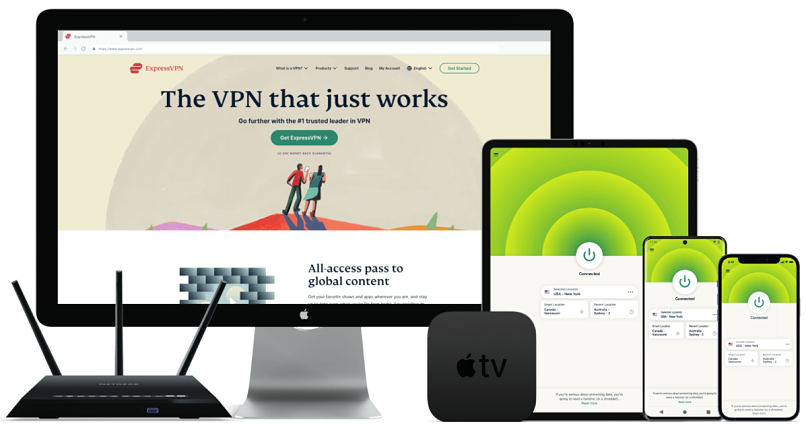
ExpressVPN’s Lightway protocol ensures stable, uninterrupted IPTV streams even during peak evening hours. It uses a lean codebase that makes data transfer more efficient. Paired with 10Gbps servers, Lightway is fast — in our tests, ExpressVPN retained near-baseline speeds on nearby and mid-range servers. In distant locations, you might see a speed dip of 10 to 12%, but that shouldn’t hamper your streaming experience.
 Com o recurso Smart Location, a ExpressVPN escolhe automaticamente o melhor servidor para sua rede
If you plan on streaming at a school or work WiFi (that usually blocks streaming traffic), ExpressVPN has built-in auto-obfuscation on all its servers. So you don’t have to tweak anything to make it work on restrictive networks — it auto-detects network blocks and does what it needs to do.
Some IPTVs block known VPN IP addresses, but ExpressVPN regularly refreshes its IP address pool to stay on top of anti-VPN detection. We put this claim to the test, and were pleasantly surprised — ExpressVPN worked perfectly with Pluto TV, Sling TV, YouTube TV, Hulu, and FuboTV without ever being detected.
ExpressVPN’s top-notch performance comes at a slightly higher price tag. However, it’s well worth the investment if you want a VPN that does its job like it’s supposed to. Every plan is backed by a 30-day money-back guarantee, so trying it with IPTV carries zero financial risk.
Useful Features
- Smart DNS (MediaStreamer). Lets you watch IPTV on devices that don’t support VPN apps, like some TVs and consoles — but there’s no VPN encryption.
- Router app and Aircove support. Cover all your home devices at once with ExpressVPN’s router app or Aircove router.
- Split tunneling for streaming apps. Route only your IPTV apps through the VPN for smoother streaming and normal speeds elsewhere.
- Built-in protection tools. Blocks ads, trackers, and adult sites — helpful if you land on shady IPTV sources.
- One of the fastest VPNs
- Works with top streaming sites
- A proven no-logs policy
- Limited customization
- Smart Location isn't always the fastest
2. CyberGhost — Special Streaming Servers That Make Watching IPTV Platforms Safe and Easy

| Best Feature | Streaming-optimized servers for various platforms like Pluto TV, YouTube TV, BBC iPlayer, and more |
|---|---|
| Speed | No buffering in a continuous 4-hour live session; WireGuard felt snappier than OpenVPN, which sometimes added a longer initial buffer |
| Server Network | Large global footprint of 11,690 servers in 100 countries with platform-labeled entries |
| Compatible With | Windows, Mac, Android, iOS, Linux, smart TVs, Fire TV Stick, routers, Kodi, Chrome, and more |
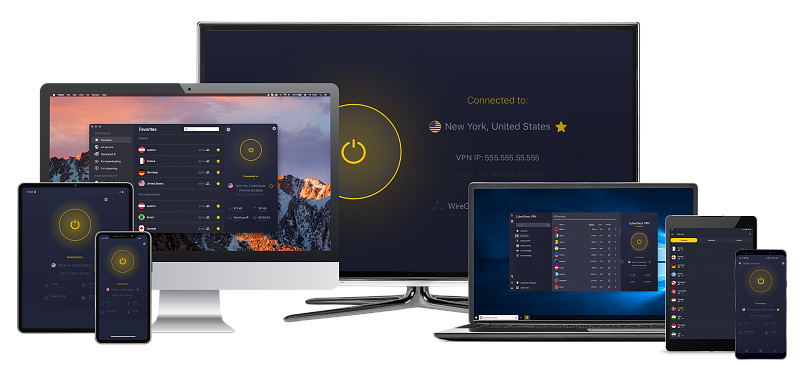
CyberGhost has servers that are especially designed for streaming. Each one is optimized for a specific platform, like Sling TV, YouTube TV, Pluto, or Hulu + Live TV. Some are tailored for your smart TV or Amazon streaming devices. You can find these servers in the For streaming tab on the left side panel.
 A CyberGhost também oferece servidores específicos para Android TV e Fire Stick
One feature I found especially useful is Smart Rules. This lets you launch CyberGhost automatically when you join a new or known network or start up an app. You can configure CyberGhost to start whenever you open your IPTV app, like Kodi. I’m pretty forgetful, but I never have to remember to turn on my VPN when I’m using CyberGhost.
We didn’t run into any buffering during a 4-hour-long live TV session. WireGuard generally performed better than OpenVPN, which sometimes gave us a little longer-than-usual initial buffering.
The only drawback is that the monthly plan feels a bit overpriced, though almost every good VPN has that same problem. If you need a VPN for the long haul, I suggest its long-term offers, which also come with a generous 45-day refund window. That means you can try it out completely risk-free first.
Useful Features
- MTU size adjustment. Lets you adjust the packet size to reduce IPTV buffering on unstable networks.
- Block Content. Blocks trackers, malicious sites, and some harmful ads, which is useful for untrusted IPTV services.
- Special torrenting and NoSpy servers. Includes P2P servers for torrenting and NoSpy servers hosting CyberGhost’s private Romanian data center.
- Simultaneous connections. Use CyberGhost on up to 7 devices at once — perfect for streaming and browsing on different screens.
- Secure access to streaming
- Military-level security
- Designed for ease of use
- Slower long-distance servers
- Doesn't work in China
3. NordVPN — Obfuscated Servers Let You Stream IPTV on Restrictive Networks

| Best Feature | Special obfuscated servers that work with OpenVPN can access IPTV in highly restrictive environments |
|---|---|
| Speed | Negligible loss on nearby servers, with drops capping out at 14% on very distant servers |
| Server Network | 9,055+ servers in 188 countries, including 32 US locations |
| Compatible With | Windows, Mac, Android, iOS, Linux, smart TVs, Fire TV Stick, routers, Kodi, Chrome, and more |
NordVPN’s obfuscated servers are great if you want to stream IPTV on restrictive networks, which usually block this traffic. Obfuscation disguises your VPN traffic as regular HTTPS data, which hides the fact that you’re using a VPN. This is really handy if you’re traveling to a mildly restrictive country or just want to use IPTV at school or the office.
One really neat thing I found on its Mac app is Presets. You can save a one-click combo of a server, protocol, and app launch to a preset (Speed, Browsing, or Downloads). If you switch setups often, that’s a real time-saver. Then, there are paid dedicated IPs that reduce the number of CAPTCHAs triggered by shared IPs.
 Prefiro usar a barra de busca para encontrar rapidamente o servidor desejado
On the speed front, NordVPN came very close to ExpressVPN in our tests, with negligible drops on nearby servers. Even a distant server in Australia retained 86% of our baseline speeds, even though connecting to a server took a little longer than usual. If you want to try NordVPN’s speeds yourself, it comes with a 30-day money-back guarantee.
Useful Features
- SmartPlay. Combines Smart DNS with a VPN to help you safely access IPTV services anywhere and still encrypt your traffic (something Smart DNS in and of itself lacks).
- Threat Protection Pro. This goes beyond simple ad blocking — it filters out malicious ads, trackers, and even scans downloads for malware.
- Special security servers. Double VPN servers encrypt your data twice, while Onion over VPN servers route your VPN traffic through TOR for better privacy. You also get P2P servers for torrenting.
- Strong security and privacy
- Fast local and faraway servers
- Great for streaming
- Some long connection times
- High renewal prices
4. Private Internet Access (PIA) — Tweak Packet and Encryption Settings for Stable IPTV Streams on Any Network

| Best Feature | Customize your VPN for optimal IPTV streaming speeds across the network |
|---|---|
| Speed | Local connections on WireGuard offer steady UHD streams; OpenVPN is approximately 6 to 8% slower, depending on server distance |
| Server Network | 29,650+ servers in 90 countries, with connections in all US states, plus streaming-optimized servers |
| Compatible With | Windows, Mac, Android, iOS, Linux, smart TVs, Fire TV Stick, routers, Kodi, Chrome, and more |
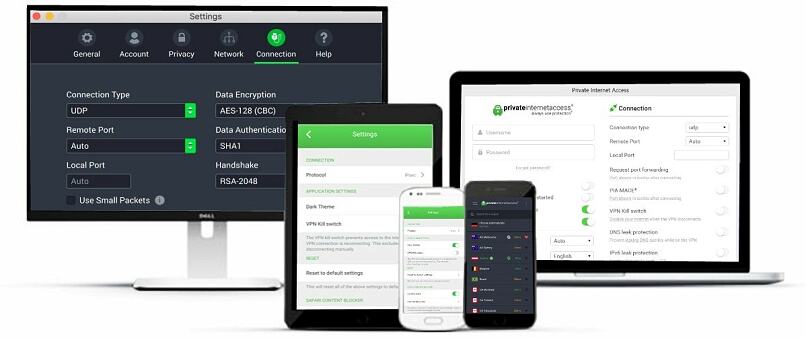
PIA is one of the few VPNs that lets you tinker with your VPN connection to fine-tune your IPTV streams. If you’ve ever dealt with buffering or random drops, you’ll appreciate being able to lower encryption, adjust packet size, and select ports. For instance, if you’re on a distant server, you can dial down encryption from 256-bit to 128-bit to get a speed boost for streaming.
 O OpenVPN oferece mais opções de personalização
PIA also stands out with its massive server network, including servers in every US state. That makes it easy to find a nearby location for fast, reliable IPTV streaming. We tested 15 servers across both coasts, and each one connected in seconds. And unlike some VPNs, PIA doesn’t cap your device count. We tried it on 8 devices at the same time, and never had to worry about juggling logins.
A slight issue with PIA is that it can feel overwhelming at first, with all the toggles and advanced settings. But if you’re a beginner, there’s no need to worry. PIA’s default settings work great for everyday tasks like streaming, browsing, and video conferencing. If in doubt, PIA has a 30-day money-back guarantee for risk-free testing.
Useful Features
- Custom DNS modes. Choose from PIA DNS, built-in resolvers, or Handshake to reduce leaks and boost response times.
- MACE ad and tracker blocker. Stops ads, trackers, and malicious domains at the DNS level.
- MultiHop. Routes traffic through a proxy before the VPN for extra obfuscation, helping bypass throttling on IPTV streams.
- Many servers to choose from
- Customizable security settings
- Solid choice for torrenting
- Hit-or-miss customer support
- Tricky to navigate
5. Surfshark — Static IP Servers Reduce CAPTCHA Verifications When Using IPTV

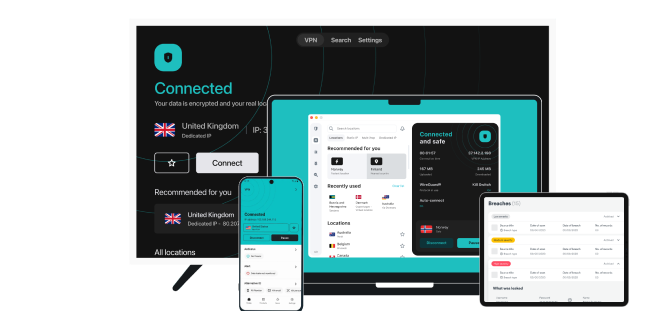
| Best Feature | Static IP servers give you stable and safe access to IPTV services and reduce the risk of VPN detection |
|---|---|
| Speed | Long-haul connections can be 20% slower than your baseline, but nearby and mid-range locations are ideal for IPTV live streaming |
| Server Network | 4,500+ servers in 100 countries, and static IP servers in 6 countries |
| Compatible With | Windows, Mac, Android, iOS, Linux, smart TVs, Fire TV Stick, routers, Kodi, Chrome, and more |
Surfshark’s static IP servers give you a fixed IP, so you’re less likely to be flagged for using a VPN. The biggest risk when buying a VPN is that you don’t know if it’ll work reliably with IPTV platforms. Usually, a VPN rotates your IP address on every reconnect, and platforms detect this and block your access. Surfshark’s static IPs, however, make IPTV access safer and more reliable.
 Pode encontrar IPs estáticos disponíveis para vários países, incluindo EUA e Reino Unido
We tested its static IPs, and they cut out repeated verification pop-ups on DirecTV streams. In comparison, regular servers gave us some login verification challenges — not every time, but two or three times out of ten. But we are happy to report that we never saw a proxy or “VPN detected” error.
Unfortunately, Surfshark’s speeds dropped by almost 20% on distant servers. Although that had no impact on buffering and our overall streaming experience, it could be an issue if your internet is slow. The good news is that you can test it out first, as Surfshark offers a 30-day refund window.
Useful Features
- NoBorders mode. When your local network or country tries to block VPNs, NoBorders kicks in automatically (or manually) and picks from special servers that get past restrictions.
- MultiHop. While many VPNs offer MultiHop (including PIA), Surfshark lets you customize your double-hop route. However, note that this can reduce your speeds and make your IPTV streams more laggy.
- Easy to use
- Military-grade security
- Fast speeds
- Clunky torrenting support
- Based in a 9-Eyes country
- Might not work in China
Our Testing Process for IPTV VPNs
Instead of just looking at mere specs, we tested each option hands-on under real-world conditions. We tested the VPNs on regular home WiFi, public networks, and restrictive ones like those you’d find at school or workplaces. Plus, we tested each VPN across multiple devices, including Fire TV Stick, smart TVs, laptops, and phones.
The most important factor was whether a VPN could safely access IPTV services. My team is spread all around the world, so we tested each VPN on various platforms, like YouTube TV, DirecTV, fuboTV, Bell, Foxtel Now, and Kayo Sports. Finally, we rated usability — a VPN might be fast, but if it’s clunky or hard to use, it won’t work for the average user.
Tips on Choosing the Best VPN for IPTV
The right VPN means you get reliable connections, smooth playback, and strong privacy. Here are the key features to look for when choosing a VPN for IPTV:
- Reliable and safe access to IPTV platforms. Pick a VPN that can consistently and safely connect you to IPTV platforms and other streaming sites while maintaining good speeds.
- Fast connection speeds. As IPTV streams are bandwidth-heavy, you need a VPN that delivers reliably fast speeds to avoid lag and buffering.
- Large server network. A VPN with a wide range of servers means that you can connect to less-crowded servers and choose from city-specific options if available.
- Strong privacy and security. Look for AES-256-bit encryption, data leak protection, and an audited zero-logs policy to keep your IPTV streaming activity secure and private.
- Easy-to-use apps. Make sure the VPN has intuitive apps for the devices you stream on so you can easily get set up and connected.
VPN Not Working With IPTV? Try This
Even the best VPNs sometimes hit snags with IPTV. Streams may buffer, apps might refuse to load, or you’ll suddenly see unknown channels. Most of these issues have simple fixes once you know what’s causing them. Here are the most common culprits and how to solve them:
- VPN IP blocklists. IPTV services may block shared VPN IPs, causing login errors. Switch servers or use a static IP to fix it.
- Unsupported devices. Older TVs or game consoles may not support VPNs, but you can use your VPN’s Smart DNS instead.
- Restrictive networks. School, office, or hotel WiFi might block VPNs. Try OpenVPN TCP/443 or enable obfuscation.
- Server congestion. Buffering often means the server is overloaded. Switch to a closer server or use split tunneling for IPTV only.
- DNS or IPv6 leaks. If the wrong channels are showing, run a leak test and disable IPv6 to stop leaks.
- Cached app data. IPTV apps may store outdated information. Fully close the app, clear the cache, and reconnect.
- Time and date mismatch. An incorrect device clock can block connections. Set your date and time to automatic.
Best IPTV Providers for Live TV, Movies, Sports, and More
Popular IPTV providers include YouTube TV, Smarters, King IPTV, and Hulu + Live TV. These providers offer various content types, including live sports, popular movies, news, and on-demand series.
| Other top fully-licensed IPTV services | Pluto TV, Xumo, DirecTV (formerly AT&T TV), Peacock TV, Tubi TV, Fubo TV, Philo TV, Comedy Central, Redbox, RedBull TV, Sling TV |
| IPTVs that operate in a legal grey area | Sportz TV, King IPTV, Yeah IPTV, Helix IPTV |
Warning: IPTV Providers To Avoid
If an IPTV service promises every premium channel for just a few bucks, be cautious. Many of these are unlicensed resellers pirating live feeds, and using them puts you at risk of malware, stolen payment information, or sudden shutdowns. Here’s how to spot sketchy providers:
- No real company details. No business name, address, or real support — just a sketchy email or Telegram group.
- Suspicious payments. Crypto-only options or “lifetime” deals usually signal an unlicensed provider.
- Unrealistic channel promises. Claims of all global sports and movies for a low price are signs of pirated content.
- No app-store presence. Legitimate apps are on app stores with real reviews, not found on shady websites with sideloaded files.
- Constant rebrands and domain changes. Constant name and domain changes often mean a pirate service is dodging takedowns.
Do Free VPNs Work With IPTV?
Yes, but free VPNs often cause more frustration than convenience. Most free VPNs impose strict data limits, have only a handful of available servers, and are overcrowded. This leads to buffering and low-quality streams. While there are some free VPNs that work with IPTV platforms, you’ll have a better experience with a premium service.
FAQs
Wrapping Up
From our experience, the right VPN makes IPTV feel like a seamless alternative to cable. You might not always need one, but if you want to avoid ISP throttling or stream on restrictive networks, a VPN is essential. Just keep in mind that not every VPN is built for smooth, reliable IPTV streaming.
After weeks of testing, ExpressVPN came out on top. CyberGhost is a close second due to its streaming servers, but I prefer ExpressVPN since it’s faster and has a server network that competitors can’t match.
Your online activity may be visible to the sites you visit
Your IP Address:
216.73.216.86
Your Location:
US, Ohio, Columbus
Your Internet Provider:
Some sites might use these details for advertising, analytics, or tracking your online preferences.
To protect your data from the websites you visit, one of the most effective steps is to hide your IP address, which can reveal your location, identity, and browsing habits. Using a virtual private network (VPN) masks your real IP by routing your internet traffic through a secure server, making it appear as though you're browsing from a different location. A VPN also encrypts your connection, keeping your data safe from surveillance and unauthorized access.
About the Author
Lawrence Wachira, a former Editor at vpnMentor, is dedicated to making the internet safer for everyone. His expertise in VPNs, online privacy, and editing enabled him to help the vpnMentor team deliver comprehensive insights, user guides, and comparisons that empower readers to take control of their digital safety.



Please, comment on how to improve this article. Your feedback matters!