 EN
EN
 Dansk
Dansk  Deutsch
  Español
  Français
  Hrvatski
  Indonesia
  Italiano
  Magyar
  Nederlands
  Norsk
Norsk  Polski
  Português
  Română
  Suomi
Suomi  Svenska
  Tiếng Việt
  Türkçe
  Čeština
  Ελληνικά
  Русский
  Українська
  български
  ไทย
ไทย  日本語
日本語  简体中文
简体中文  한국어
한국어  עברית
עברית  العربية
 5 Best VPNs To Watch Indian TV Channels Anywhere (2026)

Only a few VPNs offer servers that can securely access Indian TV channels from anywhere. That's because you need a VPN with virtual servers that provide an Indian IP address, which is rare.
After we tested 40+ VPNs, I've shortlisted the best VPNs for watching Indian TV channels. These VPNs offer reliable virtual servers that can stream popular Indian streaming platforms, like JioCinema and Colors TV, online in HD. They also use advanced security features to encrypt your data, so no one, not even your ISP, can see what you're doing online. These VPNs are compatible with all popular devices and have Chrome extensions. Continue reading to compare pros and cons of the best Indian TV VPNs and choose one that meets your requirements.
Best VPNs To Watch Indian TV Channels — Our Expert Picks (Updated in 2026)
1. ExpressVPN — Impressive Speeds for Streaming Indian TV Channels Without Buffering

 Try Risk-Free for 30 Days
Tested April 2026
| Best Feature | The fastest VPN we tested for watching Indian TV channels |
|---|---|
| Server Network | 3,000 servers in 105 countries, with virtual Indian servers (via UK and Singapore) |
| Speed | Only a 6% speed drop with an Indian IP address is great for seamless streaming |
| Works With | Netflix India, JioTV, JioCinema, SonyLIV, ZEE5, Aaj Tak, Colors TV, and more |
ExpressVPN's proprietary Lightway protocol is optimized for speed to stream Indian TV uninterrupted from anywhere while securing your connection. The protocol uses less code to move data faster, conserving battery life. We could watch live IPL matches on JioCinema without issues. During our tests, we recorded upwards of 217Mbps testing virtual Indian servers. UHD streams require 25Mbps, so it’s possible to watch Indian TV channels in the best quality.
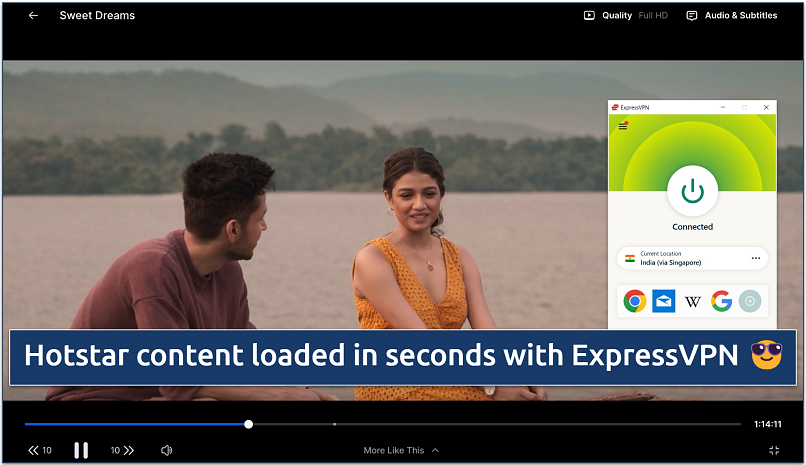 The same connection allowed secure streaming of Netflix India and Sun NXT
Thanks to its rotating IPs, you can reliably watch Indian TV. If one Indian IP gets blocked by a platform, ExpressVPN automatically replaces it with another. Plus, all servers use obfuscation, which conceals VPN traffic to avoid detection technology like that used by Disney+. You can even stream on restrictive networks like work and school. We had no issues watching Netflix India or SonyLIV, either.
ExpressVPN uses the highest encryption level (AES 256-bit) to keep you safe online while streaming Indian TV. IP/DNS/WebRTC leak protection and an automatic kill switch shield your online identity and activities by preventing accidental data exposure. Activating its Threat Manager feature offers extra protection against surveillance, hackers, and trackers; you can also select to block ads and adult sites.
On the downside, the price is a bit high. However, there are regular deals and discounts to help you save. You can also test ExpressVPN without risk using its 30-day money-back guarantee*. Getting a refund via 24/7 live chat is easy if you're not 100% happy.
Useful Features
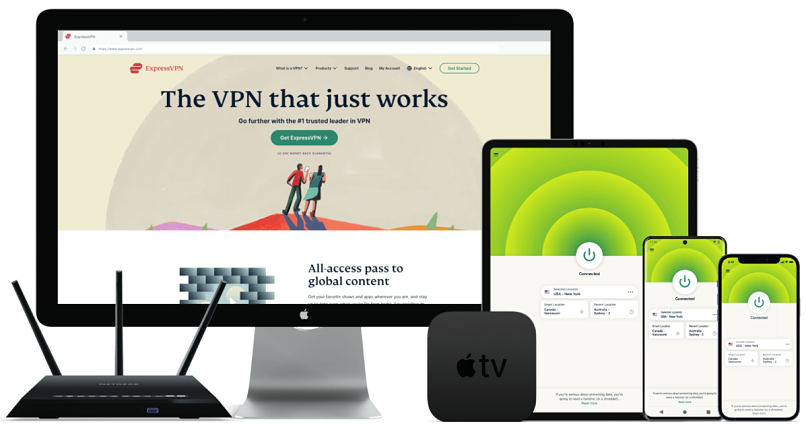
- User-friendly apps. There are intuitive and almost identical apps for all major platforms, including Windows, Android, Mac, iPhone, Android TV, and Apple TV. Use the search bar to find a virtual Indian server and click to connect. You can also install ExpressVPN on your router using its custom firmware and stream Indian TV on any device connected to your home network.
- Browser extensions. ExpressVPN’s extensions for Chrome and Firefox work as remote controls for the VPN. So, you can conveniently control your VPN app from the browser to simplify securely streaming Indian TV.
- Split tunneling. You can use this feature to decide which apps and websites use the VPN and which access the internet directly. This gives you better speeds as only part of your traffic gets encrypted.
- In-app shortcuts. With this, you can add 1-click shortcuts to your favorite Indian streaming sites directly to the ExpressVPN app. I set up a shortcut for Netflix India to immediately launch after connecting to a virtual Indian server.
- One of the fastest VPNs
- Works with top streaming sites
- A proven no-logs policy
- Limited customization
- Smart Location isn't always the fastest
2. NordVPN — User-Friendly VPN, So Even Beginners Can Safely Watch Indian TV

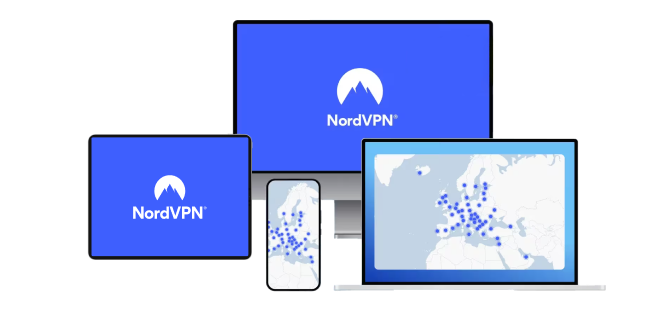
| Best Feature | A similar user interface across all major devices for easy navigation |
|---|---|
| Server Network | 9,148 servers in 202 countries and can provide an Indian IP address |
| Speed | Very fast — we could stream Star Vijay without delays |
| Works With | Netflix India, JioTV, JioCinema, SonyLIV, ZEE5, Aaj Tak, Colors TV, and more |
NordVPN's intuitive design makes it straightforward to get an Indian IP address to access Indian TV from anywhere safely. All the essentials for connecting are right on the app’s main screen, so you can stream immediately. I particularly like its server map feature — you can easily connect by dropping a pin. In our tests, we connected to NordVPN’s Indian server within seconds, and our streams never took more than 5 seconds to start.
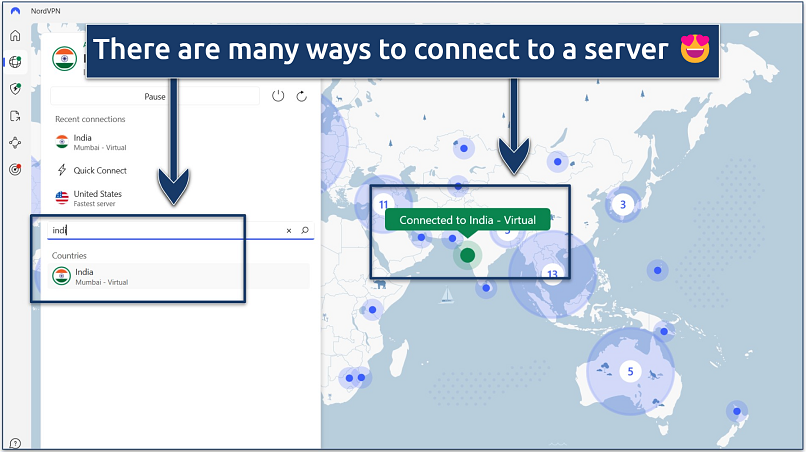 You can also use the search bar to quickly find a server
I found the app very easy to use, with options neatly arranged on the main interface. You can use its specialty servers, such as Double VPN (which encrypts your connection twice) and obfuscated servers (conceals VPN traffic), under "Specialty servers". It also offers a search bar that you can use to quickly find Indian servers or drop a pin on the map to get an Indian IP address.
One slight annoyance is occasional delays when launching the app or connecting to a server. However, once connected, you get reliable speeds for streaming Indian TV channels without interruptions. It was also one of the fastest VPNs we tested, giving us a consistent speed above 126Mbps on nearby servers.
NordVPN offers 10 simultaneous device connections with all purchases.You can also test it for free for 30 days using its money-back guarantee.
Useful Features
- Presets. On macOS, this feature allows you to create one-click connections for streaming Indian TV. I created one using an Indian server and NordLynx for seamless live streaming of Indian channels.
- NordLynx. This is NordVPN’s WireGuard-based proprietary protocol optimized to deliver better speeds and improved connection stability to stream Indian TV content without compromising your security.
- Threat Protection. This feature protects you from online threats while streaming Indian TV, even on mobile. By blocking ads and harmful links, it also makes websites load faster since you’re free from pesky ads.
- Strong security and privacy
- Fast local and faraway servers
- Great for streaming
- Some long connection times
- High renewal prices
3. CyberGhost — Smart Rules to Automatically Get an Indian IP Address Upon Start-Up

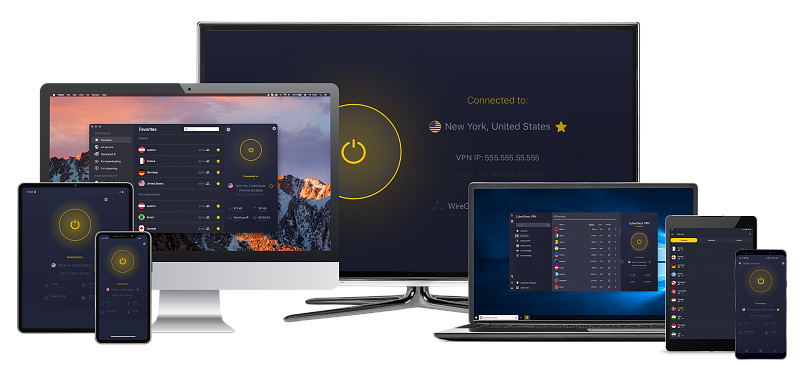
| Best Feature | Configure the VPN to automatically connect to specific servers when launching certain apps |
|---|---|
| Server Network | 11,690 servers in 100 countries, plus specialty ones for gaming and torrenting |
| Speed | Very fast, which is great for binging Heeramandi in HD without buffering |
| Works With | Netflix India, JioTV, JioCinema, SonyLIV, ZEE5, Aaj Tak, Colors TV, and more |
CyberGhost's Smart rules save you time by connecting you to an Indian server when you launch the app. This way, you don’t have to remember to connect manually each time. It also auto-launches the VPN on new networks, making it an excellent option for private streaming over public WiFi. Enabling multiple automations was easy while testing the Smart rules feature.
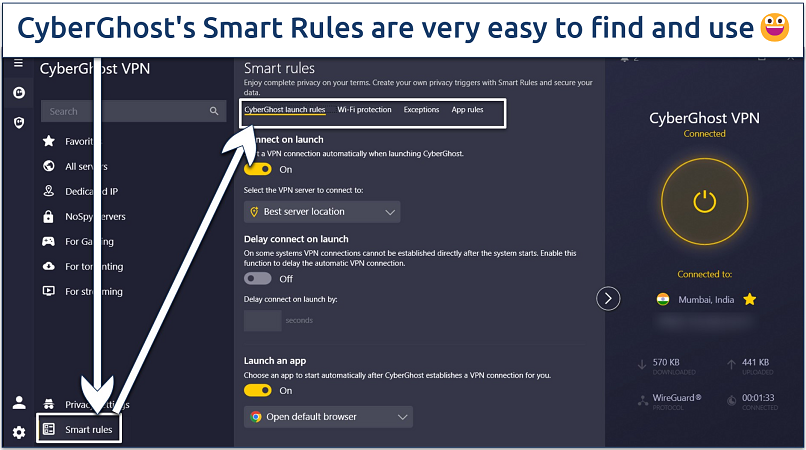 The clearly marked tabs make customization easy
Although not as fast as ExpressVPN, speeds were more than enough for watching Indian TV content online without buffering. With a mere 8% speed loss testing nearby servers, we watched Taali and Gehraiyaan on JioCinema without noticeable delays. CyberGhost also works on smart TVs, including Android and Firestick, so you can stream on your big screen in HD.
One drawback is that the monthly option is expensive and has a short refund period. However, if you commit to a long-term purchase, you get an extended money-back guarantee. So, you can use CyberGhost free for 45 days. Each offer supports up to 7 simultaneous device connections and round-the-clock live chat and email support.
Useful Features
- Streaming servers. CyberGhost offers dedicated servers optimized to safely access popular streaming platforms, like Hulu and Netflix US, from anywhere. These servers are regularly updated to support HD and 4K streaming without buffering.
- Block Content. When enabled, this feature blocks ads, trackers, and malicious websites. This helps limit annoying interruptions or distracting ads when you visit Indian websites.
- Secure access to streaming
- Military-level security
- Designed for ease of use
- Slower long-distance servers
- Doesn't work in China
4. Surfshark — Unlimited Connections To Watch Indian TV on All Your Devices Simultaneously

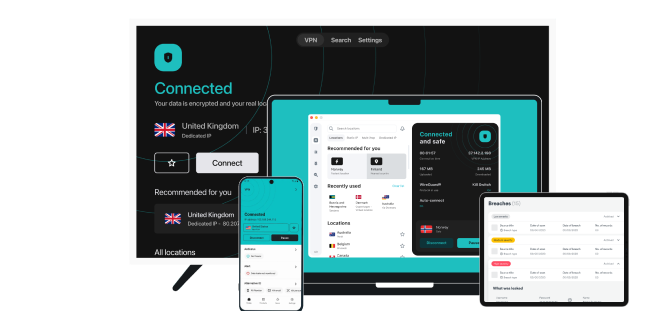
| Best Feature | Securely stream on all your devices and only pay for one license |
|---|---|
| Server Network | 4,500 servers in 100 countries, including IPs for Delhi and Mumbai |
| Speed | Good speeds — we didn’t experience any buffering watching Indian TV |
| Works With | Netflix India, JioTV, JioCinema, SonyLIV, ZEE5, Aaj Tak, Colors TV, and more |
With Surfshark’s unlimited connections, your household can safely stream different Indian TV channels simultaneously without sacrificing speed. We tested Surfshark by connecting 9 devices at once, including an Android TV, several smartphones, and a tablet, and our streaming performance remained unchanged. In addition, it also offers the WireGuard protocol for better connection stability and performance while streaming Indian TV content.
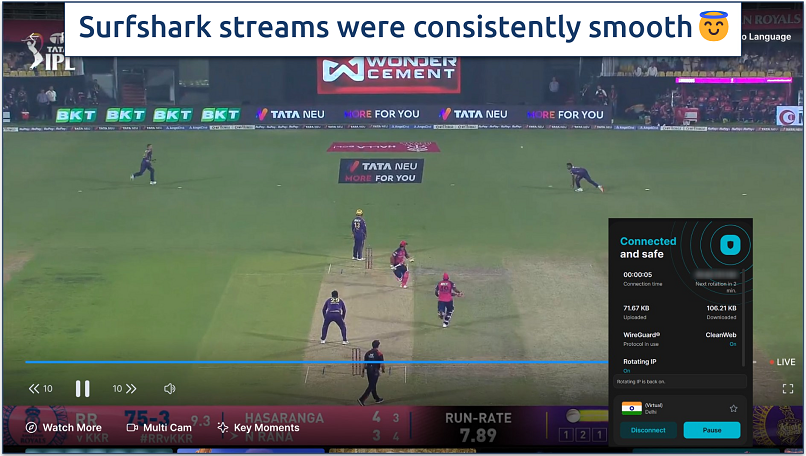 Surfshark automatically uses WireGuard; one of the best protocols for streaming
I didn't like that you have to disconnect the VPN when you want to run its in-app speed test. However, it's a handy tool for choosing the fastest server for streaming without buffering. Surfshark only reduced our average speed by 27%, making it possible to stream Indian shows in HD from anywhere.
Surfshark is one of the most affordable VPNs and offers a 30-day money-back guarantee with all purchases. This way, you can try it completely free.
Useful Features
- IP Rotator. When enabled, this changes your IP every few minutes without switching server locations. This helps you stream Indian TV without worrying about your connection getting interrupted.
- Camouflage mode. This feature automatically obfuscates your online data to avoid detection by streaming platforms that employ VPN firewalls.
- Easy to use
- Military-grade security
- Fast speeds
- Clunky torrenting support
- Based in a 9-Eyes country
- Might not work in China
5. Private Internet Access (PIA) — Customize Settings to Balance Speed With Security When Streaming Indian TV

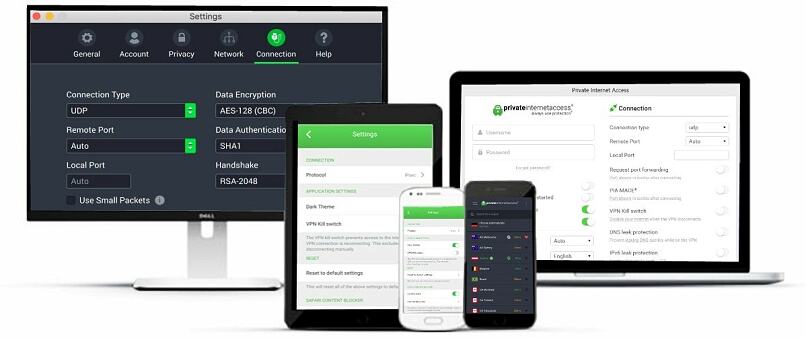
| Best Feature | Optimize your Indian IP by adjusting the level of encryption 128 (faster) and 256-bit (more secure) |
|---|---|
| Server Network | 29,650 servers in 90 countries, with a virtual Indian server |
| Speed | Fast speeds for watching Indian TV in HD from anywhere |
| Works With | Netflix India, JioTV, JioCinema, SonyLIV, ZEE5, Aaj Tak, Colors TV, and more |
PIA gives you more control over your connection to stream Indian TV smoothly, even on unstable networks. For example, clicking Try Alternate Settings under Protocols enables PIA to choose the best settings for your connection to optimize your streaming experience. While testing PIA, the WireGuard protocol consistently delivered the best speeds for us to stream Indian TV. We watched Hindi movies like Mazaka on ZEE5 in 4K without interruptions.
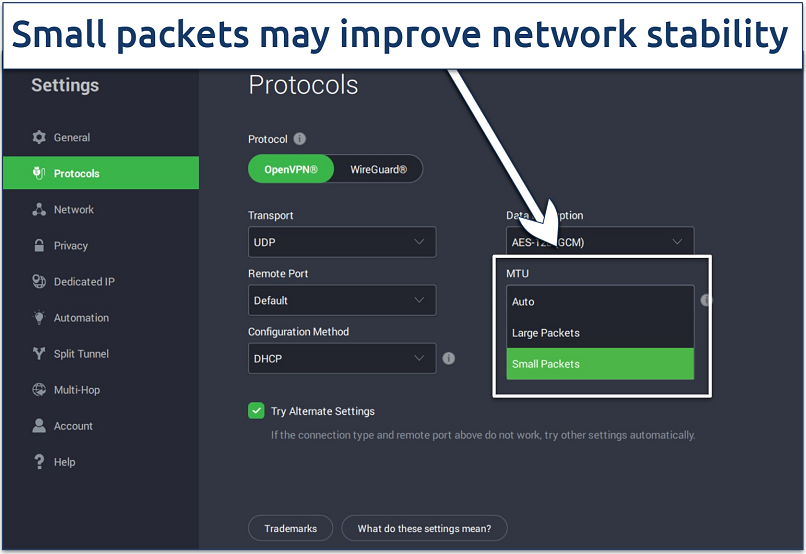 Choose the OpenVPN protocol to adjust the encryption level
The VPN app may seem complex initially, especially for beginners. However, settings come pre-configured to securely stream Indian TV from anywhere without needing adjustments — just type "India" into the search bar and click to get an Indian IP address.
It offers competitive pricing and can cover all your devices since there's no limit to the number of connections. It also backs its service with a trustworthy 30-day money-back guarantee.
Useful Features
- Streaming servers. While not optimized for specific services like CyberGhost, PIA offers location-based servers that support high-definition streaming. None are available in India, but it offers dedicated servers in countries with the most popular platforms, such as the US, UK, Australia, and Japan.
- Many servers to choose from
- Customizable security settings
- Solid choice for torrenting
- Hit-or-miss customer support
- Tricky to navigate
Indian TV VPN Services Compared
A VPN must have servers (or virtual servers) in India to help safely access Indian TV from anywhere. Consistently fast speeds are also key for an enjoyable streaming experience, especially when watching live sports. Below is a quick side-by-side comparison of our top VPNs for Indian TV and how they compare.
Where Can I Watch Indian TV Online?
With a VPN, it’s possible to watch Indian channels like SonyLIV, and Zee5 safely from anywhere. These services offer a wide range of content, including Bollywood movies, Hindi TV shows, and live sports. Here are the platforms where you can watch popular Hindi movies online.
| Streaming Service | Best For |
| Netflix India | International and Indian movies, series, and original content in multiple languages. |
| Amazon Prime Video India | Amazon Originals and a wide selection of popular international and Indian films. |
| JioCinema | Indian films, TV shows, music videos, and sports. |
| JioTV | Hundreds of Indian channels across various genres and languages. |
| ALTBalaji | Hindi web series, original content, and movies across various genres. |
| Zee5 TV | A wide range of South Asian TV channels and online programming. |
| SonyLIV | A mix of Hindi and English TV shows, movies, and sports. |
| StarPlus | Popular Hindi family dramas, comedies, and reality shows. |
How to Get an Indian IP Address Safely
VPNs with virtual Indian servers give you the benefits of a local IP address while keeping your data outside India’s jurisdiction. Follow these steps to get set up quickly and start using Indian platforms securely.
1. Choose and Download a VPN
Choose a VPN that offers Indian IP addresses through secure servers outside the country. Download the app from its official site or app store. Then install it on your phone, laptop, or tablet.
2. Connect to a Virtual Indian Server
Open the VPN, find an Indian IP server, and connect. Once connected, your data gets encrypted and rerouted securely. You now appear as browsing from inside India.
3. Confirm Your New IP Address
Use an online IP checker to confirm your new location shows as India. The tool will display your IP address along with the detected country. If it shows a different region, disconnect and try a different server.
4. Access Indian Services Safely From Anywhere
Now you can safely use Indian banking portals, government websites, and platforms like JioCinema or Voot. Keep your VPN active the entire time you browse. For better performance, switch servers if needed.
What You Need to Know When Picking VPNs for Indian TV
We assessed all the VPNs' reliability in working with popular Indian streaming platforms like Disney+, SonyLIV, and Zee5. These VPNs have virtual Indian servers that support HD and 4K streaming without buffering. They’re also compatible with popular streaming devices like Roku, Firestick, and Apple TV. Additionally, they rank as some of the most secure and private options and offer 24/7 customer support.
Conclusion
Lots of VPNs claim to work with popular Indian streaming sites, but not all of them actually can. Many are too slow or unreliable to stream live TV smoothly. Others have physical servers in the country, meaning your activity may not be private.
ExpressVPN is my top choice for watching Indian TV. It has impressive streaming speeds and can reliably access Indian TV channels from anywhere.
FAQs
Your online activity may be visible to the sites you visit
Your IP Address:
216.73.216.30
Your Location:
US, Ohio, Columbus
Your Internet Provider:
Some sites might use these details for advertising, analytics, or tracking your online preferences.
To protect your data from the websites you visit, one of the most effective steps is to hide your IP address, which can reveal your location, identity, and browsing habits. Using a virtual private network (VPN) masks your real IP by routing your internet traffic through a secure server, making it appear as though you're browsing from a different location. A VPN also encrypts your connection, keeping your data safe from surveillance and unauthorized access.
About the Author
Sheharyar is a former writer at vpnMentor. He believes in the digital freedom and online privacy of all. He spends much of his time testing VPNs and turning his findings into guides and comparisons that highlight what’s new and relevant.


Please, comment on how to improve this article. Your feedback matters!