 EN
EN
 Dansk
Dansk  Deutsch
  Español
  Français
  Hrvatski
  Indonesia
  Italiano
  Magyar
  Nederlands
  Norsk
Norsk  Polski
  Português
  Română
  Suomi
Suomi  Svenska
  Tiếng Việt
  Türkçe
  Čeština
  Ελληνικά
  Русский
  Українська
  български
  ไทย
ไทย  日本語
日本語  简体中文
简体中文  한국어
한국어  עברית
עברית  العربية
4 Best Free VPNs for the Dark Web in 2026: Secure & Fast

You can get into plenty of trouble if you’re caught using the dark web on a restrictive network, and many firewalls simply block the Tor browser to prevent access. Plus, your internet service provider (ISP) can detect the use of Tor, and some of the volunteer-run nodes on the Tor network can see your browsing or your IP address.
That’s why my team and I have been testing free VPNs with the dark web for years. Many don’t work with Tor. Others are far too slow to mitigate for the Tor network’s notorious slowdowns. Worse still, some can be dangerous, selling your data to the highest bidder or even infecting your devices with malware. So we only listed those you can rely on. Overall, you’re always better off opting for a cheap premium VPN.
Compare for Yourself: Free Dark Web VPN Features
This table provides an easy comparison of the best free VPNs for the dark web. Feel free to use it as a guide to help you choose a VPN for Tor.
Our specialized speed testing expert carried out targeted tests on the dark web using Tor and a sophisticated online instrument. For those prioritizing security, an option without the need for registration might be more appealing. Moreover, a dependable malware blocker is crucial to defend against the numerous hazardous files found on the dark web.

In-Depth Analysis: Top Free VPNs for the Dark Web in 2026
1. Proton VPN — Uncapped Data for Browsing the Dark Web Without Limits
 Try Risk-Free for 30 Days
Tested April 2026
| Best Feature | Unlimited data lets you browse the dark web as much as you like |
|---|---|
| Speeds and Data | No data cap, but slow with Tor, it’s likely you’ll encounter lag while browsing |
| Server Network | Connect to your nearest location from 10 countries |
| Free Trial | Freemium plan |
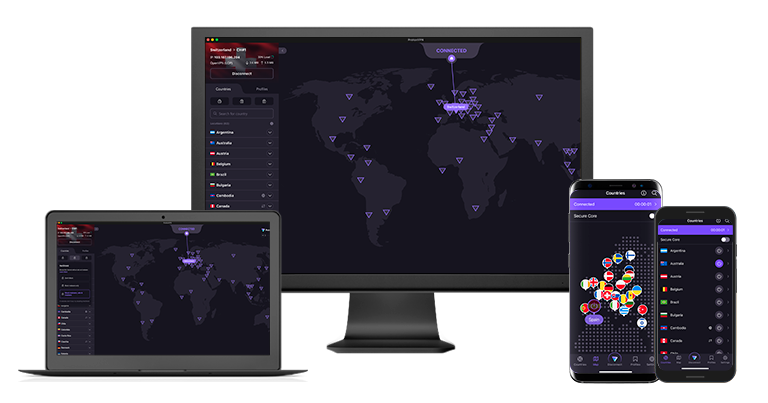
Proton VPN has no data cap, so you can browse the dark web without limitations. I found this impressive, considering many free VPNs limit you to as little as 500MB/month. That means that if you want to scour The Hidden Wiki, you can explore its many links and resources to exhaustion.
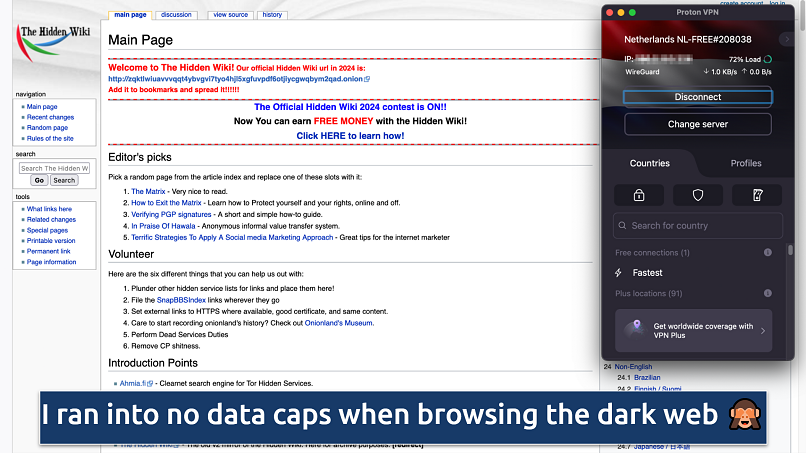 By default, Proton VPN auto-connects you with the best protocol for your setup (in my case, WireGuard)
Proton VPN’s strict no-logs policy makes it one of the most trusty VPNs for the dark web. Most free VPNs don’t have the budget for a no-logs audit, and many collect data, so they wouldn’t qualify for one anyway. In this case, however, the audits are subsidized by Proton. It’s one of many reasons why we favor freemium VPNs over completely-free services.
Even though there are servers in 10 countries, Proton VPN would only connect me to the fastest location (usually the nearest). However, this wasn’t a problem since dark websites aren’t geo-restricted. That said, the 92% loss from my base speed was pretty dramatic, so it’s only suitable for basic browsing.
While it’s free, you do have to register for an account. So it’s not ideal if you don’t want to leave any trace of your dark web browsing. Plus, a free account only covers you on one device.
Useful Features
- Proprietary Stealth protocol. Proton VPN has developed its own privacy-based protocol that obfuscates your connection to get past network blocks. It’s ideal if privacy is a concern, though it is a little slow.
- No extra ads. Most free VPNs inundate you with “personalized” ads and alerts pressuring you to upgrade to a premium version. I was pleased that my Tor browsing wasn’t interrupted by either.
- DNS leak protection. This feature prevents DNS requests from leaking outside the VPN tunnel, which helps prevent your ISP from seeing that you’re using Tor or visiting dark web domains.
- Unlimited monthly data
- Reputable privacy practices and features
- Fast speeds near and far
- Only nearby server connection
- No P2P support
2. Hotspot Shield — Hydra Protocol for Secure and Fast Dark Web Browsing
| Best Feature | A choice of 3 protocols to optimize your speeds for the dark web |
|---|---|
| Speeds and Data | Pretty fast and with unlimited data for extensive dark web browsing |
| Server Network | A choice of 5 locations covering 3 continents |
| Free Trial | Freemium plan |
Hotspot Shield’s proprietary Hydra protocol is built for security and speed and gave me a speed loss of 75% on the Tor browser. Keep in mind that Tor on its own reduced my speeds by 56%, so this is pretty impressive for a free VPN Hydra gave me the fastest speeds on Hotspot Shield, but you also get WireGuard and IKEv2, which I thought was impressive for a free VPN.
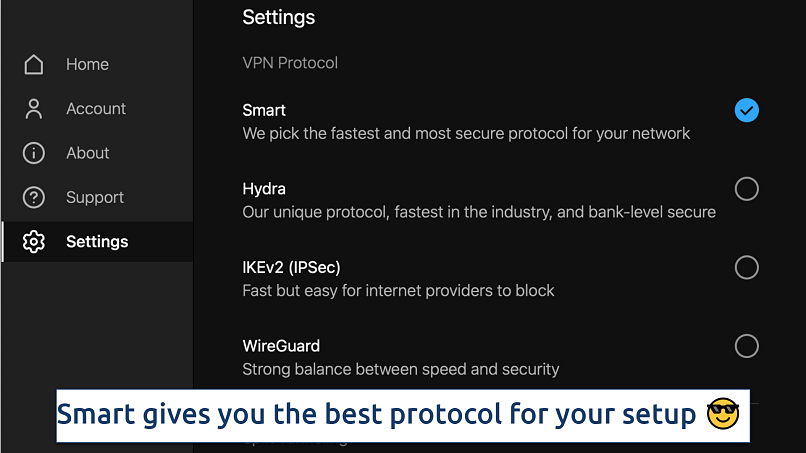 All 3 available protocols gave fast dark web speeds in my tests
I like its Auto Protect feature that automatically detects unsecured or public networks and instantly activates the VPN to secure your connection. This feature is especially helpful if you access the dark web from shared networks, like cafés or public WiFi hotspots, where your traffic is more vulnerable to snooping and interception.
You get a choice of 5 locations, which isn’t many, but unlike Proton VPN and Avira Phantom, you can at least select from any of them. Unfortunately, the free plan only covers 1 device and is ad-supported, which can be a little annoying.
Useful Features
- Cross-platform support. Hotspot Shield works on Windows, Mac, Android, iOS, and Linux (needs manual configuration). You can also set it up on your router.
- Extensive FAQ. Hotspot Shield proudly states that it supports Tor Over VPN on its app, so you shouldn’t run into problems. If you do, there are plenty of troubleshooting tips on the website, although you have to upgrade to premium to access live chat.
- Speed-optimized Hydra protocol
- Unlimited monthly data
- Supports torrenting traffic
- Ad-supported
- Logs anonymized data
- Limited streaming abilities
3. Avira Phantom VPN — Access Tor on Any Device With Unlimited Connections
| Best Feature | Browse Tor on all of your gadgets for free |
|---|---|
| Speeds and Data | Slow with Tor, with a 500MB/month limit (1GB with email registration) |
| Server Network | Nearest location only on desktop (37 locations on mobile apps) |
| Free Trial | Freemium plan |
Avira Phantom VPN is one of the few free services offering unlimited connections, so you can browse the dark web on all your devices. On top of the standard security features you’d expect, I could mitigate against malware with Avira Phantom’s malicious content blocker, which is also a rare feature among freemium VPNs.
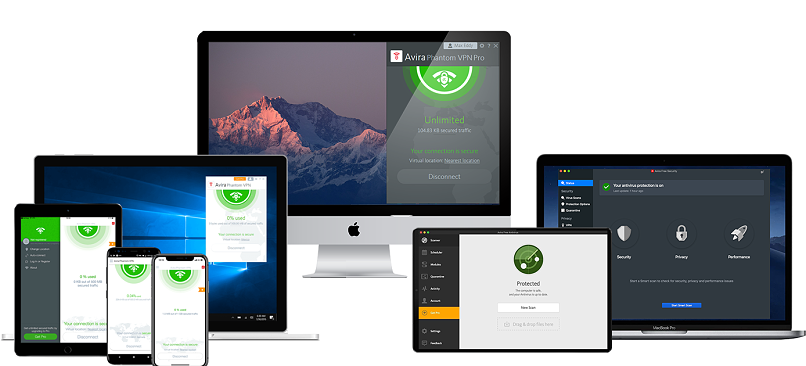
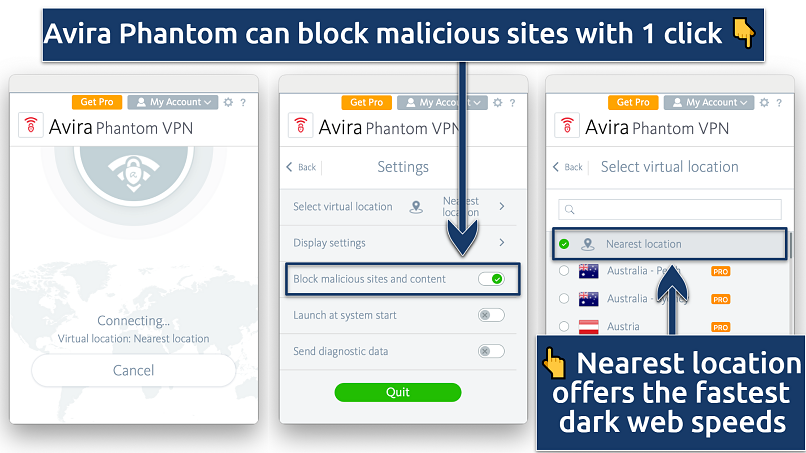 Avira Phantom's easy-to-use app has 3 basic interfaces
Avira’s speeds over Tor are nowhere near Proton VPN. I lost 83% of my base speeds from a UK server. Avira only lets you connect to your nearest location, which usually improves speeds, but that didn’t translate to Tor’s complex network. That said, you get access to 37 countries on the mobile apps.
You get 500MB/per month, or 1GB if you register with an email. That undermines Avira’s unlimited devices feature — with such little data, you won’t get much Tor browsing done before you eat up your allowance. But, because you don’t have to sign up, you can effectively use 500MB/month of data on each device.
Useful Features
- Easy to use. Avira’s desktop app is neat and compact, so it doesn’t take up a lot of screen space. Plus, since it chooses your server for you, it’s a quick and easy way to get a safe connection to the dark web.
- Data usage on home screen. With many free VPNs, you have to dig into your Account to find how much data you’ve used. With Avira, you’ll know precisely how much dark web browsing you can do before your data’s gone.
- Unlimited simultaneous devices
- Access to 36 countries on mobile
- No signup required
- Max 1GB monthly data (with email signup)
- No kill switch
4. TunnelBear — A Fun and Simple App for Browsing the Dark Web

| Best Feature | A user-friendly app for seamless integration with the Tor browser |
|---|---|
| Speeds and Data | Pretty fast, with 2GB/month of data for browsing the dark net |
| Server Network | A choice of 47 locations, exceptional for a free VPN |
| Free Trial | Freemium plan |
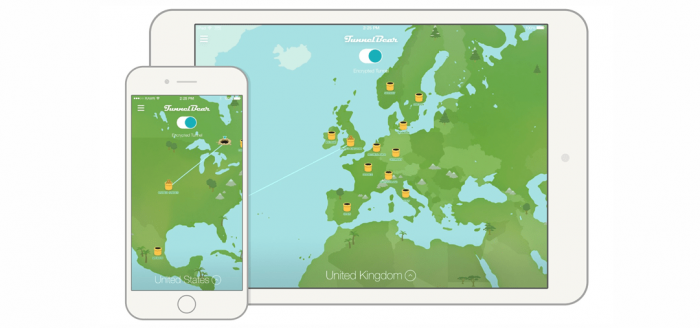
Navigating the dark web is tricky enough without a complex VPN app to contend with. TunnelBear offers a simple one-click app to protect your dark web browsing. Its animated bear and cartoon map are as fun to use as they are easy.
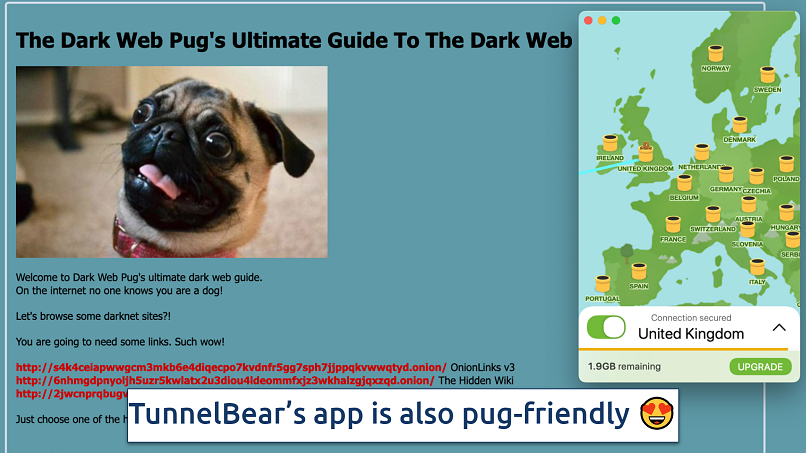 I connected to TunnelBear with one click without optimizing a single setting for the dark web
I was intrigued to see TunnelBear’s list of 47 countries available, which is rare for a free VPN. Plus, its speed loss was only a shade slower than Hotspot Shield, at 77%. The only downside is that it’s based in the privacy-adverse US — but its no-logs policy assures me that my dark web activity is kept safe.
Useful Features
- Keep TunnelBear connected after quitting the app. Once you’ve got a connection for the dark web, you can simply quit the app. TunnelBear will keep protecting your Tor sessions in the background.
- VigilantBear. The kill switch feature ensures your real IP doesn’t leak to your ISP or any of the Tor network’s volunteers.
- Free servers in 47 countries
- Works with some streaming platforms
- Fun, quirky app design
- Only 2GB of monthly data
- Doesn't offer apps for some devices
- Not router compatible
Tips on Picking the Best Free VPN for the Dark Web
Here are the standards I employed to evaluate the VPNs on my list. I suggest taking these factors into account prior to selecting a VPN for use on the dark web:
- Strong security features. I looked for VPNs that offer military-grade AES 256-bit encryption, which is virtually unbreakable. A kill switch is another necessary security feature that will block your connection if the VPN ever disconnects. You’ll also want leak protection to make sure your real location is kept hidden.
- Fast speeds. Tor reroutes your traffic through several locations, which significantly slows down your connection. Every VPN will reduce your speeds, too, so you want one that does it the least.
- Malware blocker. You can use the dark web as a force for good, but by its very nature, it is home to cybercriminals, hackers, and dangerous content. In the Wild West of the dark web, any link you click is potentially dangerous. I’ve prioritized VPNs with built-in malware blockers to help you stay safe.
- No-logs policy. You need to trust your VPN to handle your data responsibly. A proven no-logs policy shows you that a VPN won’t store or sell your information. Every VPN on my list comes with a strict no-logs policy.
- Large server networks. This prevents slowdowns due to overcrowding, and you'll usually get the fastest speeds by using a server close to you (but not always).
- Data allowance. Most free VPNs limit the amount of data you can use. That’s why there are at least a few options listed above that don’t impose data caps.
Is Using Free VPNs for the Dark Web Risky?
Every free VPN has its limitations, and a significant number of them fail to prioritize your privacy or provide adequate security. Therefore, the most reliable method to ensure your safety while using Tor is by utilizing a premium VPN. Here are the crucial factors to consider before deciding to download any random free VPN:
- Free VPNs can keep logs and sell your personal data. Since free services need a way to earn revenue, they often run targeted advertisements. But some make money by recording your personal information and selling it to advertisers.
- Free VPNs often have weaker security features. Some free VPNs can't hide your location or properly encrypt your data. This means that hackers, governments, and corrupt Tor volunteers can access your information.
- Free VPNs may come with malware or viruses. When free VPNs bundle malware and adware into their apps, it can slow down your device. Even worse, it can be used to steal your sensitive data and even infect your device with trojanware, spyware, and ransomware.
Free VPNs to Avoid
These VPNs aren’t trustworthy and shouldn’t be used with Tor:
- Hola Free VPN. This is actually a P2P network, not a VPN. That means it doesn’t encrypt your data. Plus, it shares your IP with everyone on the network, so if anyone does anything illegal, you could be accountable. Its privacy policy states that it records your browsing history, IP address, and more.
- Betternet VPN. This provider has a record of infecting its users’ devices with malware.
- TouchVPN. This service has been known to record your browsing history and sell it to third parties for targeted ads. It’s also a proxy, so it can’t protect you the way a VPN does.
Which Is Better for My Online Anonymity and Security, Tor or VPNs?
That depends on your priorities, but I recommend using a VPN because it’s more convenient and secure than Tor overall, especially for less tech-savvy people. Another solution is to combine both and use Tor over VPN.
Tor safeguards your privacy by directing traffic through various layers of encryption and relays, however, your data is at risk at the exit node. VPNs, on the other hand, encrypt your web traffic from end to end and reroute it through remote servers of your choosing, simultaneously altering your IP address, making it more difficult for anyone to monitor your activities. While Tor is free and ensures a degree of anonymity, VPNs provide quicker speeds and an extensive range of security features, albeit at a price.
Key Takeaways
Going on the dark web without a VPN can be unsafe. Before you know it, your ISP could be throttling your speeds, and government agencies could be monitoring your browsing. If you only want a VPN to encrypt your dark web browsing, then a free VPN might seem the obvious choice.
All free VPNs have restrictions on speeds, data allowance, servers, or all three. Keep in mind that while the free VPNs listed are safe to use, they may not provide the level of performance or privacy needed for smooth and secure access to the dark web.
FAQs
About the Author
James conducted rigorous hands-on research and testing to evaluate dozens of VPNs for his articles. He's an advocate for digital freedom.

very helpful but can you tell me how to scan the dark web

The dark web is the part of the internet that isn’t indexed by search engines like Google or Bing. You can read about it on Google, but you can’t actually visit dark web sites with regular browsers like Chrome. For that, you’ll need a specialized browser, such as Tor. The guide below breaks it down step by step.
https://www.vpnmentor.com/blog/whats-the-dark-web-how-to-access-it-in-3-easy-steps/
As you go through it, I recommend checking the internal links for extra details — one even shows you how to use the Tor Browser safely.


Please, comment on how to improve this article. Your feedback matters!