 EN
EN
 Dansk
Dansk  Deutsch
  Español
  Français
  Hrvatski
  Indonesia
  Italiano
  Magyar
  Nederlands
  Norsk
Norsk  Polski
  Português
  Română
  Suomi
Suomi  Svenska
  Tiếng Việt
  Türkçe
  Čeština
  Ελληνικά
  Русский
  Українська
  български
  ไทย
ไทย  日本語
日本語  简体中文
简体中文  한국어
한국어  עברית
עברית  العربية
4 Best Free VPNs for Gaming: Low Ping & Fast Speed (2026)

Most free VPNs make online gaming nearly impossible. They often have high ping rates that cause lag, strict data caps that cut your gaming sessions short, and weak security that leaves you vulnerable to DDoS attacks. Some even collect your data or install malware on your device.
My team and I tested over 40 free VPNs to find ones that actually work for gaming. While these VPNs maintain strong security standards and decent speeds, they still have limitations like fewer server locations and data allowances. For unrestricted gaming without compromised performance, a premium VPN is going to be your best option.
We've found a few free VPNs that work for a wide variety of games from anywhere. The most important thing is that the free VPNs we recommend are truly safe and have proven that they won’t record or sell your data. Still, they all come with various limitations, such as fewer server locations and limited access to advanced settings compared to premium VPNs, so read ahead to see which one fits your play style.
Best Free VPNs for Gaming Analyzed (2026 Edition)
1. Proton VPN — Unlimited Data for Uninterrupted Gaming Sessions

 Try Risk-Free for 30 Days
Tested April 2026
| Best Feature | You only need to provide an email to get unlimited bandwidth for online gaming |
|---|---|
| Server Network | Multiple free servers in 10 countries, which is more than most free VPNs offer |
| Security | Open-source apps with AES 256-bit encryption to protect your gaming sessions |
| Data Limit | Unlimited, so you can game without worrying about caps |
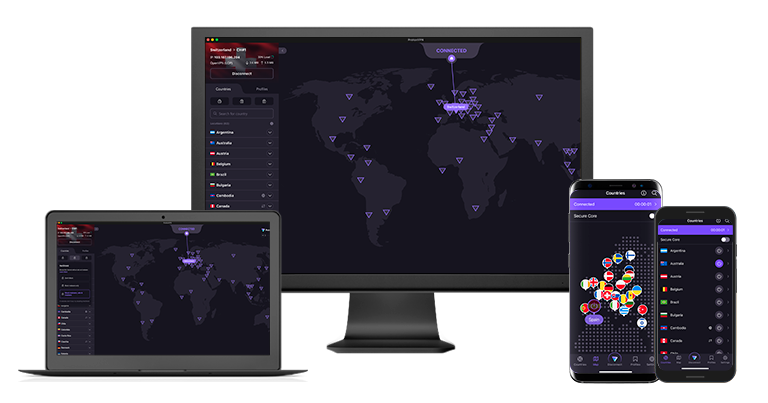
Proton VPN's free app stands out by offering unlimited data for gaming, which is rare among free VPNs. The VPN maintained stable ping rates around 92ms, allowing me to play with only minor delays. During our tests, we played Hearthstone for over 6 hours without hitting any data restrictions or getting disconnected. Because it has such a vast server network, we didn’t experience slowdowns due to overcrowding that are typical of most free VPNs.
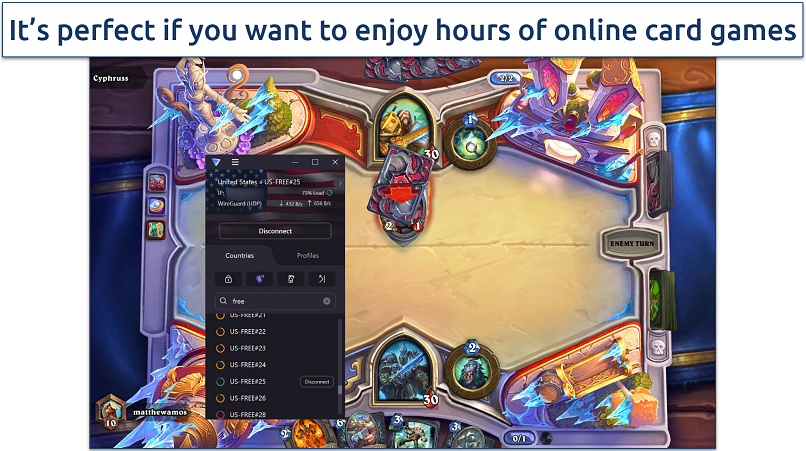 We didn’t encounter any severe lag that significantly impacted our gameplay
The free version provides access to servers in the Netherlands, Poland, and Romania. While you can't manually select locations, Proton VPN's Quick Connect feature automatically connects you to the fastest available server based on your location.
Your gaming sessions stay private with Proton VPN's robust security features. Its open-source apps use AES-256 encryption and perfect forward secrecy to protect your data from DDoS attacks while gaming. The kill switch also prevents IP leaks if your VPN connection drops suddenly. Once again, this is the type of security most free VPNs can’t provide.
However, the free plan limits you to 1 device connection and doesn't support P2P traffic, so you'll need to upgrade for features like port forwarding that can improve gaming performance. However, the VPN works perfectly fine with standard game servers and matchmaking systems.
Useful Features
- Hardware acceleration. Reduces CPU load while gaming by optimizing data processing, leading to better frame rates and extended battery life on laptops.
- Alternative routing. Dynamically reroutes your traffic through different paths when it detects network congestion, helping maintain stable connections during gaming sessions. This also makes it possible for the VPN to bypass network restrictions.
- Smart protocol. Automatically switches between protocols if it detects gaming traffic being throttled by your ISP.
- Unlimited monthly data
- Reputable privacy practices and features
- Fast speeds near and far
- Only nearby server connection
- No P2P support
2. Hotspot Shield — Hydra Protocol Makes It Possible To Play Online Games Over Restricted Networks

| Best Feature | Its very own Hydra protocol is perfect for gaming on University networks |
|---|---|
| Server Network | Servers in 5 locations for minimal lag while gaming |
| Security | High-level encryption and an automatic kill switch protect your online identity while gaming |
| Data Limit | Unlimited so that you can download and play games without running out of data |
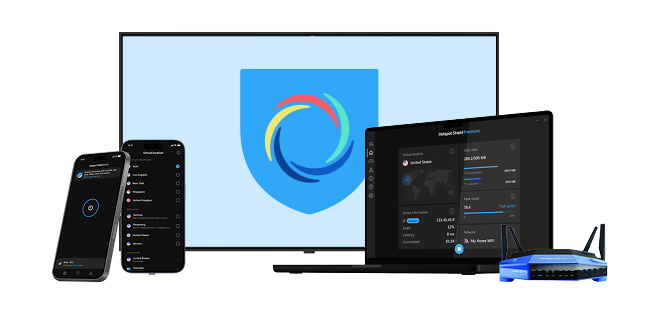
The VPN works well even on restricted networks like school and college WiFi. Its Hydra protocol makes VPN traffic look like regular web traffic, making it possible to bypass network blocks that might prevent gaming. It’s an excellent fit for students who need a gaming fix in the dorms or if you’re traveling and want to kill time at airports, hotels, or other public WiFis that usually restrict online video games.
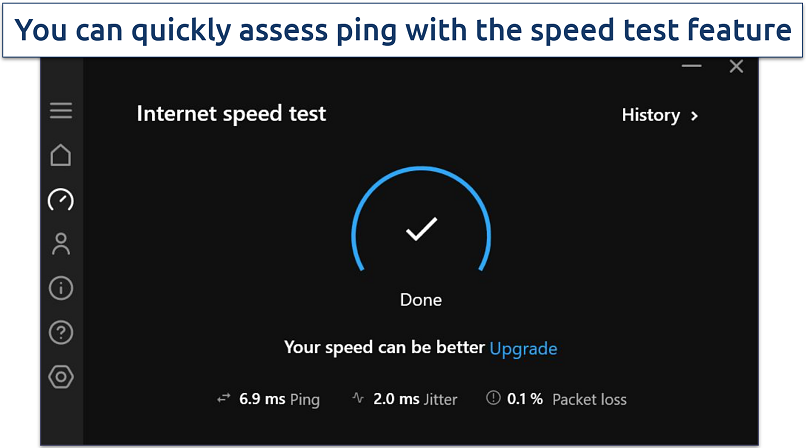 Jitter measures how much the ping rate fluctuates over time
All security features are available on the free version except protocol selection. You get AES 256-bit encryption, a kill switch, and split tunneling capabilities at no cost. Using its free servers, we never detected any IP leaks while testing.
However, free users can only connect to servers in Singapore, the UK, and the US. While this limits options for safely accessing different game regions, these locations still provide decent coverage for popular gaming servers.
Useful Features
- Auto-unblock function. You can automatically launch the VPN when you start specific games, providing protection without manual activation. This is currently only available with its Android app.
- Auto-connect feature. This will instantly connect you with the fastest server available based on your distance from the location, so you can start playing right away.
- Fast speeds. At 150.27Mbps, Hotspot Shield is one of the faster free gaming VPNs we tested. We regularly had ping under 50ms on nearby servers, so gaming is mostly without lag.
- Speed-optimized Hydra protocol
- Unlimited monthly data
- Supports torrenting traffic
- Ad-supported
- Logs anonymized data
- Limited streaming abilities
3. hide.me — Customizable Free VPN for Optimized Online Gaming

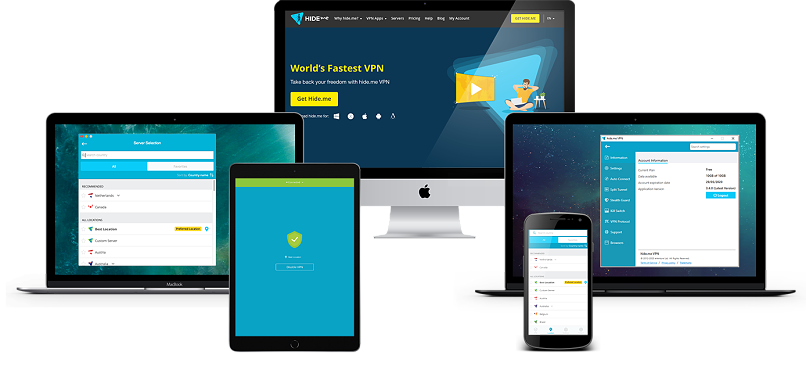
| Best Feature | This app offers many options to adjust your connection that few free VPNs provide |
|---|---|
| Server Network | Free servers in 7 locations reduce server congestion and improve gaming speeds |
| Security | AES 256-bit encryption and a verified no-logs policy protect your gaming device |
| Data Limit | Unlimited — you can play data-intensive games for as long as you like |
This VPN offers extensive customization options so that you can prioritize speed, safety, or reliability with your gaming connection. You can choose from multiple protocols and several auto-connect options. I also found the MTU size adjustment feature particularly useful. In our tests, we lowered the MTU size from 1500 to 1400 to improve our connection stability while playing Valorant.
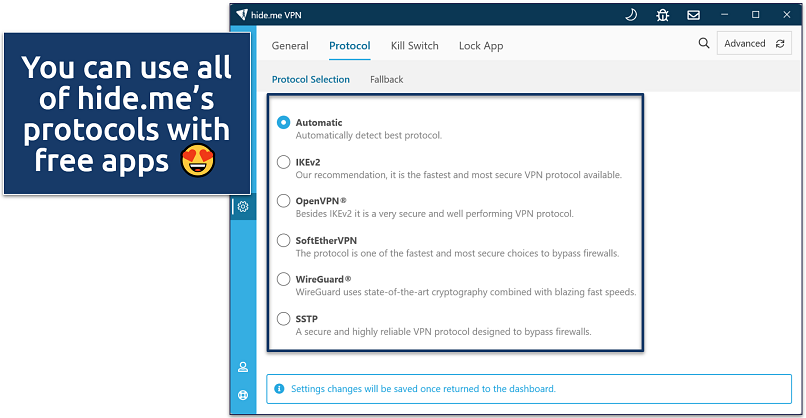 We recommend OpenVPN for security and WireGuard for speed
The free version provides access to servers in 7 locations, including the US, Germany, and Singapore. During my tests, this allowed me to connect to a nearby US server that offered a ping rate of 100ms, which worked well for casual gaming. I wouldn’t recommend this VPN if there isn’t a server in your country, though, because the ping rates will be super slow.
While hide.me limits free users to a single connection, its router compatibility means you can protect all your gaming devices through one connection. I configured it on my TP-Link router and could simultaneously use my gaming PC, mobile phone, and Nintendo Switch.
Useful Features
- Unlimited data allowance. This VPN used to restrict data usage, but it now lets free users enjoy secure online gaming for as long as they want.
- 24/7 live chat support. Technical assistance is always available if you encounter connection issues while gaming, even for free users.
- Tons of customizable security features
- Unlimited monthly data
- Free servers in 7 locations
- Capped speeds
- No server selection after 10GB of data
4. Avira Phantom VPN — Free Mobile Apps Can Connect to a Wide Variety of Servers for Gaming

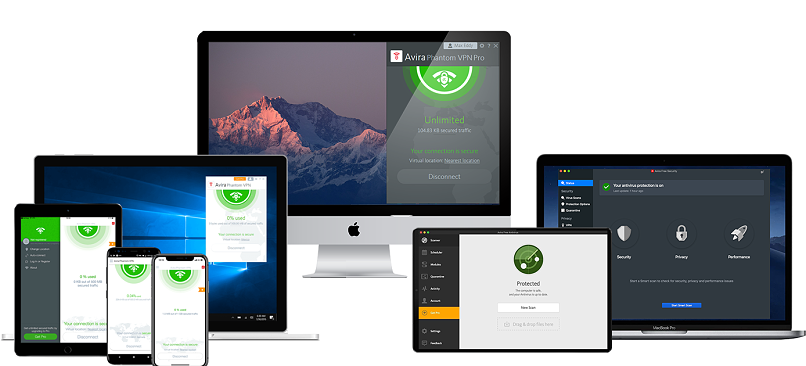
| Best Feature | 36 server locations on mobile for stable gaming connections worldwide |
|---|---|
| Server Network | Free servers in 36 locations on mobile, but only the nearest location on desktop |
| Security | Automatic WiFi protection keeps your gaming sessions secure on public hotspots |
| Data Limit | 500MB/month (1GB if you sign up); suitable for some light gaming |
Avira Phantom VPN offers many server locations on its mobile apps, providing more gaming options on smartphones or tablets. We could find low-ping servers for mobile games like PUBG and CoD. During our tests, Avira’s servers in gaming hotspots like Japan, South Korea, and Singapore worked great. Desktop only supports using the nearest server, though, so you can’t change your gaming region.
The VPN protects your gaming data with strong security features, including AES 256-bit encryption and automatic WiFi protection. This can automatically connect the VPN when I play online at my local gaming cafe. However, unlike with Proton VPN, there's no kill switch on the free version.
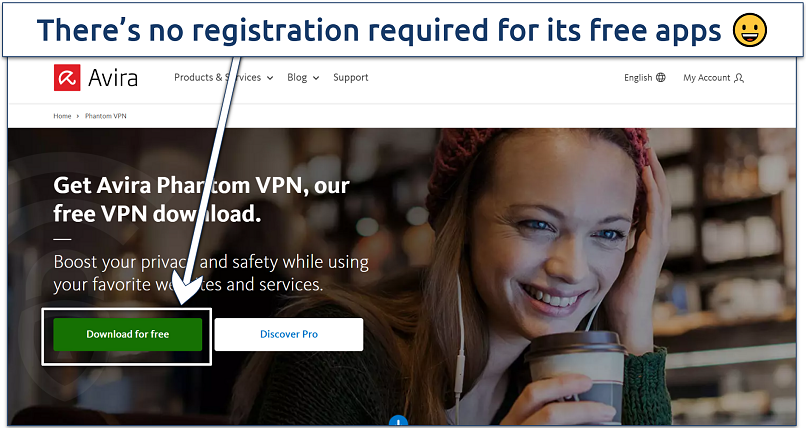 You don't even have to enter an email address
With the free version, you only get 500MB of monthly data, but this increases to 1GB if you register with your email. While testing Valorant, I used about 300MB per hour, so the free allowance won't last long for serious gaming. That said, Avira's speeds were decent, and it could last for up to 8 hours a month with puzzle games or RPGs.
Useful Features
- Bandwidth monitoring. Tracks your data usage so you can manage the free allowance effectively during gaming sessions.
- Fast installation. Whether you’re setting it up on a desktop or a mobile, it won’t take longer than 5 minutes to get started.
- Unlimited simultaneous devices
- Access to 36 countries on mobile
- No signup required
- Max 1GB monthly data (with email signup)
- No kill switch
Free Gaming VPN Features — Quick Overview
The table below compares essential gaming-specific features of my recommended free VPNs. I've included key metrics like speeds and server locations that directly impact your gaming experience, along with data allowances and registration methods. Every option in the list has also been proven trustworthy since these VPNs all follow strict no-logging policies.

How We Reviewed Free VPNs for Gaming
We extensively tested each free VPN's performance impact on popular online games like Valorant, PUBG, and CS:GO. Our primary focus was measuring ping rates and latency across different server locations to ensure stable gaming sessions. We also verified that the VPNs could maintain consistent connections without disconnections that could disrupt your gameplay.
Security was another crucial factor, so we evaluated each VPN's protection against DDoS attacks and IP leaks that could compromise your gaming experience. The data allowances offered by free VPNs were particularly important — we calculated how many hours of gaming you could get from each provider's limits based on typical game data usage. While these aren’t the best VPNs for gaming overall, we’re confident you won’t find anything better for free.
What Is the Best VPN Protocol for Gaming?
Gaming requires a lot of speed and a steady connection, or else even small lag can ruin the fun. The VPN protocol you use can make a big difference for ping, smoothness, and overall gameplay.
From my experience, the fastest option is ExpressVPN’s Lightway. It has way fewer lines of code than most other VPN protocols, which makes it really quick. In my tests, I barely noticed I was connected to a VPN during my LoL games. Moreover, Lightway Turbo has even faster speeds, but it’s available on Windows only.
Another great option is WireGuard. It’s lightweight and moves data fast, so there isn't much lag when you play multiplayer games. However, it’s not the safest one. NordLynx, NordVPN’s version of WireGuard, adds an extra layer of privacy without slowing things down, so you get speed and safety together.
Gamers also like the Hydra protocol, used by Hotspot Shield. Hydra is built for speed, even when the network isn’t great, and you can use it on both free and paid plans. It’s not always faster than Lightway, but I like that it makes VPN traffic look like normal web traffic. That means it can sneak around network blocks that usually stop games from working.
For older devices or tricky networks, OpenVPN and IKEv2 still do the job. OpenVPN works pretty much anywhere and stays stable, though it’s slower. IKEv2 is great on phones because it keeps your connection alive when you switch between WiFi and mobile data.
Is It Safe to Use Free VPNs for Gaming?
Free VPNs can seriously impact your gaming experience and compromise your security while playing. We’ve thoroughly tested each VPN on this list to verify they maintain proper security standards and won't put your gaming data at risk. While these recommended options have some limitations, they won't jeopardize your privacy or gaming performance like many other free VPNs.
Here are the main risks of using untested free VPNs for gaming:
- Data collection and selling. Many free VPNs log your gaming activity, chat messages, and other sensitive data to sell to third parties. This is especially dangerous for competitive gamers who could have their strategies and gameplay patterns exposed.
- High latency and packet loss. Free VPNs often use overcrowded servers with poor optimization, leading to unstable connections that can cause lag spikes and disconnections during crucial gaming moments. Some even intentionally throttle gaming traffic to push users toward paid versions.
- DDoS vulnerability. Most free VPNs lack proper DDoS protection, leaving you exposed to attacks during competitive matches. Some have even been caught leaking users' real IP addresses, making them easy targets for malicious players.
Malware risks. Several free gaming VPNs have been found bundling malware that can steal your gaming accounts and payment information. For example, SuperVPN was discovered to contain trojans that specifically targeted gaming credentials.
Free Gaming VPNs to Avoid
- Hola VPN. This peer-to-peer network shares your IP address with other users, meaning someone could use your connection for cheating or toxic behavior, which could get your gaming accounts banned.
- TouchVPN. Known for extremely high latency and frequent disconnections that make gaming impossible. It also lacks basic security features needed for protecting gaming traffic.
- VPN Gate. While community-driven, its servers are often unstable and lack the speed optimization needed for gaming. Some nodes have been caught monitoring user traffic.
FAQs
Summary
Most free VPNs add lag and high ping rates that ruin your gaming experience. Most have significant limitations — data caps that cut your sessions short, few server locations that increase latency, and weak security that leaves you vulnerable to DDoS attacks during competitive matches.
That’s why we recommend Proton VPN as one of the rare few free VPNs that work for gaming. It consistently delivers low ping rates on nearby servers, provides DDoS protection on all servers, and lets you game without worrying about data limits or speed restrictions. However, you can also consider Avira for mobile gaming in distant lobbies or Hotspot Shield if your main issue is gaming on restrictive WiFi networks.
About the Author
Matthew is a former writer and editor for vpnMentor with a track record of providing in-depth analysis of the most highly regarded VPNs, including ExpressVPN and CyberGhost. His expertise has enabled him to deliver valuable insights on the most sought-after (and newest) VPN services.

i love how everyone claims that express vpn gives you a free option. That is so far from the truth. It is disappointing seeing writers who publish this and actually believe it

Thank you for sharing your perspective on our VPN review. Our team reviewed the accuracy of the review based on your feedback regarding the free option availability for ExpressVPN. We understand that ExpressVPN doesn’t offer a fully free version; rather, it provides a money-back guarantee, which allows users to test it risk-free. Given this, we’ve noted the feedback and ensured that the distinction is clear. Valuable feedback like yours helps us maintain the clarity and accuracy of our reviews. We thank you again for taking the time to comment.



Please, comment on how to improve this article. Your feedback matters!