 EN
EN
 Dansk
Dansk  Deutsch
  Español
  Français
  Hrvatski
  Indonesia
  Italiano
  Magyar
  Nederlands
  Norsk
Norsk  Polski
  Português
  Română
  Suomi
Suomi  Svenska
  Tiếng Việt
  Türkçe
  Čeština
  Ελληνικά
  Русский
  Українська
  български
  ไทย
ไทย  日本語
日本語  简体中文
简体中文  한국어
한국어  עברית
עברית  العربية
 6 Best Free VPNs in 2026: Fast, Private & Safe

The best free VPNs in 2026 are freemium VPNs that offer strong privacy protections and reliable speeds without the risks found in many fully free services.
The top free VPNs on this list stand out for different reasons:
- Proton VPN — Unlimited data with strong privacy for everyday use.
- hide.me — Advanced settings for more control over your connection.
- Hotspot Shield — Fast speeds with support for torrenting on the free plan.
- TunnelBear — Wide server coverage with simple apps, but limited monthly data.
- PrivadoVPN — Good speeds with support for some streaming platforms.
- Speedify — Stable performance by combining multiple connections.
Most free VPNs aren’t secure or practical. Some log your data and sell it to advertisers, while others are too slow for streaming, come with tiny data caps, or fail on restrictive networks. That makes it difficult to find a free VPN that actually works for regular use.
Yet, with over 1.6 billion VPN users worldwide, 51.4% rely only on free services.1
My team and I tested over 100 free VPNs on Android, Windows, Mac, and iPhone. In our tests, the most trustworthy free VPNs were freemium services, which are free versions of paid VPNs. Even these have limitations, but the best ones are still useful for specific tasks like private browsing, streaming, torrenting, or access on restricted WiFi.
These VPNs are ideal for users who need a dependable free option for a specific purpose, but not for those who want unlimited features, full server access, and no restrictions. In that case, a premium VPN is the better choice.
Top Free VPNs Compared Side by Side
Each free VPN has its own strengths and drawbacks, so the right choice depends on your needs.
- Proton VPN: Best for privacy-focused browsing; supports streaming, but server choice is limited
- hide.me: Best for tech-savvy users; setup may feel complex for beginners
- Hotspot Shield: Best for fast downloads and torrenting; fewer features on the free plan
- TunnelBear: Best for beginners; not recommended for streaming due to its data limits
- PrivadoVPN: Best for streaming and browsing; higher data limit than most free VPNs, but still capped
- Speedify: Best for uninterrupted connections on the go; low data limit makes it less practical for regular use
Check data limits and server locations if you plan to stream or torrent. Also consider device limits if you want to share the VPN, and whether signup is required for more privacy.

Best Free VPNs in 2026: Full Breakdown
1. Proton VPN for Unlimited Data and Private Browsing
 Try Risk-Free for 30 Days
Tested April 2026
| Best Feature | Zero limits on monthly data usage for endless safe browsing |
|---|---|
| Monthly Data Allowance | Unlimited data lets you leave the VPN on all the time without annoying disconnections |
| Works With | Netflix, YouTube, Spotify, Facebook, Instagram, Kodi |
| Free Server Locations | 10 across the world, but automatic selection |
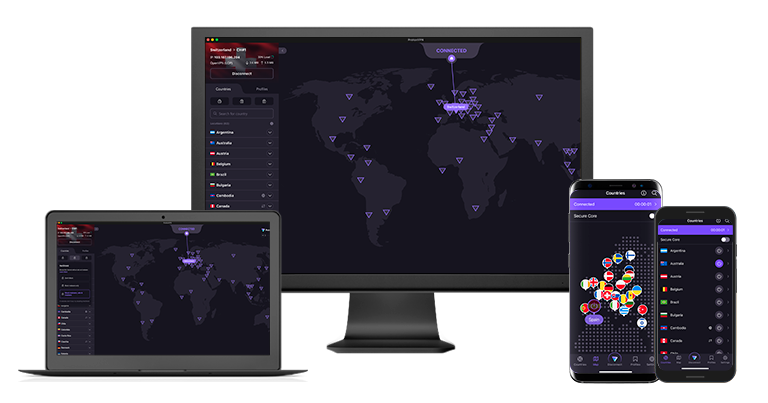
Proton VPN is a strong free option for private browsing, with no data caps, reliable speeds, and a strict no-logs policy. However, it doesn’t support torrenting and offers limited control over server selection.
In our tests, Proton VPN stayed connected without slowdowns or ads, which made it practical for browsing, streaming, and social media. Its apps are open-source and independently audited. It is also based in Switzerland, a country with strong privacy laws and no mandatory data retention requirements. Combined with the no-logs policy, this reinforces its privacy claims.
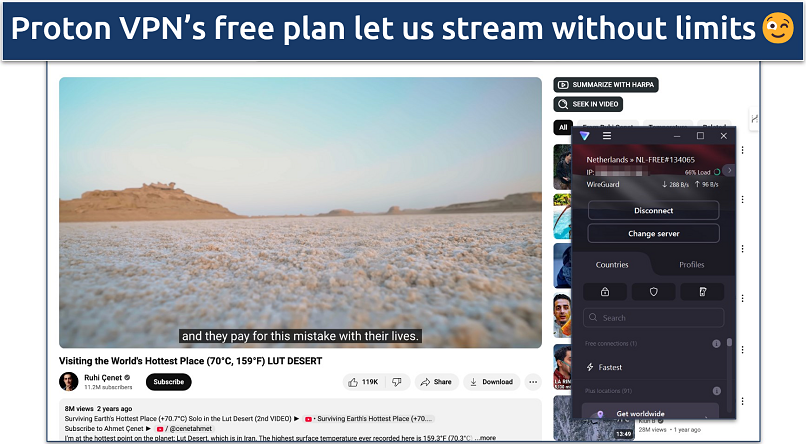 We never had to worry about getting interrupted mid-streaming
The free plan has servers in 10 locations: the Netherlands, Japan, Romania, Poland, Norway, Switzerland, Singapore, Mexico, Canada, and the US. You cannot choose a specific server, as the app connects automatically. Switching servers does not guarantee a different location, and changes are limited by a cooldown period. After each switch, you need to wait about 45 seconds at first, then around 10 minutes between additional changes.
Torrenting is not available on the free version, and privacy features like Secure Core and NetShield are only offered on paid plans. You can upgrade to remove these restrictions and access more server options.
Best for:
- All-day browsing without data restrictions
- Private, ad-free everyday use
- Streaming, public WiFi use, and general online activity
Not ideal for:
- Torrenting or P2P file sharing
- Users who want manual server selection
- Access to advanced features on the free plan
Notable features
- Streaming support. Worked with Netflix US, Disney+, and Crunchyroll in our tests, but not other Netflix regions, Prime Video, or Hulu.
- Robust security features. Includes AES-256 encryption, DNS leak protection, and a kill switch on all major apps (including mobile).
- Router compatibility. Can be installed on a router to work around the 1-device limit.
- Fast speeds. Even on the free plan, Proton VPN offers pretty fast speeds suitable for HD streaming and uninterrupted browsing.
2. hide.me for Strong Protocol Support and Safe Streaming Access

| Best Feature | Plenty of adjustable settings to tailor your VPN connection to your needs |
|---|---|
| Monthly Data Allowance | Unlimited, with a 10GB allowance on the servers of your choice |
| Works With | Netflix, YouTube, Spotify, Facebook, Instagram |
| Free Server Locations | 7 with the option for manual and automatic selection |
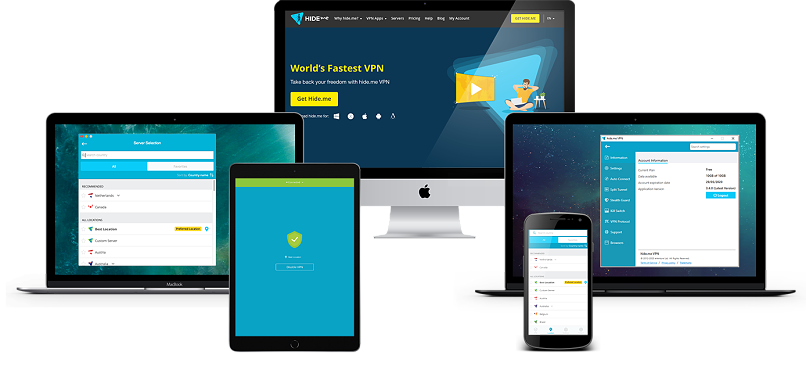
hide.me gives you more control over how your VPN works, with a wide range of protocols and advanced configuration options. It supports streaming and torrenting on the free plan, but slower speeds can affect performance depending on your connection.
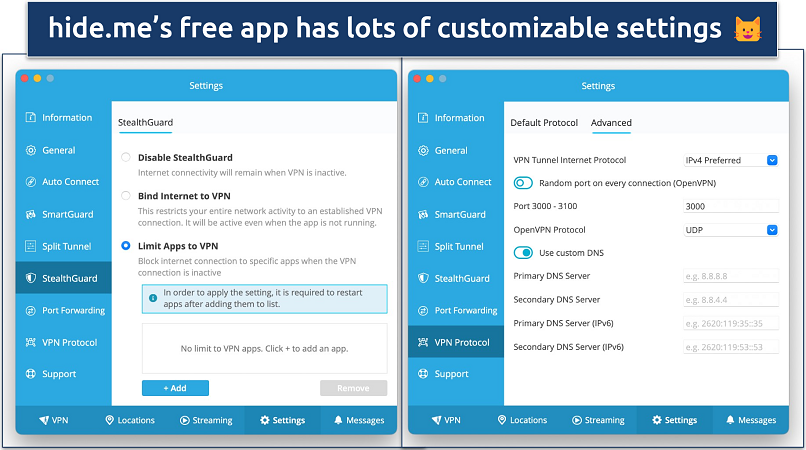 To help guide you, hide.me provides descriptions of its features
During testing, hide.me maintained stable connections, but speeds dropped significantly at times, with reductions of up to 80% on a fast baseline. Streaming in HD was still possible, but performance was less consistent than other options.
With the free plan, you get access to servers in 7 locations, including the US, UK, Netherlands, Germany, France, Finland, and Switzerland. Most worked with Netflix US and UK, as well as Disney+ in HD, but not with platforms like Hulu or Max.
hide.me stands out for its protocol support. It includes several connection types designed for different situations:
- WireGuard: Fast and efficient, ideal for everyday use.
- OpenVPN: Reliable and widely supported across devices.
- SoftEtherVPN: Helps bypass network restrictions in more limited environments.
- SSTP: Uses HTTPS traffic to blend in with regular web activity.
Best for:
- Users who want customizable VPN settings
- Torrenting or P2P file sharing
- Streaming with flexible server options
Not ideal for:
- Users who need consistently fast speeds
- High-bandwidth activities on slower connections
Notable features
- StealthGuard. Lets you bind the VPN to specific apps or your full connection to avoid any leaks.
- Torrenting support. Includes split tunneling and custom port selection.
- 24/7 support. Live chat is available on the free plan.
- Browser extensions. Available for Chrome, Firefox, and Edge, with fewer server locations
3. Hotspot Shield for Fast Connections and Torrenting

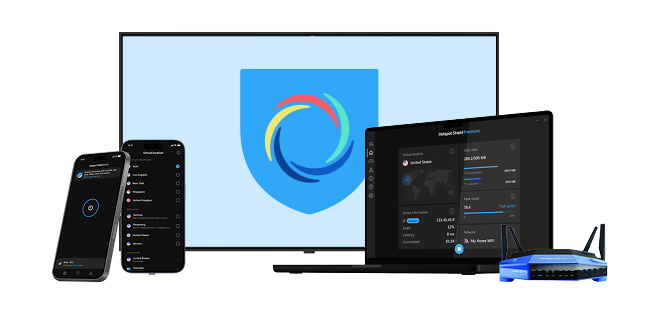
| Best Feature | Hydra protocol delivers fast speeds for optimal performance |
|---|---|
| Monthly Data Allowance | Unlimited data lets you secure your connection without caps |
| Works With | YouTube, Spotify, Facebook, and Instagram |
| Free Server Locations | 5 locations in 3 countries |
Hotspot Shield is a practical choice for users who want fast speeds and unlimited data on a free plan. It works better for torrenting and filtered networks than for streaming or privacy-focused use, since the free version shows ads and logs some anonymized usage data.
When we tested Hotspot Shield Basic, its Hydra protocol delivered fast speeds and low latency. Hydra improves performance by using multiple parallel channels, and it also includes built-in obfuscation. On a public WiFi network that blocked both VPNs and streaming sites, Hotspot Shield connected successfully without issues.
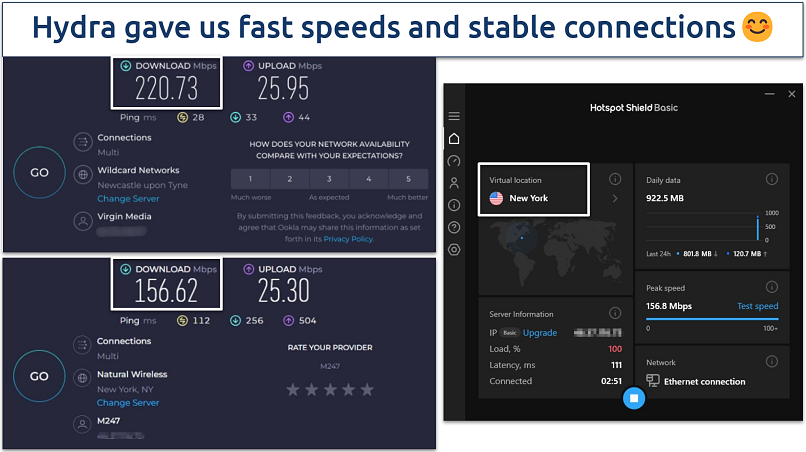 These speeds are good enough for HD streaming
Its privacy protections are less convincing than the top options above. The free plan logs some basic information, including bandwidth usage and device type. Hotspot Shield says this data is anonymized, but it is still more logging than I would prefer from a VPN. Another limitation is that only the Windows app includes a kill switch.
The Basic plan also comes with upgrade prompts and ads, which can get annoying over time. Although streaming servers appear in the app, they are not available on the free plan, so Hotspot Shield is not a good option for streaming.
Best for:
- Fast browsing and downloads with unlimited data
- Torrenting or P2P file sharing
- Use on blocked school, work, or public WiFi networks
Not ideal for:
- Users who want a stricter privacy setup
- Streaming with the free plan
- Those who want an ad-free experience
Notable features
- Unlimited data for torrenting. Hotspot Shield’s Basic plan also offers unlimited data. And since it’s faster than hide.me, it’s a much better option for torrenting.
- Obfuscation. Helps the VPN work on networks that block VPN traffic when the Hydra protocol is enabled.
- Basic settings. Includes options like Start on launch and Local network access
4. TunnelBear for Broad Server Coverage and Simple Apps

| Best Feature | A huge server network covering 47 countries to change your online location |
|---|---|
| Monthly Data Allowance | 2GB of data allows around 2 hours and 30 minutes of SD streaming |
| Works With | Netflix, Disney+, BBC iPlayer, YouTube, Spotify, Facebook, Instagram |
| Free Server Locations | Same as the paid plan, 47, which is pretty generous |
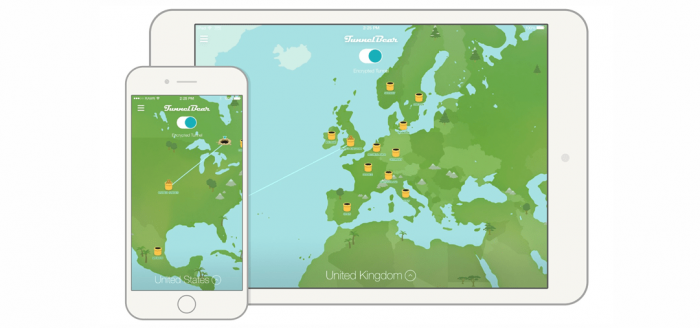
TunnelBear offers free servers in 47 countries, giving it wider global coverage than most free VPNs. It is easy to use and works for light streaming, but the 2GB monthly limit makes it hard to use consistently.
We found that TunnelBear worked with several Netflix libraries, including the US, UK, Canada, and Japan. Speeds stayed stable, with only a 19% drop on nearby servers.
The apps are simple to navigate, with a map-based interface that makes switching locations easy on both desktop and mobile. It also publishes transparency reports and maintains a no-logs policy, even though it operates from Canada.
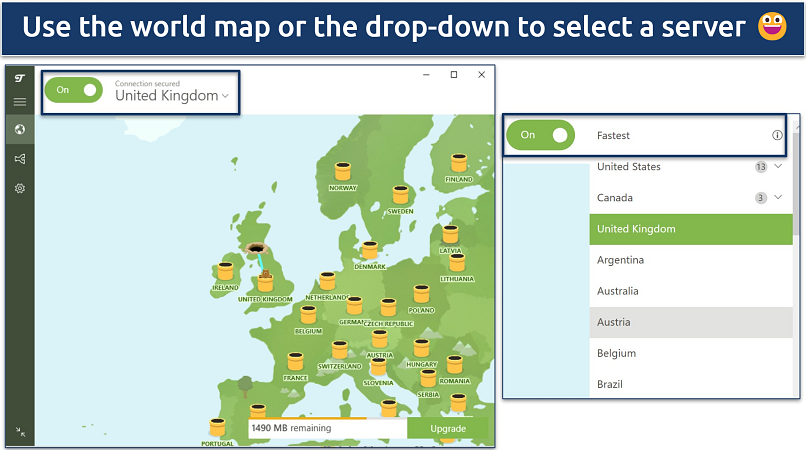 You can also select “Fastest Server” to be automatically assigned the best connection
The main limitation is the data allowance. You only get 2GB per month, which is enough for about 2.5 hours of SD streaming. It also does not support router setups.
Best for:
- Users who want a wide range of server locations
- Beginners seeking straightforward apps
- Light streaming across a few platforms
Not ideal for:
- Heavy streaming or daily use
- Users who need more than 2GB of data each month
- Router setups or broader device coverage
Notable features
- GhostBear. Helps the VPN work on filtered networks by obfuscating your traffic.
- Anti-censorship program: Offers 10GB bonus monthly data in select countries
5. PrivadoVPN for Streaming and Use on Restricted Networks
| Best Feature | Scramble feature to disguise VPN traffic |
|---|---|
| Monthly Data Allowance | 10GB of monthly data; decent for streaming and browsing |
| Works With | Netflix, Disney+, Crunchyroll, YouTube, Spotify, Facebook, and more |
| Free Server Locations | 13, plus a Best Location feature for automatic selection |
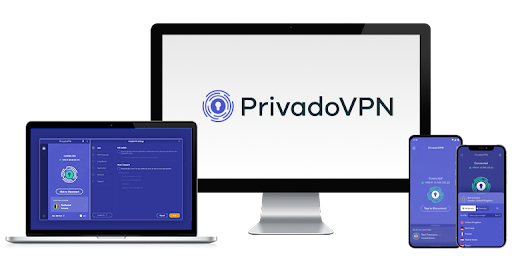
PrivadoVPN offers a balance of speed, server choice, and access on restricted networks, but its 10GB monthly limit makes it better suited for occasional use rather than daily activity.
It includes a Scramble option with OpenVPN that helps hide VPN traffic, improving reliability on restricted networks. In our PrivadoVPN tests, the Best Location feature consistently connected us to low-latency servers, often under 100ms, with selection taking about 1–3 seconds.
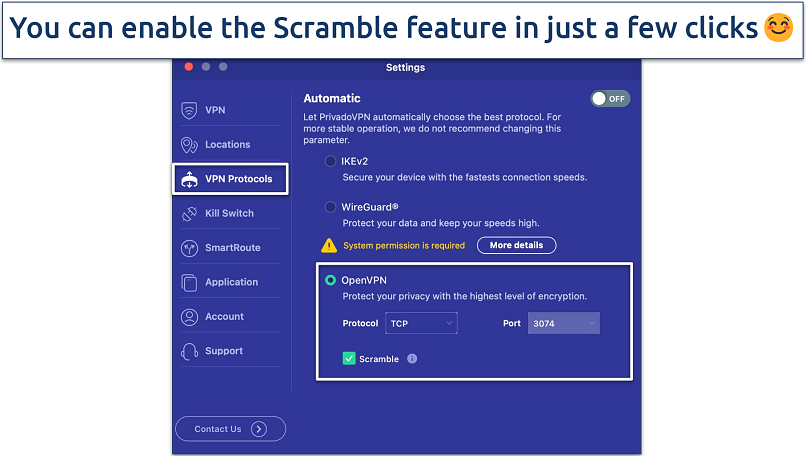 IKEv2 and WireGuard offer faster speeds but may not work on restrictive networks
The free plan provides servers in 13 countries, including Argentina and India. It also worked with Netflix US, UK, and Canada, and nearby servers were fast enough for HD streaming with about a 19% speed drop.
The main limitations are the 10GB data cap, connection times that can take around 10–15 seconds on some servers, and limited coverage in Asia, where only one free location is available.
Best for:
- Light streaming on a limited free plan
- Users looking for more server locations
- Stable performance on restricted networks
Not ideal for:
- Heavy streaming or daily use
- Users who need unlimited data
- Users in Asia who want better regional coverage
Notable features
- Scramble. Obfuscation tool that makes your VPN traffic look like a regular connection.
- Best Location tool. Connects based on distance or manual choice.
6. Speedify for Multi-Connection Stability and Quick Setup

| Best Feature | Bonding Mode prioritizes connections for optimal speeds and performance |
|---|---|
| Monthly Data Allowance | 2GB of data allows several hours of securing your online activities |
| Works With | YouTube, Spotify, Facebook, and Instagram |
| Free Server Locations | 37, good for changing your IP |
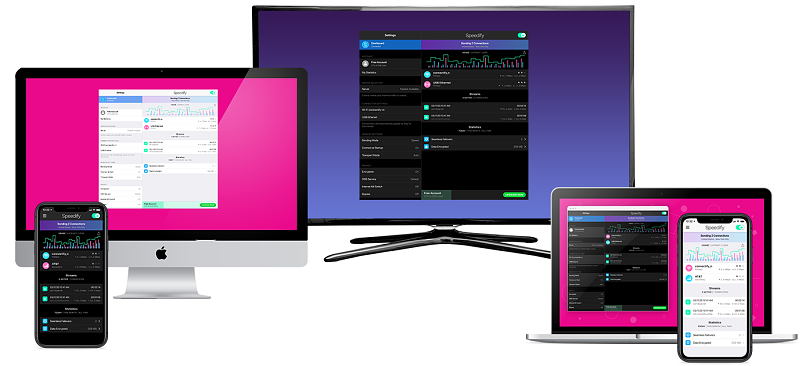
Speedify is most useful for light browsing and connection stability, especially if you want a free VPN with broad server coverage and no signup requirement. Its 2GB monthly limit and lack of streaming support make it a poor fit for heavier use.
Its standout feature is Bonding Mode, which can combine multiple connections to improve performance. During our Speedify tests, enabling this feature resulted in a slight speed increase of 6% compared to when it was disabled.
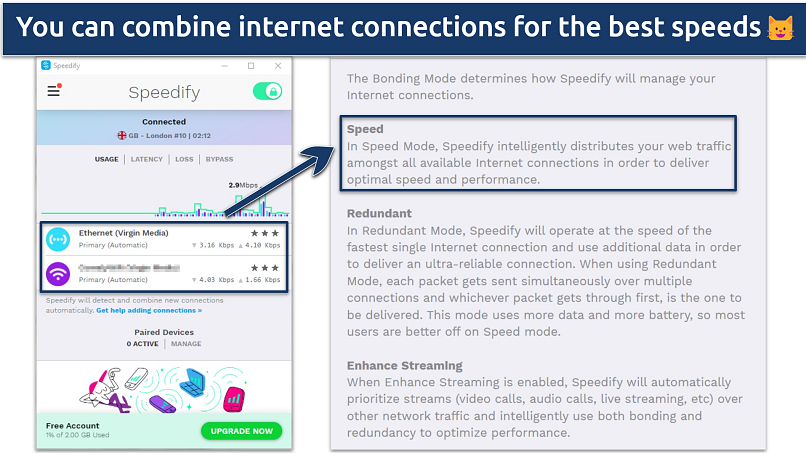 You can also choose the "Enhance Streaming" option, which prioritizes streams or video calls over other traffic
The free plan includes servers in 37 countries, offering more location options than typical free plans. However, it did not work with any of the Netflix libraries we tested, so it is not a good pick for streaming.
Speedify says it temporarily stores some data, including your IP address, device identifier, and timestamps, but does not log browsing activity. The free plan includes 2GB of data per month (like TunnelBear), works on one device at a time, and does not require a signup. After downloading the app, you can also access a 7-day trial with unlimited speeds and data.
Best for:
- Light browsing on a free plan
- Users who want broad server coverage
- Reducing interruptions with Bonding Mode
Not ideal for:
- Streaming
- Users who exceed 2GB of data per month
- Those who want a stricter privacy setup
Notable features
- No signup required. You can start using the free plan right away.
- Encryption. Uses AES-256-GCM, but the kill switch is only available on paid plans
How We Evaluated Free VPNs
We assessed each free VPN based on performance, privacy, and reliability.
Key factors we reviewed:
- Server availability: Number of locations and connection consistency.
- Speeds and performance: How well each VPN handled streaming, browsing, and downloads.
- Security features: Encryption, DNS/IP leak protection, and kill switch availability.
- Privacy policies: Clear no-logs stance and data practices.
- Device support: Compatibility across mobile and desktop platforms.
We also tested each VPN in real-world scenarios across different devices to check stability, ease of use, and overall experience. This helped confirm how each service performs beyond basic specs.
For a deeper breakdown, see our VPN testing methodology page.
What Are the Risks of Using Free VPNs
Many free VPNs can expose your data or weaken your security. Common issues include:
- Data selling: Some free VPNs collect and sell user data to advertisers or third parties. Hola VPN was caught doing this with users’ bandwidth and browsing data.2
- Missing security protections: Many free VPNs leave out features like DNS/IP leak protection and kill switches. In our checks, some leaked our real IP addresses and DNS requests.
- Malware and aggressive ads: Some free VPN apps include malware or use harmful ads that can put your device and personal data at risk. SuperVPN is one example that was linked to a data breach that exposed the personal information of 21 million users, including emails, payment details, and location logs.3
- Unclear ownership: Some free VPNs are run by companies that hide who operates them or where they are based, making it harder to trust how your data is handled.
- Weak encryption: Some cut costs by using outdated protocols or weaker security standards, which can leave your traffic unprotected.
Independent research on 283 free Android VPN apps found that 67% contained third-party tracking libraries, 82% requested access to sensitive device data, and 16% used non-transparent proxies.4
In most cases, the safer options are freemium VPNs. Since they also have paid plans, they are less likely to rely on questionable tactics to support their free versions. Even so, any free VPN should be checked carefully before use.
How Free VPNs Make Money
Free VPNs are not free to run. Providers still need to maintain servers, develop apps, and support users, so they turn to other ways to generate revenue. Here are some of the most common ways they make money:
1. Advertising
Many free VPNs display ads within their apps or inject ads into your browsing sessions. This can range from simple banners to more intrusive pop-ups, generating revenue based on impressions or clicks.
2. Data Collection and Selling
Some free VPNs log user activity, such as browsing behavior, location data, and device information. This data may be anonymized and sold to third parties like advertisers, data brokers, or analytics companies.
3. Freemium Upsells
A common model is offering a limited free version (with data caps, fewer servers, or slower speeds) while encouraging users to upgrade to a paid plan for full features and better performance.
The way a VPN makes money can directly affect how it performs and how it handles your data. This is why the business model matters. If a VPN does not clearly explain how it operates or promises unlimited features without clear trade-offs, it should be treated with caution.
Tips to Stay Safe While Using a Free VPN
These steps can help reduce the risks when using a free VPN:
- Choose a known provider: Look for clear ownership, a published privacy policy, and independent audits where available.
- Avoid sensitive activity: Don’t use free VPNs for banking, work accounts, or anything involving personal data.
- Check for basic protections: Confirm the VPN includes encryption, DNS/IP leak protection, and a kill switch.
- Review app permissions: Be cautious if the app requests access that isn’t related to VPN functionality.
- Test before relying on it: Use it for basic browsing first to check speeds, stability, and connection behavior.
Free VPNs You Should Avoid
These free services have been found to compromise privacy or security:
- Hola VPN: Not a real VPN. It turns your device into a node for other users’ traffic, meaning someone else’s activity can be routed through your IP address. It also logs sensitive data, including your real IP address and browsing activity. In one analysis, 85% of Hola VPN traffic was tied to mobile ads and related domains, which shows how the service operates.5
- Psiphon: Stores your location, visited sites, and connection times for up to 90 days. It also shows heavy advertising and shares user data with commercial partners. Its privacy policy states that it collects more data than needed to operate a VPN.
- Touch VPN: Logs browsing activity, device details, and location data. According to its privacy policy, “Business Partners” may track your activity while connected, which raises serious privacy concerns.
- VPN Gate: Uses volunteer-run servers, which means unknown third parties can monitor your traffic. Its anti-abuse policy indicates that it logs your IP address and browsing history and may provide that data to government agencies.
- LinkVPN: Connected to the same developer as SuperVPN. It shares user data with third parties, and because it is based in China, it may be required to hand user data over to authorities.
Free vs. Paid VPNs: Which Is Best for You?
Free and paid VPNs are made for different needs. Here’s how they compare:
- Cost: Free VPNs don’t require payment. Paid VPNs charge a subscription, but many include a money-back guarantee so you can try them with less risk.
- Speed: Free VPNs are slower because their servers are more crowded, and server options are limited. Paid VPNs deliver faster, more stable connections.
- Data allowance: Many free VPNs cap your monthly data. Paid VPNs provide unlimited data for streaming, torrenting, and regular browsing.
- Server network: Free VPNs restrict the number of locations you can use. Paid VPNs have much larger server networks, which improves speed and flexibility.
- Security and privacy: Paid VPNs offer stronger privacy protections, more complete security features, and clearer no-logs policies. Some free VPNs do not.
- Torrenting: Some free VPNs allow P2P traffic, but many don’t. Paid VPNs are better suited for torrenting because they support faster speeds and unlimited data.
- Customer support: Paid VPNs provide more responsive support, often through 24/7 live chat. Free users get limited support.
Free VPNs are best for:
- Light browsing
- Short-term privacy needs
- Users who are comfortable with limited features
Paid VPNs are best for:
- Daily use
- Streaming and torrenting
- Users who want stronger privacy, faster speeds, and full feature access
FAQs
Key Takeaway
The free VPNs we covered are reliable options for specific use cases, with Proton VPN standing out for unrestricted data, hide.me for customization, and Hotspot Shield for torrenting.
Each one comes with trade-offs, so the right choice depends on your priorities, whether that is privacy, streaming, or data limits. If you need consistent speeds, full server access, and fewer restrictions, a premium VPN is the more dependable option.


Sources:
- https://www.grabon.in/indulge/tech/vpn-usage-statistics/
- https://www.forbes.com/sites/ianmorris/2015/05/29/hola-vpn-selling-users-broadband/
- https://www.mcafee.com/blogs/privacy-identity-protection/attention-android-users-this-free-vpn-app-leaked-the-data-of-21-million-users/
- https://bitlaunch.io/blog/are-free-vpns-safe/
- https://www.darkreading.com/endpoint-security/trend-micro-finds-major-flaws-in-holavpn
About the Author
Akash is a former writer at vpnMentor dedicated to providing readers with expert advice on online security and privacy. He specialized in analyzing the latest cybersecurity trends and providing up-to-date information to help readers make informed decisions.
