 EN
EN
 Dansk
Dansk  Deutsch
  Español
  Français
  Hrvatski
  Indonesia
  Italiano
  Magyar
  Nederlands
  Norsk
Norsk  Polski
  Português
  Română
  Suomi
Suomi  Svenska
  Tiếng Việt
  Türkçe
  Čeština
  Ελληνικά
  Русский
  Українська
  български
  ไทย
ไทย  日本語
日本語  简体中文
简体中文  한국어
한국어  עברית
עברית  العربية
4 Best Free VPNs for Streaming Tested in 2026: Fast & Safe

There are a few safe, free VPNs, but they always have limited streaming abilities. This is due to unreliable servers, slow speeds, a lack of security, and low data caps. Luckily, our testing revealed a select few that work with the most popular platforms.
The best free streaming VPNs provide reliable access to Netflix, Hulu, Disney+, and BBC iPlayer from anywhere. This is thanks to many servers in various locations. At the same time, good free VPNs secure your online connections and prevent ISP throttling so that you can enjoy smooth streaming in HD. That said, even the best free VPNs come with limitations and drawbacks, such as slower speeds, fewer servers, and monthly data caps. If you’re looking for a secure VPN that won't cause delays while streaming, a premium paid option is a better choice.
Complete Review of the Top Free VPNs for Streaming
1. Hotspot Shield — Good Compatibility With Some Major Platforms Using Free Servers

 Try Risk-Free for 30 Days
Tested June 2026
| Best Feature | Hydra protocol combined with its reliable servers to securely access top streaming services |
|---|---|
| Local Speeds | Fast, you can stream in HD without significant load times |
| Server Network | Free servers in 5 locations give you reliable global connections |
| Free Trial | Free-forever plan to stream securely on a budget |
Hotspot Shield can safely access Peacock, Max, and Netflix from anywhere. It’s impressive for a free VPN even though you’ll miss out on services like BBC iPlayer, Amazon Prime Video, and Disney+ that some of the top premium VPNs is compatible with. During our tests, we had no problem watching Jamie Foxx: What Had Happened Was… on Netflix.
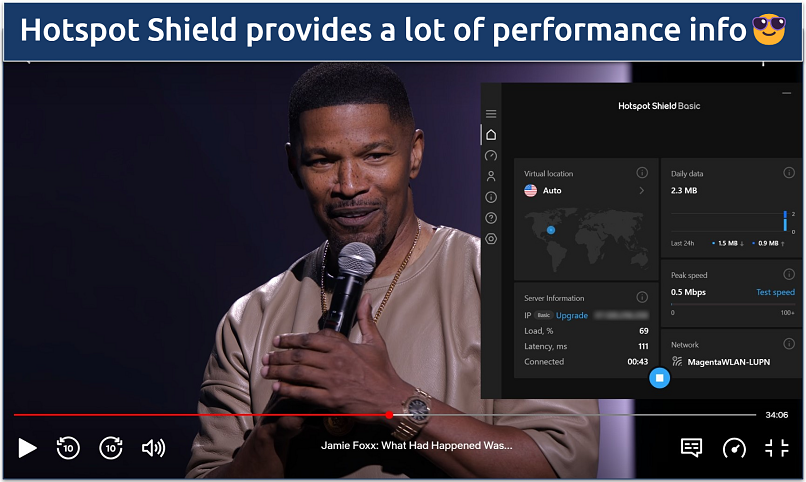 You get access to the reputable WireGuard protocol, too, which is also fast
I appreciate that the free plan offers strong encryption and built-in malware protection. This adds a valuable layer of security when you're streaming on public WiFi networks, like in cafés, airports, or hotels. Many free VPNs skip these features, but Hotspot Shield gives you essential protection from hackers, trackers, and shady ads while you stream.
It’s also impressive how quick and easy it is to start streaming. The app features a simple one-click connect option, allowing you to go online instantly without adjusting any settings. This makes it a great choice if you’re new to VPNs or just want something that works right away.
It’s too bad you only get 1 simultaneous device connection with the free plan. Plus, Hotspot Shield’s free app is ad-supported, so you’ll encounter some annoying interruptions (mobile only). Still, it’s not a bad deal for what you get, and Hotspot Shield even provides unlimited data, so you can stream to your heart’s content.
Useful Features
- Keyboard shortcuts. Hotspot Shield supports quick commands that let you control the VPN without opening the app. For example, you can press a shortcut key to connect or disconnect the VPN on your Windows device instantly.
- Split tunneling. You can decide which apps go through the VPN and which don’t. This is great for streaming, since you can route your video apps through the VPN while keeping other traffic on your local network to boost speed since not everything gets encrypted.
- Good compatibility. You can stream from your phone, tablet, laptop, or many other devices. Hotspot Shield supports Windows, Mac, Android, iOS, and Linux (manual configuration).
- Speed-optimized Hydra protocol
- Unlimited monthly data
- Supports torrenting traffic
- Ad-supported
- Logs anonymized data
- Limited streaming abilities
2. Proton VPN — No Data Caps With a Free Plan For Uninterrupted Streaming
| Best Feature | Unlimited data for endless streaming in any quality |
|---|---|
| Local Speeds | Fast, you can stream with minimal delays |
| Server Network | Free servers in 10 locations to avoid overcrowded connections |
| Free Trial | Free-forever plan |
While many free VPNs have strict monthly data limits, Proton VPN is one of the few VPNs with no data caps, and signup only requires an email address. Having to close all your apps and skimp on quality to save data is frustrating, so this really removes a lot of stress from streaming with a free VPN.
Speeds are also great for a free VPN. I could stream Cobra Kai episodes without any lag. During our tests, shows loaded quickly, and the picture quality remained consistent. However, this is only the case if you can find uncrowded servers since the free locations tend to fill up.
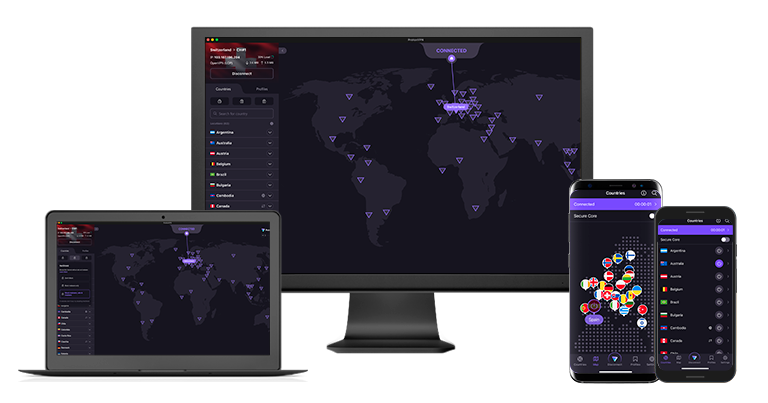
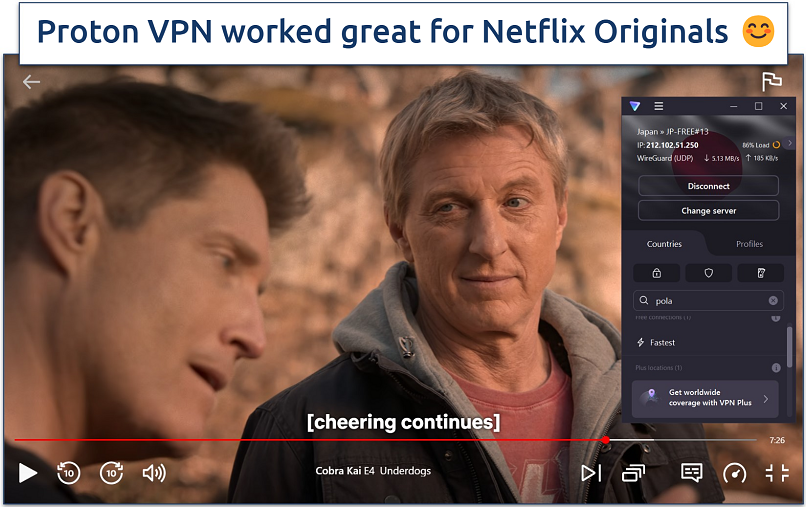 The app shows each server's load so you can find an uncrowded connection
The free plan offers servers in the US, Japan, Poland, Romania, and the Netherlands, so it can safely access a decent array of content. While the free Proton VPN plan only works with Netflix Originals, it can also securely access Max and Peacock from anywhere. This is more than most free VPNs, but still far less variety than top premium VPNs.
The downside is that even though Proton VPN provides a decent number of server locations for a free VPN, you only get access to the one nearest you. Still, it's a good option for securing your connection and preventing ISP throttling with military-grade encryption and IP leak protection.
Useful Features
- Great compatibility. Proton VPN supports a wide range of devices and platforms, so you can easily stream on Windows, macOS, Linux, iOS, or Android.
- No ads. Many free VPNs make money by showing you a lot of ads. Fortunately, Proton VPN doesn’t, so you can start streaming right away without annoying ad breaks.
- Unlimited monthly data
- Reputable privacy practices and features
- Fast speeds near and far
- Only nearby server connection
- No P2P support
3. hide.me — No Sign-up Required, Start Streaming in No Time

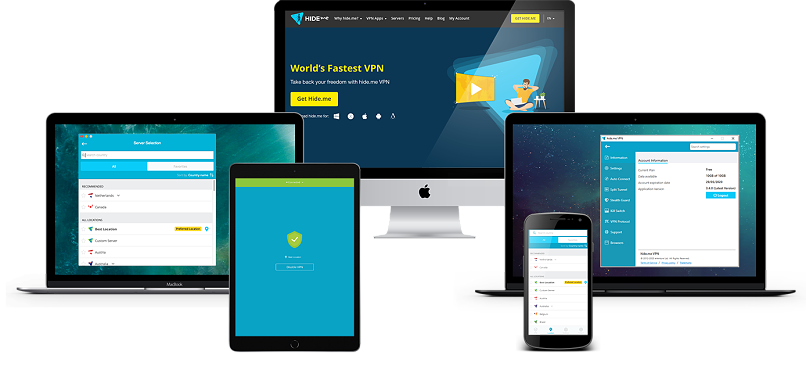
| Best Feature | No need to register or sign up for a more private and easy streaming experience |
|---|---|
| Local Speeds | Fast, makes it possible to stream in HD without interruptions |
| Server Network | Free servers in 7 locations for secure access to HD content from anywhere |
| Free Trial | Free-forever plan |
Although its free plan only supports one device connection, you don't need to register, so you can use hide.me on any number of devices. That means you can cover Windows, macOS, Linux, Android, and iOS devices — and there’s even a free app for Amazon Fire TV. It also offers free browser extensions for Chrome and Firefox.
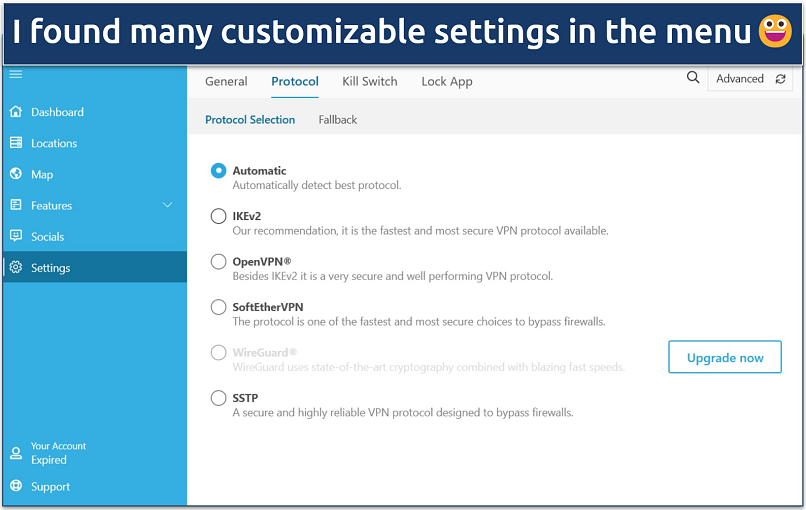 I was surprised at how many options you get without even signing up
There are also a lot of customization options to enhance your streaming connections. For instance, even with the free plan, hide.me offers the speed-optimized WireGuard protocol, which gave us the best quality while streaming. It also has an Auto Connect feature, which will automatically connect the VPN when you join public WiFi to keep your data safe.
hide.me has free servers in the US, the UK, the Netherlands, Germany, Spain, France, Singapore, and Canada, which can safely access popular streaming platforms like Max. Unlike with Avira, you can choose any of its free servers on desktop apps. Unfortunately, these tend to be quite slow. But, when they weren’t terribly overcrowded, we could still stream with minimal buffering.
Useful Features
- Unlimited data. You get the freedom to stream for as long as you wish.
- Live chat. Its live chat is available 24/7, so you can always reach out to customer support if you’re having trouble getting a reliable connection for streaming.
- Tons of customizable security features
- Unlimited monthly data
- Free servers in 7 locations
- Capped speeds
- No server selection after 10GB of data
4. Avira Phantom VPN — Large Mobile Network Helps You Find Fast Nearby Servers for Streaming
| Best Feature | Large server network on mobile to enjoy secure streaming from anywhere |
|---|---|
| Local Speeds | Good — minimal speed loss on local servers, which didn’t cause buffering |
| Server Network | Free servers in 38 locations on mobile, but only 1 (closest) location on desktop |
| Free Trial | Free-forever plan |
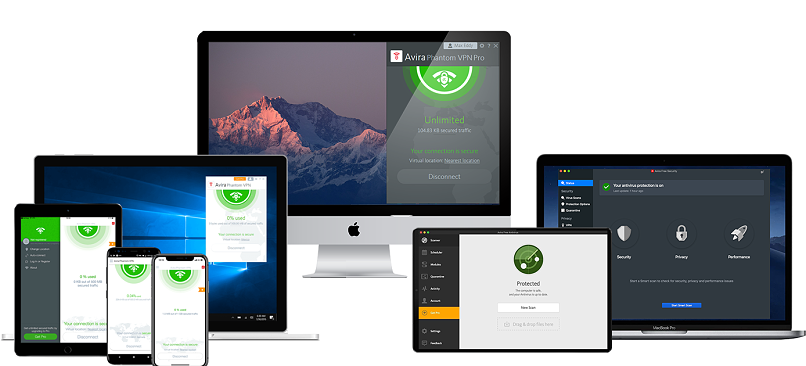
Avira Phantom VPN’s free mobile app lets you connect to all its locations, including one in the US that’s streaming-optimized. While it doesn’t work with many popular platforms, it can safely access Disney+, Crackle, Peacock, and Netflix Originals in decent quality. Avira Phantom VPN hooked up super fast during our server tests, and we didn’t deal with unwanted disconnections.
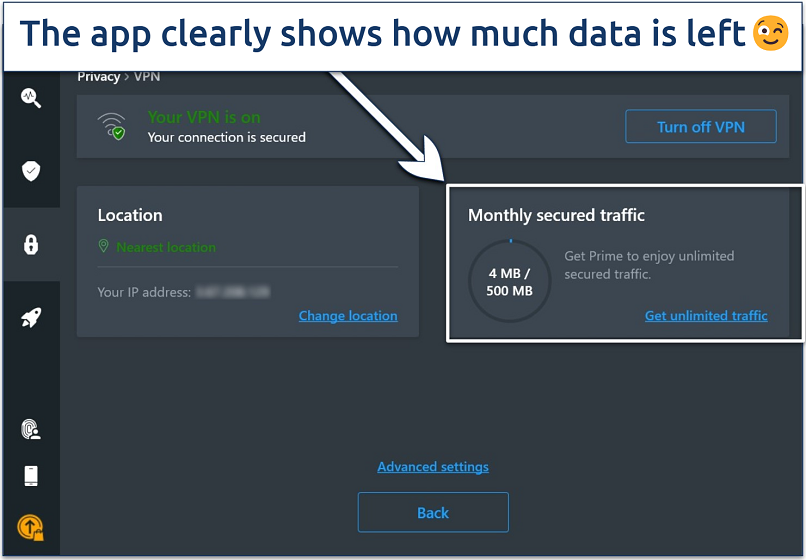 The interface is very intuitive and beginner-friendly
My main problem with Avira Phantom VPN is that your viewing time will be quite limited, as you get 500MB of monthly data with the free plan, so you’ll only be able to stream for about half an hour each month (in SD quality). You can increase that to 1GB if you register with your email, though.
Useful Features
- Unlimited devices. You can cover all of your go-to streaming gadgets without spending a dime.
- Unlimited simultaneous devices
- Access to 36 countries on mobile
- No signup required
- Max 1GB monthly data (with email signup)
- No kill switch
Quick Side-By-Side Look: Free Streaming VPN Services
All the VPNs I suggest are suitable for streaming, although they differ greatly in terms of their speeds, monthly data limits, and the range of platforms they work with. The following table compares their features, making it simpler for you to identify the most suitable free streaming VPN for your needs.

Why You Need a VPN for Streaming
Streaming platforms use information like your IP address and device details to decide how to handle your connection and which content to present. A VPN routes your traffic through one of its own servers and replaces your visible IP with the server’s IP, so the connection looks as if it’s coming from the VPN rather than directly from your home network. That gives you more control over how your connection appears from the outside while you stream and helps keep your viewing activity more private.
It also helps with stability. Some ISPs slow down video traffic during busy hours, which causes buffering and drops in quality. When your connection is encrypted through a VPN, it’s harder for your ISP to see that you’re streaming, so you’re more likely to maintain smooth HD playback as long as your baseline is fast enough.
Security is another factor. People often stream on public WiFi in hotels, airports, or cafés, where networks are less secure. A good VPN adds encryption and leak protection, and many include features like a kill switch or basic malware blocking to reduce the risk of using untrusted networks.
The main trade-off with free VPNs is usability. Many have strict data caps, crowded servers, or privacy issues such as logging and selling user data. That’s why this list focuses on reputable free and freemium services that still offer usable speeds, sensible limits, and clear no-logs policies for streaming.
How We Choose the Best Free VPNs for Streaming
We evaluated each VPN's streaming capabilities across multiple platforms and devices to see how they performed with services like Netflix, Disney+, and Max. Our testing also focused on speed and its impact on video quality, load times, and stability during peak hours.
Are Free VPNs Safe for Streaming?
All the free VPNs on this list are good for streaming and have trustworthy reputations, but sadly, most free VPNs aren’t safe to use. Not only do they not work with most streaming sites, but they may also put your security and privacy at risk. Here are some of the biggest risks associated with using free VPN services:
- Free VPNs may collect and sell your data. Since they can’t profit from you otherwise, some free VPNs collect personal data, such as your IP address, browsing history, and location, and sell it to advertisers for financial gain.
- They may contain ads and malware. Free VPNs rely on advertisements for revenue, so they often come filled with ads. These can disrupt your user experience, and some of them may even infect your device with malicious files.
- Free VPNs may leak your info. Many free VPNs don’t offer strong security features, like a kill switch or IP/DNS leak protection, so they may leak personal information, thus compromising your security and privacy.
The VPNs I included in my list follow the freemium model, which means that they offer both free and paid versions of their services. Freemium VPNs are generally safe, as they get revenue from paying users and don’t need to resort to suspicious practices to earn money.
Is It Illegal to Stream With a VPN?
In most countries, using a VPN to stream isn’t illegal. A VPN is just a privacy tool that encrypts your connection and routes your traffic through a secure server. This helps keep your data private while you watch content online. In places like the US, UK, EU, Canada, and Australia, VPNs are legal as long as you’re not using them to commit crimes or violate local laws.
That said, there are some important caveats. A small number of countries either ban VPNs outright or heavily restrict their use — examples include China, Russia, Iran, Iraq, Myanmar, North Korea, Turkmenistan, and a few others. In those regions, using a VPN without approval can carry legal or financial penalties.
And even where VPNs are legal, streaming platforms like Netflix and other services may prohibit using VPNs to access content from outside your licensed region in their Terms of Use. In practice, this usually leads to blocked connections or error messages rather than legal action, but you could still be in breach of the platform’s rules.
The bottom line is that using a VPN to stream is generally legal, but it doesn’t override local law or any agreement you’ve made with a streaming service. You’re responsible for checking the rules in your country and the T&Cs of the platforms you use, and for using VPNs within those limits.
Bottom Line
Only a handful of free VPNs work for streaming. Still, they come with restrictions like slower speeds or data caps. In our tests, some stood out by offering solid performance for casual streaming, working well with platforms like Netflix and Pluto TV.
The best ones, like Hotspot Shield, offer good speeds, protect your privacy, and support popular operating systems. It's not perfect, but if you’re streaming on a budget or just testing things out, a free VPN is a great place to start, and you can always upgrade for better performance.
FAQs
About the Author
Hendrik is a former writer at vpnMentor, specializing in VPN comparisons and user guides. With 5+ years of experience as a tech and cybersecurity writer, plus a background in corporate IT, he brought a variety of perspectives to test VPN services and analyze how they address the needs of different users.

Pretty! This has been a really wonderful post. Many thanks for providing these details.

Please, comment on how to improve this article. Your feedback matters!